
Participant
March 16, 2017
Question

Problems cropping a clipping mask to get pattern swatch

  • March 16, 2017
  • 1 reply
  • 4713 views

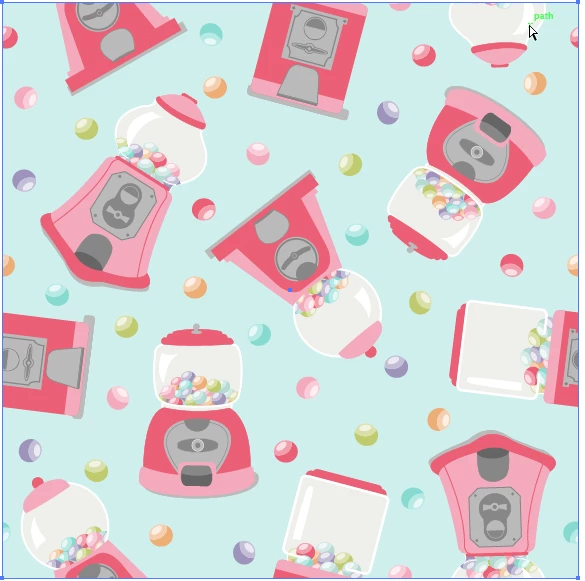
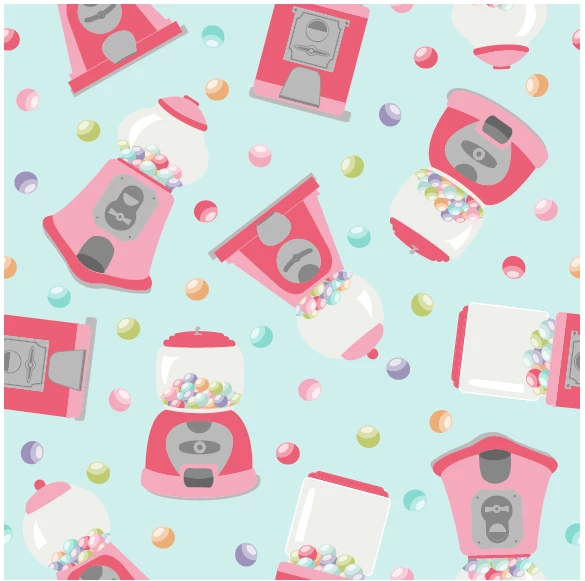
I'm trying to create a swatch of a repeating pattern that I created.  Usually, I create a clipping mask of the repeat square, make a copy, crop any parts of the image that fall outside of the square and then drag the cropped square into my swatches.  This time, however, as soon as I hit "crop", some the detail of my image disappears.  I cannot for the life of me figure out why and I've never had this problem.  Can anyone help?  Below are pictures of what I'm talking about.  Thank you!
This topic has been closed for replies.

1 reply

Monika Gause
Community Expert
Community Expert
March 16, 2017

To create a pattern swatch, all you need to do is draw that rectangle as you would do for masking, but then apply fill and stroke "None" to it and send it to back. Then select all and drag into swatches. You don't need to crop it.

Juniperr2Author
Participant
March 16, 2017

Thanks for your response, Monika.  Maybe I'm not understanding you, but I don't think that what you write will work for me.  I have items that cross the bounding box so that I can ensure the pattern repeats (see photo).  I have to crop them off somehow so that I have a perfect square.  If they aren't cropped and I try to drag the "no fill stroke" rectangle into the swatches, it drags everything and the pattern doesn't repeat.  Does this make sense?  Am I doing something wrong?  This is how I was taught by several pattern designers.

Monika Gause
Community Expert
Community Expert
March 16, 2017

You don't need to crop your artwork.

Just put the no fill/no stroke rectangle in the back and drag everything into swatches.

And if you don't believe me: Just examine some of the default pattern library items. You will find that every single one of them has not been cropped.