Participant
April 1, 2021
Answered

Problems with digits in arabic and other RTL languages

  • April 1, 2021
  • 1 reply
  • 10471 views

I cannot change my styles in illustrator to show digits correct in RTL languages.

We use to have a lot of texts with digits and values and they should show up "LTR ARABIC (0123...).

I have already downloaded additionally another Illustrator-Version

But anyway, my numbers are wrong with each and every setting.

By the side - I can't see any "Type - advanced" settings in the preferences - shouldn't there be any for middle-eastern text? Do I have downloaded the wrong version?

Please for your help - what I'm doing wrong here?
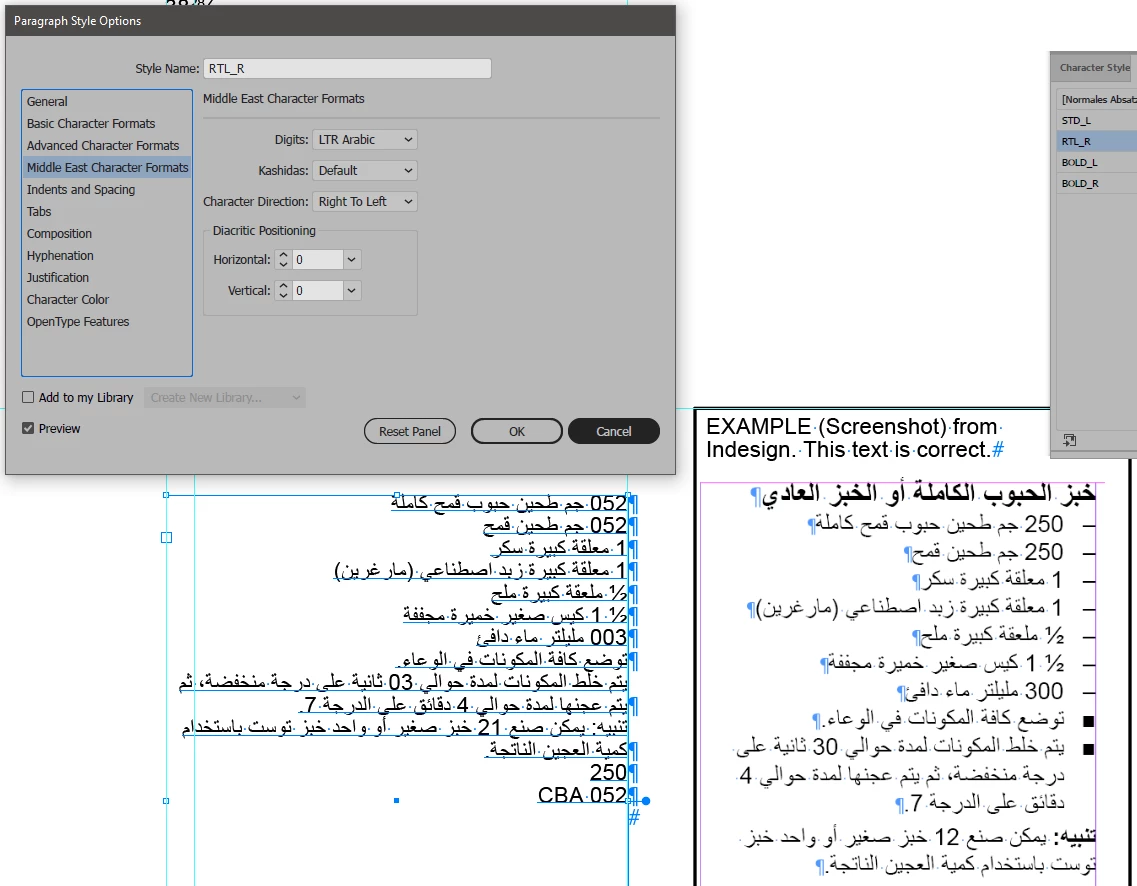
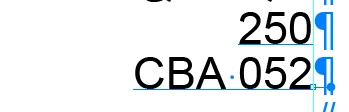
If I type only a number, it stays correct. If I add text, the number flips to RTL:
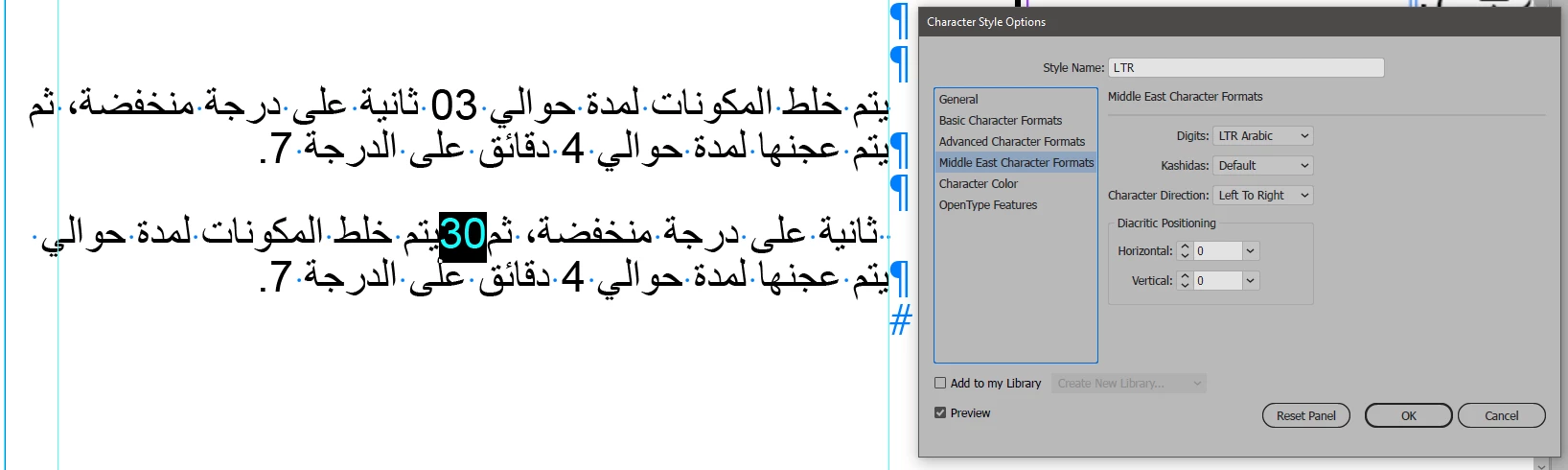
I also tried to manipulate the numbers by a certain character style. If I put that style only on a number within the text, I have changes to the complete text. See here same texts with character format in second version place on "30":
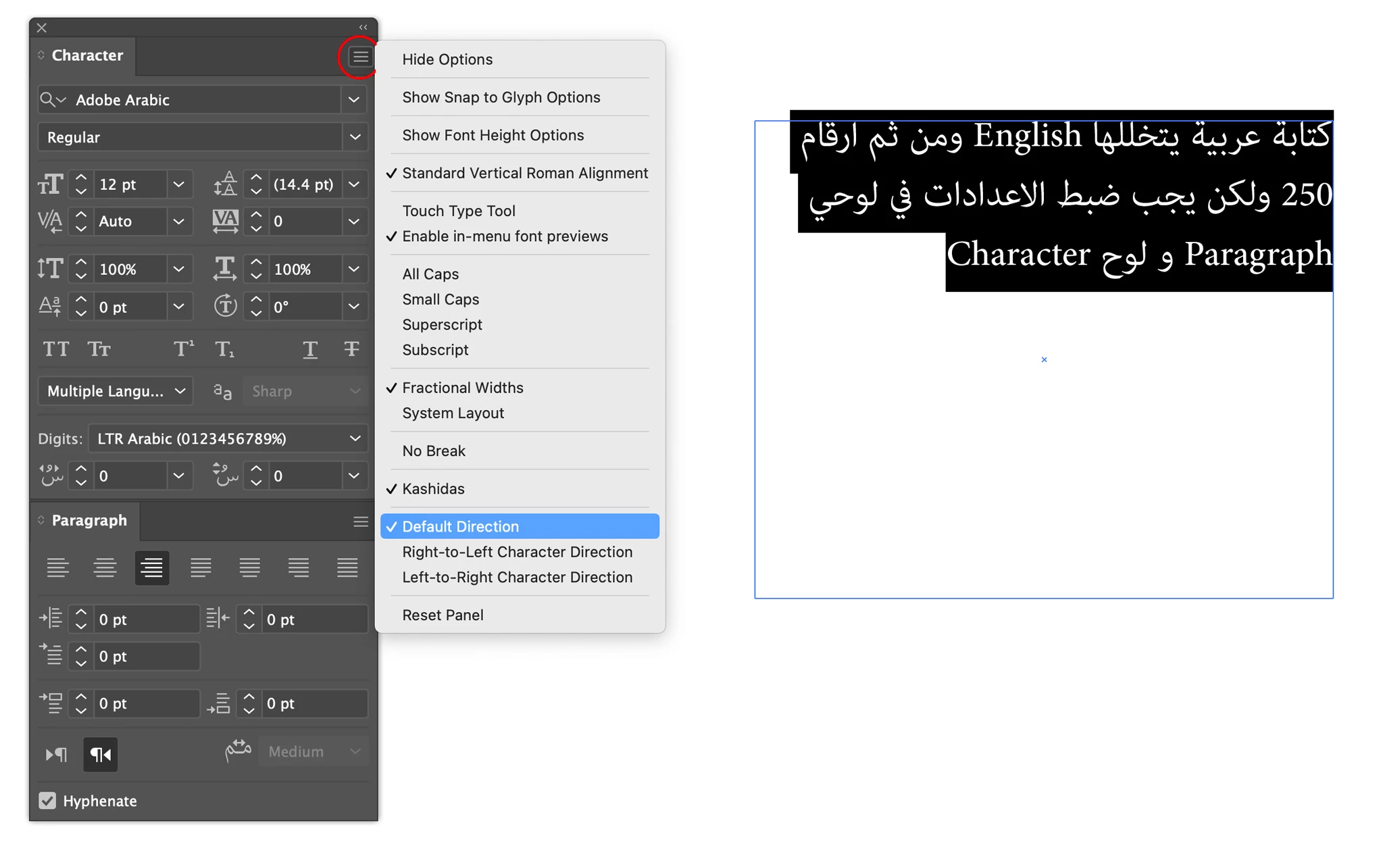


Correct answer Zaid Al Hilali

Please follow these common Arabic settings to solve the issue…

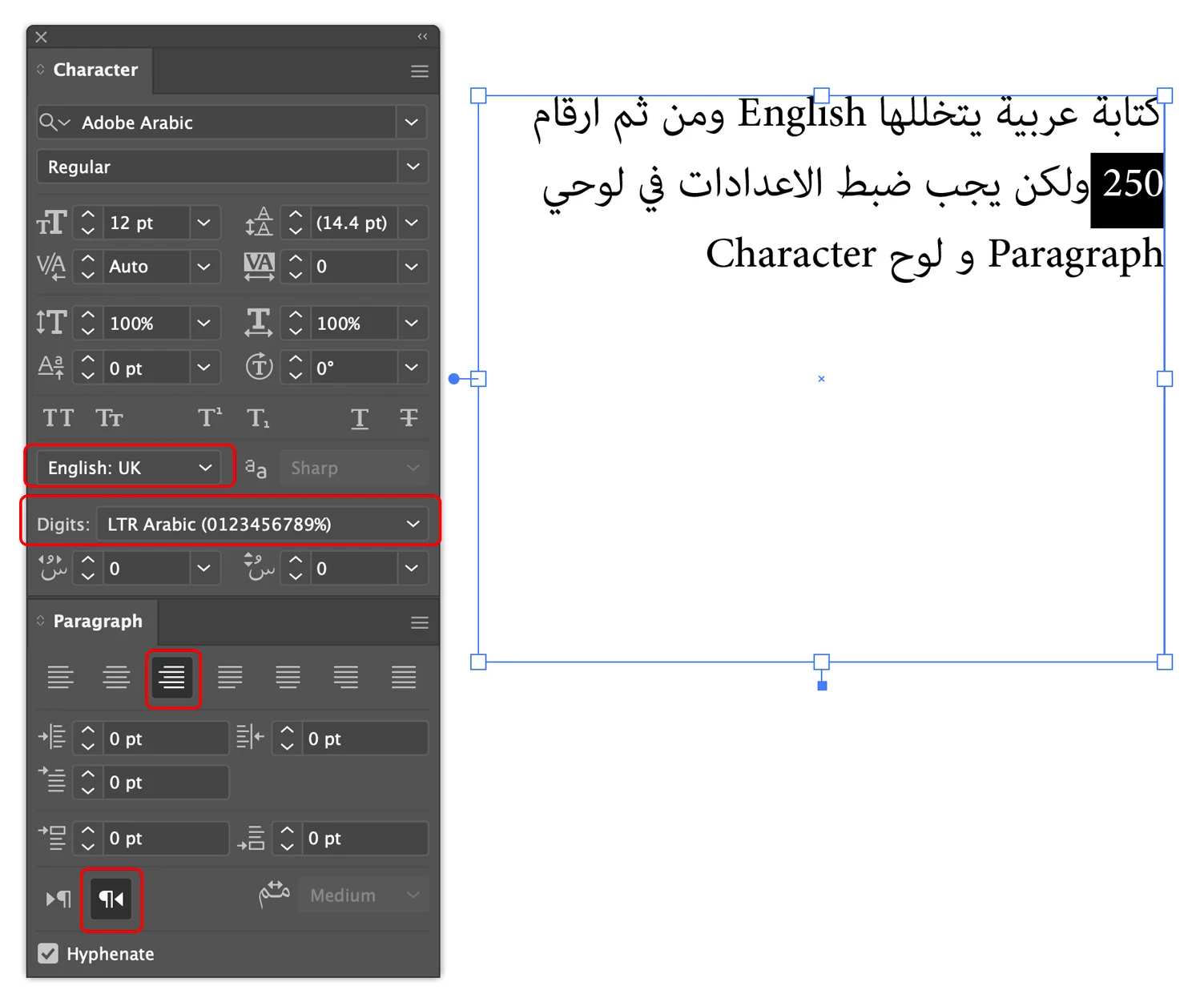
For multilingiual/bidirectional text, alwyas keep your character direction setting for the whole text "Default Direction" as shown here from the Character Panel fly-out menu

If you want your numbers to show Arabic number 1234, not the Hinid number ١٢٣, then do the following…

Keep character directions "Defualt Direction" for all the text as mentioned above

Switch keyboard input language to English when typing numbers

Highlight the number and apply English dictionary on it (Character Panel)

Select either LTR or RTL Arabic numberals (Character Panel)

1 reply

Zaid Al Hilali
Community Expert
Zaid Al HilaliCommunity ExpertCorrect answer
Community Expert
April 4, 2021

Please follow these common Arabic settings to solve the issue…

For multilingiual/bidirectional text, alwyas keep your character direction setting for the whole text "Default Direction" as shown here from the Character Panel fly-out menu

If you want your numbers to show Arabic number 1234, not the Hinid number ١٢٣, then do the following…

Keep character directions "Defualt Direction" for all the text as mentioned above

Switch keyboard input language to English when typing numbers

Highlight the number and apply English dictionary on it (Character Panel)

Select either LTR or RTL Arabic numberals (Character Panel)

Participant
April 7, 2025

I am not able to find any of these options.


Anubhav M
Community Manager
Community Manager
April 7, 2025

Hello @piyush_0384,

Would you mind installing the Arabic/Hebrew version of Illustrator by following the steps shared in this help article (https://adobe.ly/3G03TCT) and letting us know if they help?

Looking forward to hearing from you.


Anubhav