
Known Participant
July 13, 2023
Question

problems with embedding color profiles

  • July 13, 2023
  • 2 replies
  • 950 views

My last print came out greenish on the final print after having sent my files to a vinyl pressing plant - they were supposed to be B&W.


They specifically ask you not to include a specific profile on your print and use euroscale uncoated v2, which is a rather old profile.


This time I decided to include GCR FOGRA27 Uncoated, as this mimics euroscale uncoated v2, but has less of a color variance and stronger K value, or so i've been told.


Now I got back this reply:


In our specification, it is written that the files should not have any profiles added/attached.
Adding profiles to the files is pointless because after going through the repro department all profiles are removed from the file. 


If your customer wants to use profiles, they should apply the profile, don't attach/add it to the file. Attaching a profile doesn't change the CMYK values, it just simulates the display, and that doesn't give us anything..."


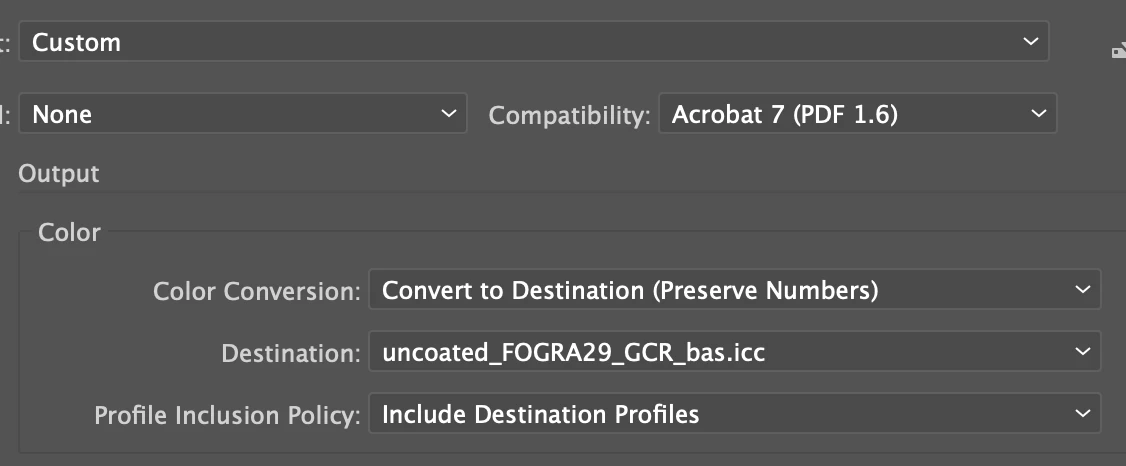
I don't know what they mean by saying I have attached the profile rather than applying it, I exported the file from Illustrator as a pdf with my preferred color profile attached:
 

Now they are sending me previews where you can visibly see a color difference;
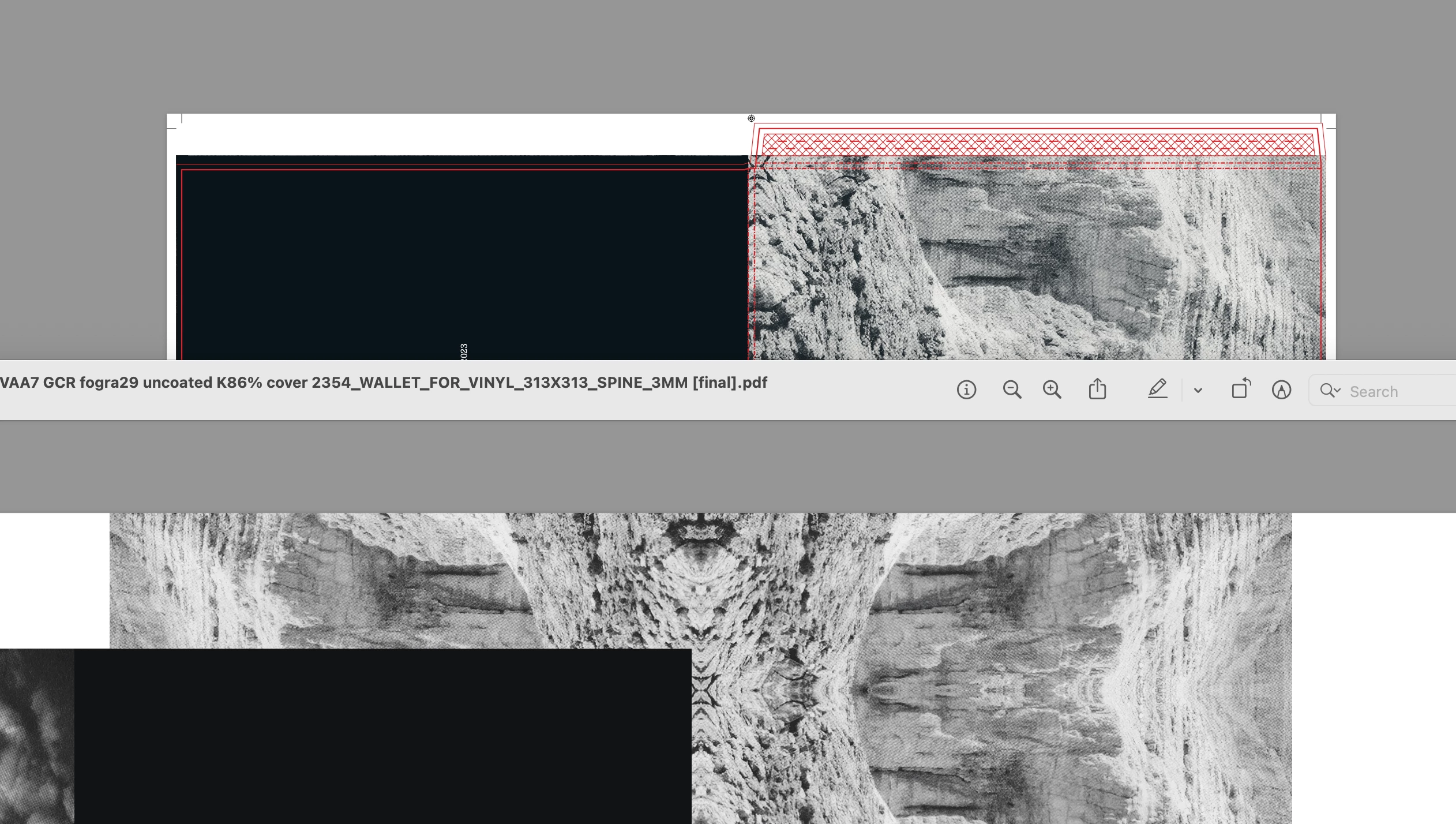
 

It's subtle, but below is my version via overprint preview using the GCR 26 uncoated profile, vs their preview, which is slightly green when viewed through the euroscale uncoated v2 overprint preview that they are using...


All I want is for my record to be printed as intended, and not to come out slightly greenish again... Can someone help me here? 


Best


Oscar

This topic has been closed for replies.

2 replies

Mike_Gondek10189183
Community Expert
Community Expert
July 14, 2023

They do not want you to assign a profile. 


File >> Document Color Mode >> CMYK

Edit >> Color settings


Then for your PDf generate using Illustrator Default, so you have no profile.

Monika Gause
Community Expert
Community Expert
July 14, 2023

Alternative:

Keep color management turned on. And have it (and the document) set up with the profiles the company uses.

When exporting the PDF: in Output: No Conversion, no profiles.

Known Participant
July 18, 2023

Your printer uses the CMYK numbers in your file. 

They will ignore every profile attached and don't care about assigned profiles. Assigned profiles do not change the numbers, they can be used to Preview the file or when a conversion needs to take place to another CMYK profile.

I wonder why you use a CMYK profile when the result should be B&W. Creating B&W with 4 colors is difficult to control and makes it very easy to get a color cast.

Maybe it is better to convert your file to Grayscale, which uses only Black.


I print in CMYK because you lose a lot of contrast and depth when only printing with K.


Could you give me a brief step by step rundown of getting my image print ready for them in euroscale uncoated v2?

Is it important that the source image i've edited in PS is exported as such, or is it simply important that the final Ai file is exported as Euroscale uncoated v2.


I am at a loss, as when I send them anything it always comes out color cast, so I tried to tackle this by using a better profile... Which they do not accept. So if I create my file in euroscale uncoated v2 from finish to start... I can hope that it will finally come out as intended?


Monika Gause
Community Expert
Community Expert
July 14, 2023

So that image is in which color space?

What you can do in Photoshop is "Convert to profile". I would assume that this is what they mean. 

But if this print is supposed to be b&w, I would make that I use a greyscale image in it.