
FlowEDA
Participating Frequently
April 18, 2018
Answered

Problems with svg file, created in a PCB Design Tool

  • April 18, 2018
  • 4 replies
  • 3285 views

Hello Community, I'm new here and svg is new for me too.

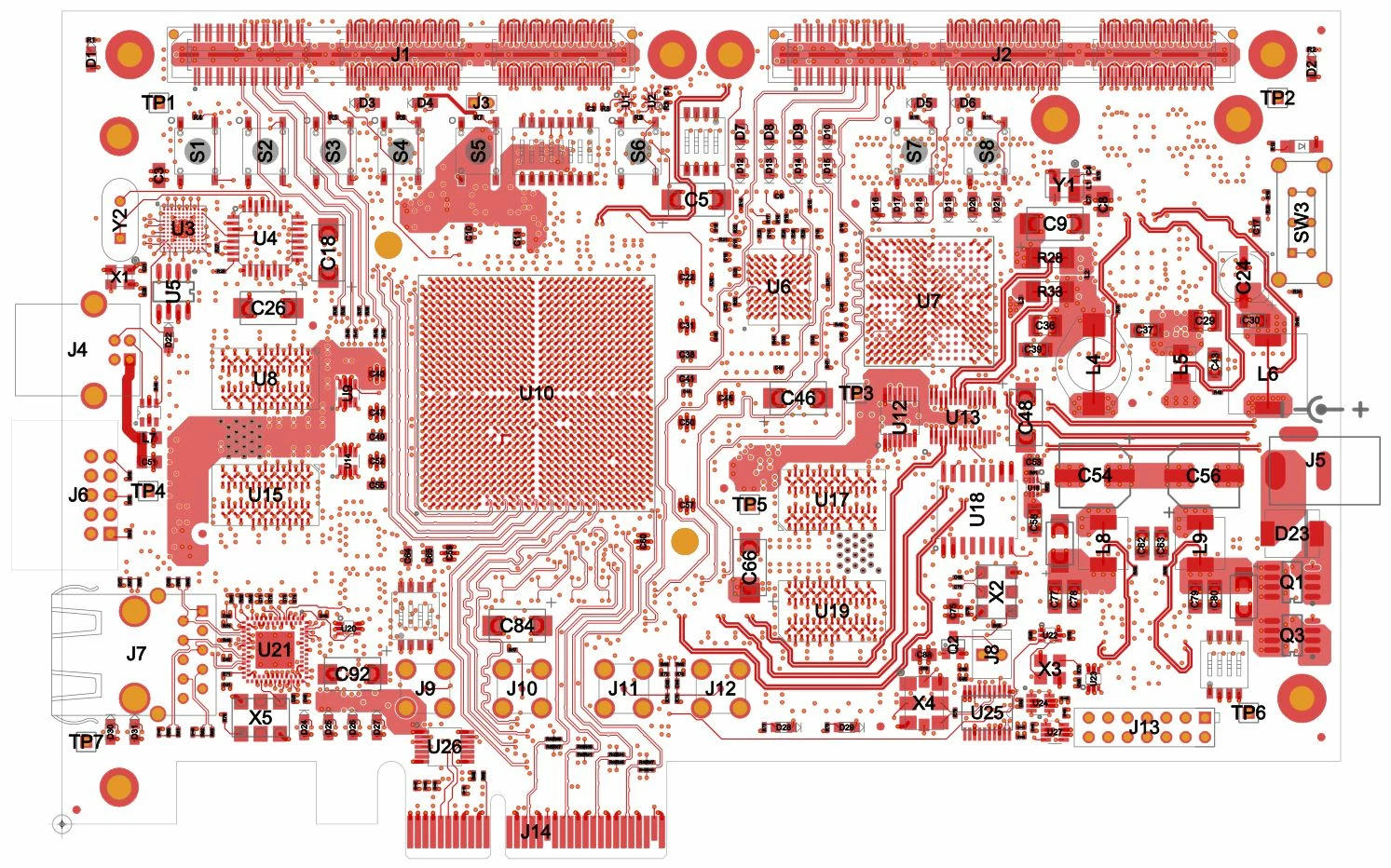
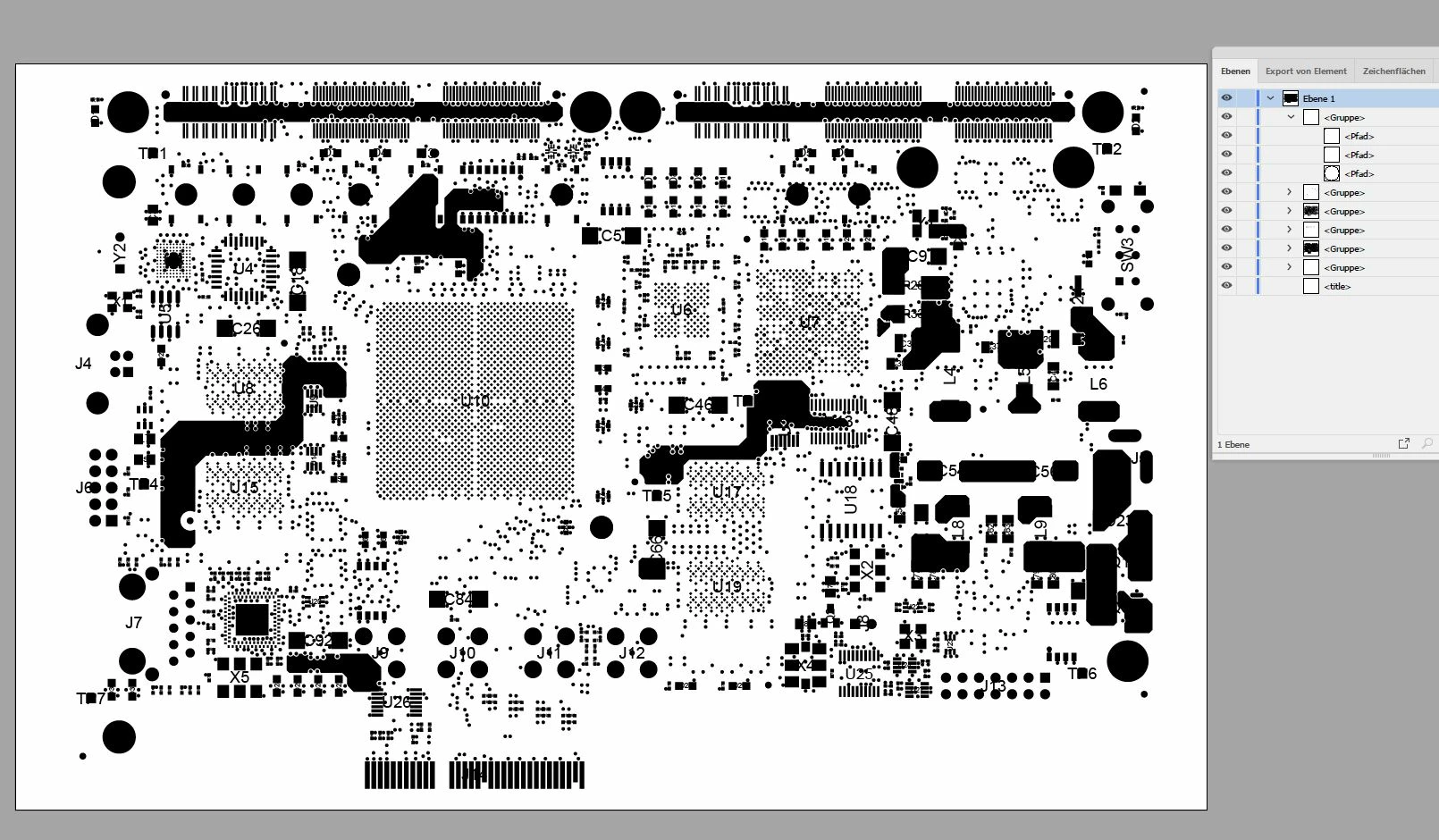
My colleagues create svg files with a PCB Design Tool (code is w3c conform). We want to use the svg images not only for our website, but also as basic for printing files (e.g. for an advertising). When opening the svg in Illustrator (CC 2018 and version before) it does not look the same - colors, strokes, ... get lost. Shapes and layers excist. Don't know what's the problem. Is it in the code? I had a deeper look in the forums and find out that Illustrator has a problem with most svgs out from other sources ...

SVG in a browser
SVG in Illustrator
Is there a chance to open my svg in Illustrator without needing much time for extra work?

Looking forward to an expert that can help me!

Petra

    This topic has been closed for replies.
    Correct answer Ton Frederiks

    You can try to print or save it as PDF from the browser and open the result in Illustator.

    4 replies

    Ton Frederiks
    Community Expert
    Ton FrederiksCommunity ExpertCorrect answer
    Community Expert
    April 30, 2018

    You can try to print or save it as PDF from the browser and open the result in Illustator.

    FlowEDA
    FlowEDAAuthor
    Participating Frequently
    May 2, 2018

    Hello Ton,

    best solution for the moment. Thank you for this tip!

    Regards,

    Petra

    Ton Frederiks
    Community Expert
    Community Expert
    May 2, 2018

    Glad to hear that helped, Petra.

    John Mensinger
    Community Expert
    Community Expert
    April 18, 2018

    This is one of several reasons why this:

    We want to use the svg images not only for our website, but also as basic for printing files (e.g. for an advertising).

    . . . is not such a good idea. There are variables in the SVG format, which combined with its primary intent (screen render) make it a questionable choice as an exchange or source format for vector graphics. It would be better if the Illustrator-destined PCB-app files were exported or printed to PDF.

    FlowEDA
    FlowEDAAuthor
    Participating Frequently
    April 18, 2018

    Hello John,

    I do agree - the svg would be only basic, for printing I will save as .eps or another similar format. Printing files are always pdf :-)

    Thank you anyway!

    Petra

    Monika Gause
    Community Expert
    Community Expert
    April 18, 2018

    SVG is not Illustrator's native file format. It interprets the code.

    So all kinds of issues might happen.

    If you can, please provide the code to the developers in order to improve the import module for all of us.

    Srishti Bali
    Community Manager
    Community Manager
    April 18, 2018

    Hi FlowEDA,

    As per your query, SVG created by PCB tool looks fine on browser but not in Illustrator.

    May I please know which PCB Design Tool you are using to create SVGs?

    Would you mind sharing a sample file?

    Regards,

    Srishti

    FlowEDA
    FlowEDAAuthor
    Participating Frequently
    April 18, 2018

    Hi Srishti,

    thanks for your reply. The tool is OrCAD / Allegro from Cadence Design Systems.

    I tried to enclose an svg example with my first message, but svg is forbidden to enclose. So which format to use?

    Thanks,

    Petra

    PS: In 30 minutes I will leave my office and will not be back before Monday. So sorry when not answering promptly.

    Monika Gause
    Community Expert
    Community Expert
    April 18, 2018

    Please upload the file to Dropbox or the like and share the link or send the link to Srishti