Participating Frequently
May 12, 2020
Answered

question about saving files filled with pattern

  • May 12, 2020
  • 5 replies
  • 1490 views

Dear Community,

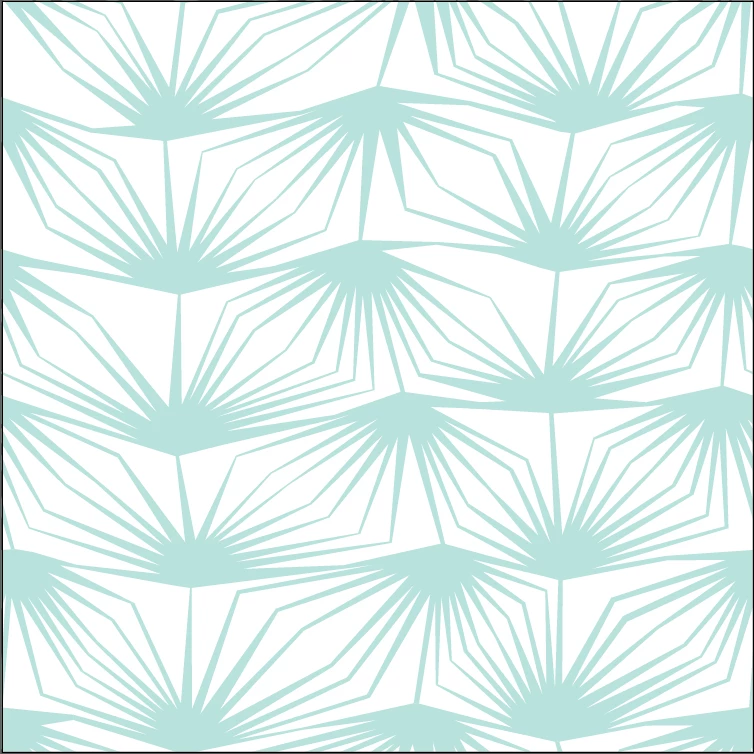
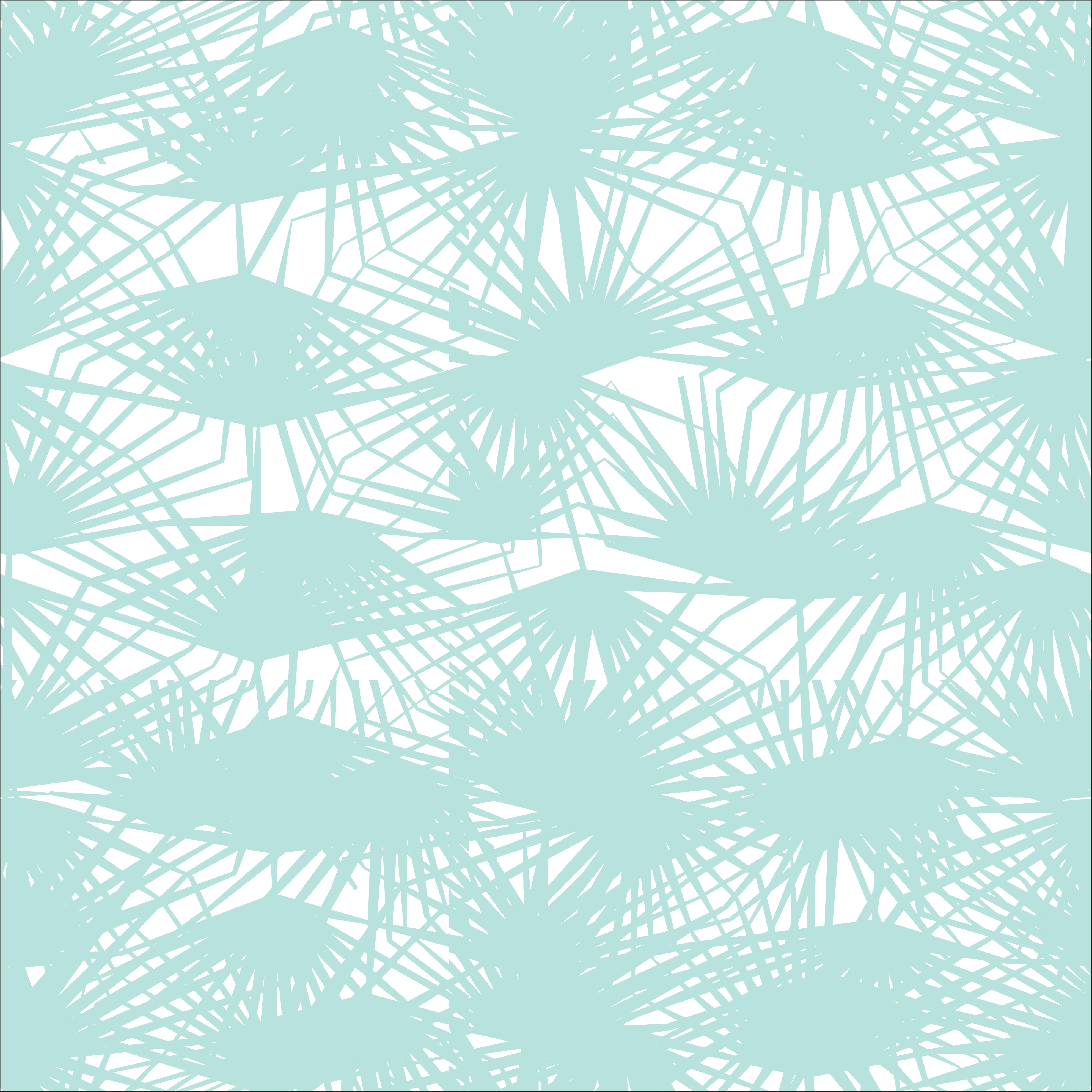
I´m struggling with a pattern bulit in Illustrator (used the pattern making tool in Illustrator 2020.) When I open the ai file it works perfectly, the pattern looks like as it should, but when I´m trying to export or replace to PS, it looks totally messed up. I´ve tried to export to jpg, png, tif, psd and also to save to older versions of ai. SVG worked, but not good for the client.

I´m quite a beginner, this is my first pattern, so maybe I miss something when editing/saving. I appreciate any help.

First picture is the wrong one, second is the good.

Thanks,

Kati


This topic has been closed for replies.
Correct answer Ton Frederiks

It looks like a bug, but maybe it is caused by the way the pattern is build.

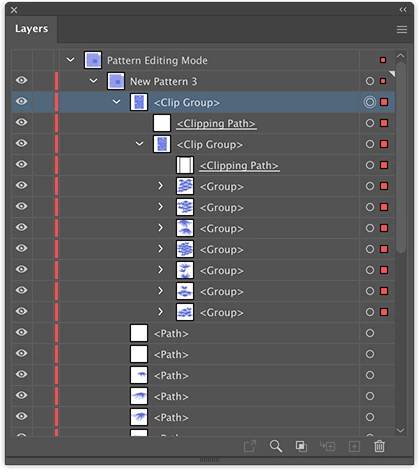
In Pattern editing mode, there is a whole clip group visible in the layers panel, that contains another clip group, but is not visible in the final pattern, but it is visible on export as...

I you delete the clip group while in Pattern editing mode, the exports will be as expected.


5 replies

kati.uAuthor
Participating Frequently
May 15, 2020

Thank you so muchfor the help! 🙂

Ton Frederiks
Community Expert
Community Expert
May 14, 2020

The result of Export As... looks like a bug.

But Export Selection or Export >Export for Screens seems to work fine (without expanding).

Ton Frederiks
Community Expert
Ton FrederiksCommunity ExpertCorrect answer
Community Expert
May 14, 2020

It looks like a bug, but maybe it is caused by the way the pattern is build.

In Pattern editing mode, there is a whole clip group visible in the layers panel, that contains another clip group, but is not visible in the final pattern, but it is visible on export as...

I you delete the clip group while in Pattern editing mode, the exports will be as expected.


Disposition_Dev
Legend
May 14, 2020

This should be the real correct answer. Mine is a hack.. But this is a fix.

Ton Frederiks
Community Expert
Community Expert
May 14, 2020

Thanks for sharing.

If I understand correctly you want to export a single tile?

As an image or as vector?

Ton Frederiks
Community Expert
Community Expert
May 12, 2020

The first one certainly does not look good.

I wonder what the second one is, a pattern tile? Or a rectangle filled with your pattern?

Can you share your Illustrator file?

File sharing from the Creative Cloud Files folder, DropBox, WeTransfer, Google... 

kati.uAuthor
Participating Frequently
May 14, 2020

The second is a rectangle, but the pattern is editable inside. I put it on wetransfer 

https://we.tl/t-7p7pPKwi1S

Thank you for helping 🙂

Disposition_Dev
Legend
May 14, 2020

Try this:

Select the rectangle (with the pattern fill applied).

Object > Expand

    In the dialog, make sure "Fill" is checked. Click "OK".

Pathfinder palette > "Merge"


Disposition_Dev
Legend
May 12, 2020

Try expanding the pattern fill before exporting? Personally, pattern fills have been the bane of my art/print production career.. so i feel your pain.

kati.uAuthor
Participating Frequently
May 14, 2020

Yes, I got the same suggestion to try expand, but it did'nt really work - but maybe I've done it not right.

Disposition_Dev
Legend
May 14, 2020

Can you describe the method you used to expand the pattern? What was the result of expanding the pattern and what makes you say that it "didn't really work"?


The more you can tell me about the situation, the better the chances I'll have an answer for you. 😃