


- Home
- Illustrator
- Discussions
- Re: "Insert Menu" not working for Javascript
- Re: "Insert Menu" not working for Javascript
"Insert Menu" not working for Javascript

Copy link to clipboard
Copied
I found this script to create a non-printable path for my artboard.
function Path()
{
var boxHeight = 611.999; //set this to whatever you like - value is in points.
var blackColor = new GrayColor();
blackColor.gray = 100;
var doc = app.activeDocument;
var pages = doc.artboards;
for(i=0;i<pages.length;i++){
var pageDims = pages.artboardRect;
var head = doc.pathItems.rectangle(pageDims[1],pageDims[0],pageDims[2]-pageDims[0],boxHeight);
head.stroked = false;
head.filled = false;
}
}
make_Path();
Issue now is i am not able to apply this for a batch function( i have around 30000 files to finish).
The script is not recognised in "insert menu" in action command.
the other option i placed the script in presets\en_In\Scripts folder so that it appears as a menu, even then it was not recognised.



Explore related tutorials & articles
 7
Replies
7
7
Replies
7


Copy link to clipboard
Copied
You could do the batching with javascript as well. I've never had very good luck with running scripts from actions, especially if the script runs in tandem with any other actions.
If you give some more information about what your goal is, we can help you write something.

Copy link to clipboard
Copied
I agree, the batch should also be done in JS.
illustrator will freak out trying to batch 30,000 files.
i would also look at restarting illustrator every few hundred files.
if you do the bath in JS you can also create a log to let you know of any issues.
Copy link to clipboard
Copied
Hi,
This script primarily creates a rectangle to match the size of the artboard. I wanted to apply this for a batch. I used the script you gave in my previous discussion, "Raster to Vector" and it worked. Thank you!
Copy link to clipboard
Copied
So you want to open a particular file, then create a rectangle the same size of the artboard, then save/close the file? If you give us all the steps, in detail, we can help you write the whole process.
In the snippet you posted in your original post, the script creates a new gray color, but then later you set the filled property of your rectangle to false. are you just looking to create a blank, no-stroke/no-fill box on each artboard?? What's the purpose of this invisible box?
Copy link to clipboard
Copied
Hi William,
Script i used was something which i found in the forum similar to my requirements.
Thanks for your reply. Process you have described is exactly what i want.
I am not proficient in javascript i was trying to solve my condition via trial and error method and the purpose of invisible box is for the illustrator/s to understand that the art he creates should be
enclosed within the invisible box.
Thanks.
Copy link to clipboard
Copied
here is a function to create your box.
now you just need the batch section.
function invsiBox(){
    var doc = app.activeDocument;
    var ABs = doc.artboards;
    for(var i=0; i<ABs.length; i++){
        var AB = ABs.artboardRect;
        var Rect = doc.pathItems.rectangle(AB[3],AB[0],AB[2]-AB[0],AB[3]+AB[1]);
        Rect.filled = false;
        Rect.stroked = false;
    }
}
invsiBox();

Copy link to clipboard
Copied
The script has to be placed in the folder so that it appears in File > Scripts first, and then it should work. Problem is when Illustrator restarts, the action won't have it any more. To fix when restarted, you have to show the File > Scripts menu by clicking it & mouse-over the Scripts menu item, and then re-load the action.
In my screenshots, I show this working on CC2015 Windows7

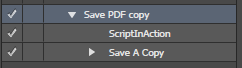
This is not relevant to this question, but I just wanted to share my test results.
I used a simple script to assign a "random" Cmyk color to the document selection.
#target illustrator
function test(){

    var doc = app.activeDocument;


    var randomColor = new CMYKColor();
    randomColor.cyan = Math.random() * 100;
    randomColor.magenta = Math.random() * 100;
    randomColor.yellow = Math.random() * 100;
    randomColor.black = Math.random() * 50;

    doc.pageItems[0].selected = true;
    doc.defaultFillColor = randomColor;

}
test();
I then processed a set of 4 files 3 different times to produce 3 unique configuration sets using the Actions Batch feature.





Get ready! An upgraded Adobe Community experience is coming in January.
Learn more
 AdChoices