
bertvanernie
Participant
August 8, 2022
Answered

"missing profile" notification, even when i assigned and saved a color profile

  • August 8, 2022
  • 2 replies
  • 1387 views

Hello Adobe community, I hope you can help me with a problem.


Everytime I open an .ai file, I get the notification:
"Missing Profile - The document does not have an embedded CMYK profile."
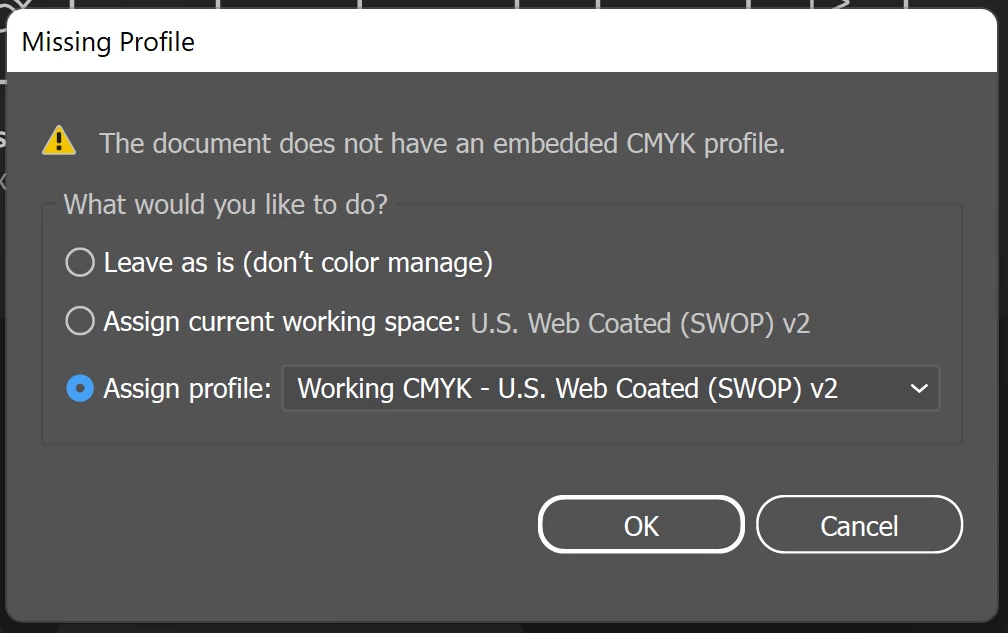

This is strange, because multiple times I have assigned a specific profile to this file via:
"Edit - Assign Profile - Profile" And then I saved the .ai file with "Embed ICC Profiles" checked.


Am i missing something? Or is this a bug?


Things I have already tried to fix this issue:

- Use Bridge to assign color profiles ("Edit - Color Settings - Apply")

- Install older versions of Illustrator

- Remove the "ACEConfigCache2.lst" cache file


I hope someone can help, thanks you in advance


Correct answer bertvanernie

Adobe helped me.
The problem is because of to the files being created on an older system.

Adobe could remotely fix the problem by resetting some preferences or settings.

2 replies

NormanStormin
Known Participant
December 4, 2023

I'm having the same problem. Illustrator REFUSES to save a color profile in the Illustrator file. 


Also, when saving an Illustrator file, there is no option at all to save the ICC profile. 


I'm running v28.0. The Illustrator file was created in THIS version of Illustrator.


If you could let us know what Adobe support did to fix it, that would be grand.


Thanks

Monika Gause
Community Expert
Community Expert
December 4, 2023
quote

I'm having the same problem. Illustrator REFUSES to save a color profile in the Illustrator file. 


Also, when saving an Illustrator file, there is no option at all to save the ICC profile. 


I'm running v28.0. The Illustrator file was created in THIS version of Illustrator.


If you could let us know what Adobe support did to fix it, that would be grand.


Thanks


By @NormanStormin


What kind of file are you saving?

Please show the dialog boxes when saving the file and the errors when opening it

Also: how is your color management set up?

Do you move files between computers?

NormanStormin
Known Participant
December 4, 2023

Ah, as it happens, I tried a Save As... And that seemed to fix it.

I have no idea why it seemed to not embed trhe color profile for the Illustrator file. I never turn that option off.

But Save as seemed to do it.

Perhaps you could tell me if there is any way of seeing if an Illustator file has been set to NOT embed color profiles.


I can't find ANY indicator anywere of the Embed color profile setting being on or off.


If that was in the Document setup, I would have found it.

bertvanernie
bertvanernieAuthorCorrect answer
Participant
August 8, 2022

Adobe helped me.
The problem is because of to the files being created on an older system.

Adobe could remotely fix the problem by resetting some preferences or settings.

zacharys42742228
Participant
November 7, 2022

Glad you got it sorted! Can you give any specifics on what they did? I've been having this issue for months..