
Known Participant
June 19, 2024
Answered

"Resetting" stretched text

  • June 19, 2024
  • 2 replies
  • 2389 views

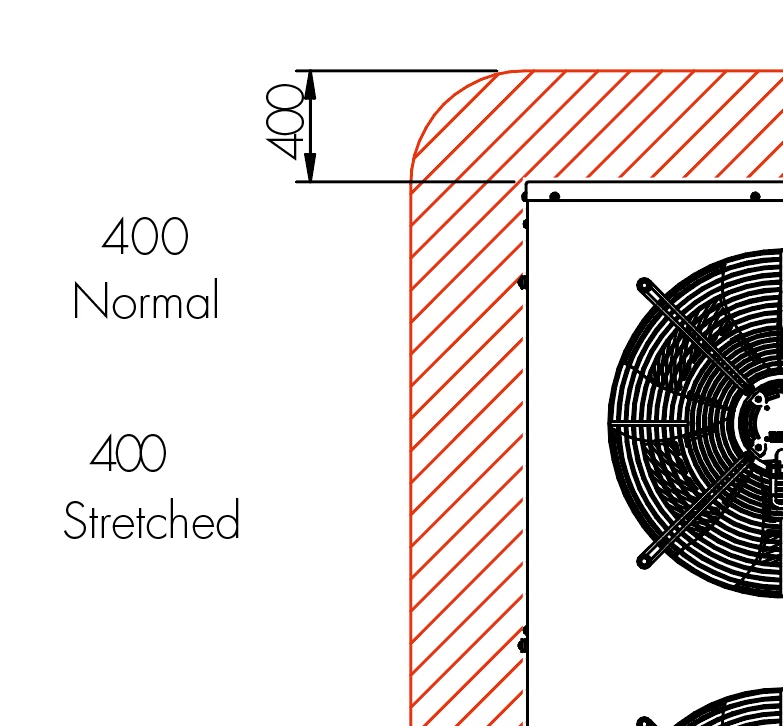
It may be a stupid question for all you proffessionals, but I only use Illustrator to fix up dimensional drawings that I import from a pdf. So no drawing, just fixing up.


If I (or the person who created the pdf) stretch text (to make it smaller in width), how do I reset it to standard width? I haven't found anywhere where I can see in % how much the text is stretched. When I see a text today that I want to have in normal size, I have to re-write it as I don't know how to reset it...
Lena
Correct answer Doug A Roberts

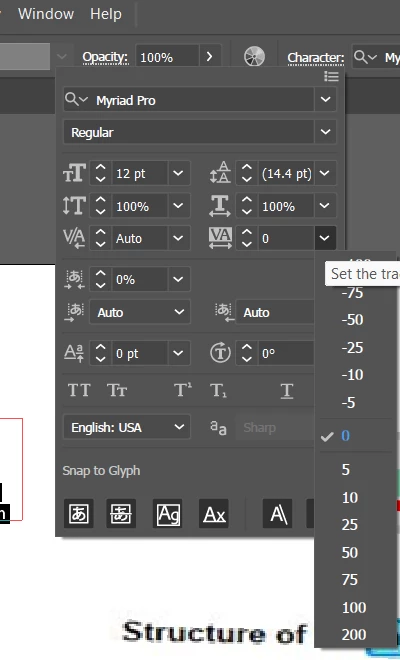
In the Character settings:


2 replies

Kurt Gold
Community Expert
Community Expert
June 19, 2024

Selecting all and hitting the default key combo for uniform type (Shift-Ctrl-X or Shift-Cmd-X) may also help.

nphillips82
Inspiring
August 27, 2025

I know this is old but thank you! I had stretched some text height and then every time I went to use the text tool the type was stretched in height no matter what font I chose. Obviously tracking doesn't apply but this helped!

Doug A Roberts
Community Expert
Community Expert
June 19, 2024

Is it still selectable text? If so, you may be able to adjust tracking.

Known Participant
June 19, 2024

Yes it is, but where can I find "tracking"?

Doug A Roberts
Community Expert
Doug A RobertsCommunity ExpertCorrect answer
Community Expert
June 19, 2024

In the Character settings: