
Participant
December 13, 2021
Answered

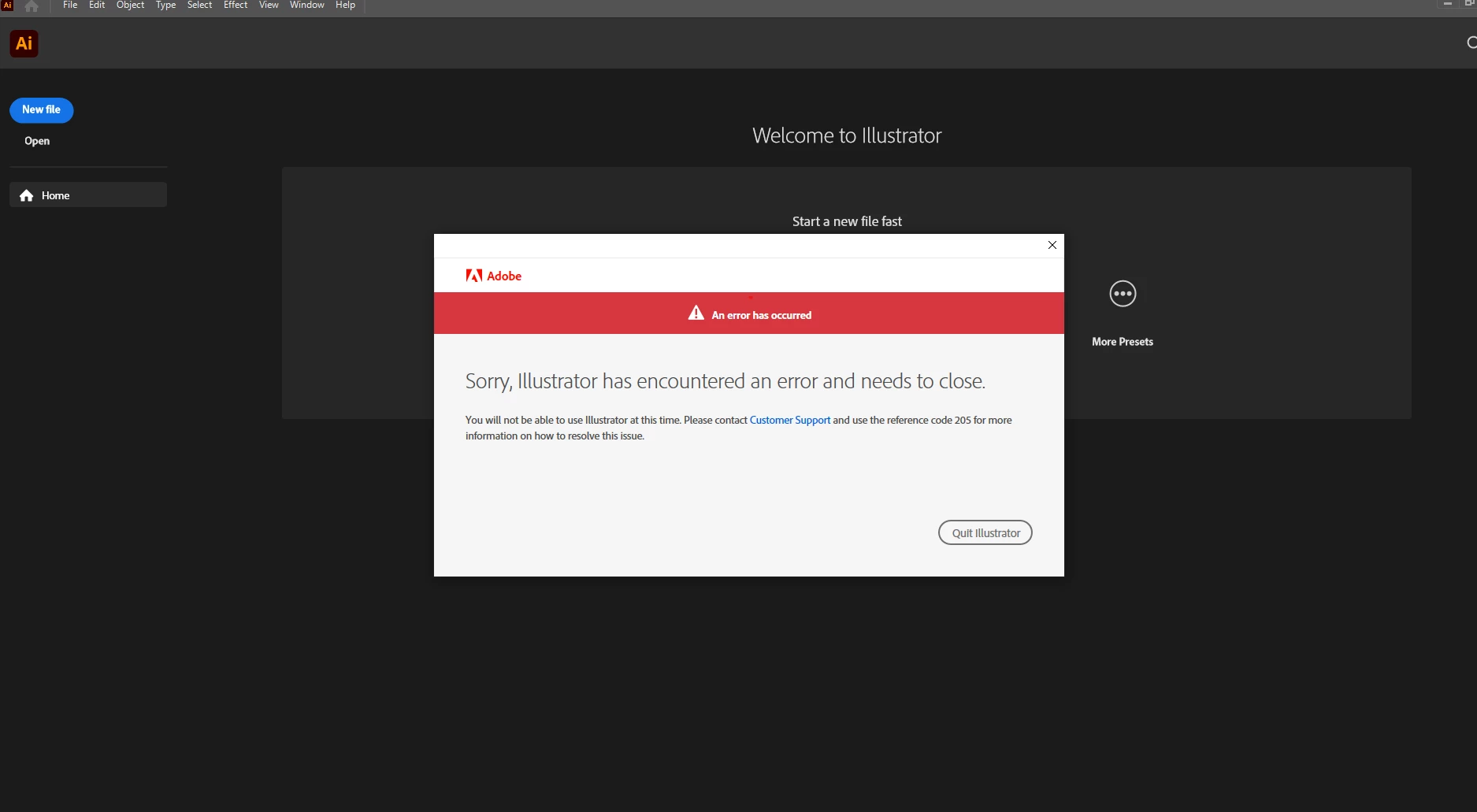
"Sorry, illustrator has encountered an error and needs to close" - Reference Code 205

  • December 13, 2021
  • 3 replies
  • 1875 views

Have been having this issue since updating to 2022. Only happens to illustrator and all my other CC apps work fine. I know this has to do with failing to authenicated my subscription status and license credentials. Have triend restarting Credential Manager, restarting computer, resintalling, firewall, old versions. I'm at a loss. Have spent hours on the phone with adobe just to miss the call from the senior department earlier today. 
This topic has been closed for replies.
Correct answer laughingorc

Just dropping in to say logging out and re-loging in to the CC app fixed this for me too. 

3 replies

Anshul_Saini
Community Manager
Community Manager
January 6, 2022

Hi @Mbreeding,


Glad to hear the issue is resolved now, but we're really sorry for this frustrating experience. This is not the experience we want you to have. Error 205 generally occurs when the app is unable to store your profile and licensing information in the secure storage (keychain in macOS and Credential manager in Windows) on your computer. If you ever face this issue again, you may try the following steps:


If you are using a macOS computer:

Lock and unlock the keychain.
Else, log out of your computer and log back in.


If you are using a Windows computer:

Restart Credential Manager.
Else, restart your computer.


If you continue to face Error 205, then I would recommend reviewing any installed security/AntiVirus software that may be interfering with certificates being stored within Keychain Access/ Credential Manager.


Please feel free to reach out if you run into any other questions or issues in the future. We'd be happy to help.


Thanks & Regards,

Anshul Saini

MbreedingAuthor
Participant
January 7, 2022

The easier fix is to just logout and re-login to CC. Kind of astounding adobe hasn't fixed this error or updating your support pages for this. There are countless forum posts relating to this same issue. Not one adobe rep has given me the only solution that actually solves the problem here...

laughingorcCorrect answer
Participant
August 24, 2022

Just dropping in to say logging out and re-loging in to the CC app fixed this for me too. 

Doug A Roberts
Community Expert
Community Expert
December 17, 2021
MbreedingAuthor
Participant
December 18, 2021

yep did all that, Ended up just uninstalling All of CC and creative Apps and reinstalling. Fixed the issue. I will literally never contact adobe support again. Litereally useless. Appreciate your comment though!

sishamIAGD
Community Expert
Community Expert
December 17, 2021

Looks like you will just have to try and resolve with Adobe directly, so try to get them back on the phone and hopefully you can resolve your issue.


MbreedingAuthor
Participant
December 17, 2021

Ended up just uninstalling All of CC and creative Apps and reinstalling. Fixed the issue. I will literally never contact adobe support again. Litereally useless.