


Participant
June 2, 2021
Question

"Text Import Option" error message

  • June 2, 2021
  • 2 replies
  • 5174 views

I was saving a file in Illustrator 2021 when the electricity went out and my computer turned off. When I turned it on later and opened the file it had a "Text Import Option" error message. When I click "Ok" it opens a blank document.
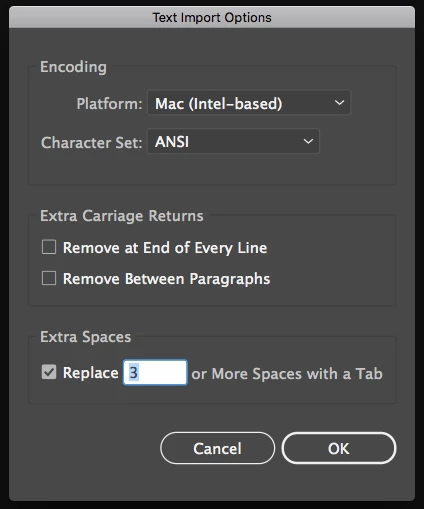


I'm looking for solutions on the web, but nothing works 😞 Is it possible to recover the file? It is a really important job

Thanks in advance

2 replies

Participant
October 2, 2025

I'm posting this to anyone that eventually could have this same problem.

If you are using OneDrive and the file on your PC is corrupted, try downloading the file from the OneDrive from the browser. Only this helped me.

Monika Gause
Community Expert
Community Expert
June 2, 2021

It's likely that the file couldn't be saved. If all the recovery tools you found on the web don't work, then it's likely that the file is damaged beyond repair.


Crashing when saving is just the worst possible moment for a crash.


Do you have a backup? And if not, then why not?

Participant
June 2, 2021

Yes, I wonder that I lost and there's nothing to do. Thanks anyway. I have a backup, but a not complete one.

Ashutosh_Mishra
Inspiring
June 15, 2021

Hi there,


Sorry to hear about your experience. I'd recommend you to try the suggestions given on this help article(https://helpx.adobe.com/illustrator/kb/troubleshoot-file-issues.html) to recover your file.
If no resolution works, share the affected file with us at file@adobe.com. We'll investigate the issue and let you know if the recovery is possible. Hope it helps.


Regards,

Ashutosh