
Participant
June 9, 2020
Answered

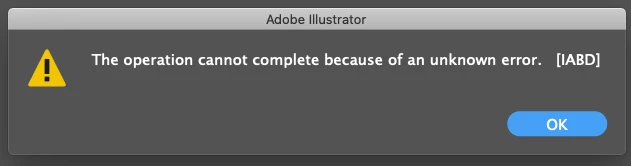
"The operation cannot complete because of an unknown error. [IABD]" while working on Ai v24.1.3

  • June 9, 2020
  • 3 replies
  • 6744 views

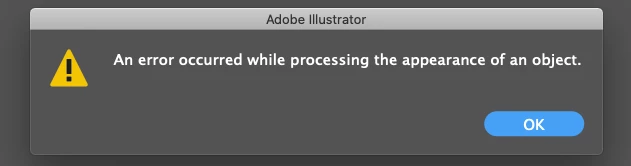
Right after launching Illustrator, I get the following error messages one after the other (ie, after clicking OK on the IABD one I get the next one). I was also getting this sometimes when turning visibility on selected layers on and off. These errors only resulted in a crash once, I normally click OK and then everything works OK, but I am worried about crashes. I am on an older iMac running Illustrator v.24.1.3
 

{Renamed by MOD}

Correct answer Ashutosh_Mishra

Hi there,


Sorry to hear about your experience. We'll be happy to help. Would you mind sharing version of OS?

Does it happen with a specific file or action?
I'd request resetting the Illustrator preferences. Please follow the instructions on this help article.

**Please note that resetting preferences will remove all the custom settings and Illustrator will launch with default settings. You can also take a backup of the folders in case you want to. Location is mentioned in the article.

Let us know if it helps. Looking forward to your response.


Regards,

Ashutosh

3 replies

Participating Frequently
February 7, 2024

I am having this exact same issue.  I cannot find a solution. Called Adobe Support and they could not either. Help!


Anubhav M
Community Manager
Community Manager
February 16, 2024

Hello @meganh87566960,

We understand that encountering technical issues can be frustrating. Would you mind trying to manually reset Illustrator's preferences and checking if it helps:


For macOS

• Close all Adobe applications.

• Go to the following locations

• ~/Library/Caches

• ~/Library/Application Support/Adobe

• ~/Library/Preferences

• Rename Adobe Illustrator, com.adobe.illustrator and Adobe Illustrator 28 Settings folders to Adobe Illustrator.old, com.adobe.illustrator.old and Adobe Illustrator 28 Settings.old

• Launch Illustrator from the Creative Cloud.


Note: Location starting with this "~" sign indicates the User Library, which is hidden. So, you need to copy & paste the exact path in spotlight search or from Finder Menu > Go > Go to Folder > Paste the location in the dialog box like this:


Image 


For Windows

- Close all Adobe applications.

- Go to Location C:\Users\%USERPROFILE%\AppData\Roaming\Adobe

- Rename Adobe Illustrator and Adobe Illustrator 28 Settings folders to Adobe Illustrator.old and Adobe Illustrator - 28 Settings.old

- Relaunch Illustrator from Creative Cloud


Disclaimer: Please note that renaming preferences folders will remove all the custom settings, and Illustrator will launch with default settings. You can also save a backup of the folders in case you want to. The location is mentioned above.


Looking forward to hearing from you.


Thanks,

Anubhav

Participating Frequently
March 12, 2024

I did that. Did not fix the issue. Still get the errors.

Participant
January 12, 2024

Dear @Arunachala , 


The trouble seems related to the appearance of dot and line gradients on .ai documents. I copied all those gradients and saved as pngs, then placed as linked files, and the trouble and error messages are gone. If you have a dot using 0% opacity, it might lead to this errors.


Participant
January 12, 2024

Also, you can review if you have linked files, as photoshop complex documents; too.

Ashutosh_Mishra
Ashutosh_MishraCorrect answer
Inspiring
June 10, 2020

Hi there,


Sorry to hear about your experience. We'll be happy to help. Would you mind sharing version of OS?

Does it happen with a specific file or action?
I'd request resetting the Illustrator preferences. Please follow the instructions on this help article.

**Please note that resetting preferences will remove all the custom settings and Illustrator will launch with default settings. You can also take a backup of the folders in case you want to. Location is mentioned in the article.

Let us know if it helps. Looking forward to your response.


Regards,

Ashutosh

Participant
June 10, 2020

Ashutosh,

I am running MacOS Catalina 10.15.5

I am only working on one file nowadays (a file with a lot of layers), so, yes, it is happening with one file only. It sometimes happens when I first launch this file in Illustrator, and, more commonly, when I click the eye icon in the Layers panel to turn visibility of a layer on or off. It especially seems to throw these error messages when I click a series of eye icons quickly.

I dont mind resetting preferences. My workspace is not very customized. I will try that.

Peter

Ashutosh_Mishra
Inspiring
June 11, 2020

Thanks for providing the information. If it is happening with a specific file, then I'd recommend creating a fresh copy of the file. You may click on File > Save a Copy to do that. Try working on the new file and see if it helps.

You may also try placing this file on a new Illustrator document but that would require some edits. Hope this helps. Thanks!