awhl91779633
Participant
September 21, 2020
Question

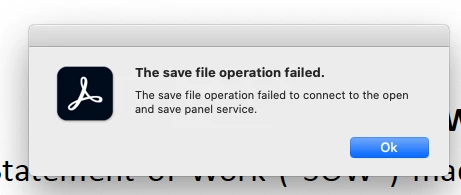
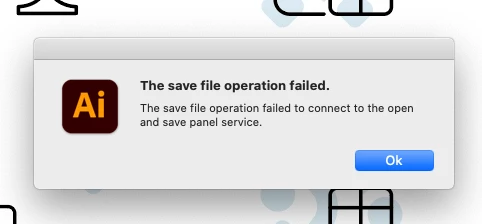
"The save file operation failed" error in Illustrator 2020 and Acrobat 2020 on macOS 10.15.6

  • September 21, 2020
  • 3 replies
  • 5698 views

I'm getting this error message in both illustrator and acrobat when I try to save as-


"the save file operation failed to connect to the open and save panel service"


Running Ai 2020 on  Mac OS Catalina 10.15.6
 

This topic has been closed for replies.

3 replies

Participant
April 14, 2021

This is still happening to me! It's super frustrating. I used to close and open illustrator but now that isn't even working. 

Richie Bartlett
Participant
March 24, 2022

Just upgraded to latest MacOS 12.3 and updated to latest version of Illustrator v26.1. Just lost a ton of work. 🤬

Anshul_Saini
Community Manager
Community Manager
April 5, 2022

Hi @Karrie- @Richie Bartlett,


We are sorry for the trouble. This issue has been fixed with the latest version of macOS 12.3.1, released by Apple last week. Please update macOS and let us know how it goes. 


Regards,

Anshul Saini

Participant
October 21, 2020

Same problem here, intermittently.

Participating Frequently
March 12, 2021

Same here. Usually when I hit OPEN or SAVE and then try to navigate with the keyboard quickly before letting the window load completely.

Participating Frequently
March 12, 2021

Happens in Premiere & Photoshop as well

Ashutosh_Mishra
Inspiring
September 22, 2020

Hi there,


Sorry to hear about this. Have you tried restarting the computer? Is it happening with a specific file or all? Are you trying to save the file on a local drive or network?

This information will help us understand your concern and assist you accordingly. Looking forward to your response.


Regards,

Ashutosh

awhl91779633
Participant
September 22, 2020

Hello Ashutosh-


Thanks for your reply-

I've restarted illustrator, the computer and reset the illustrator preferences. It happening with multiple files, and pops up as soon I select save as so it doesnt even give me a chance to pick where to save to. 

Its happening with all files, from our NAS drive and local drive files.

A regular save brings up this dialog on all files (new files that are not backsaved):


thanks,

Ashutosh_Mishra
Inspiring
September 25, 2020

Apologies for the delayed response. Would you mind sharing some sample files with us? You may upload them on Creative Cloud(or any other cloud service you prefer) and share the link with us. We'll be happy to take a look. Thanks!