

Random box showing up on Illustrator file (can't delete)
Hi everyone,
Long time Illustrator user here, but very first time posting. I searched for an answer on the forum, but none of the solutions seem to work for me, and most didn't seem to apply for the reason their "box" was showing up. Could be a clipping mask, but...I just can't figure it out.
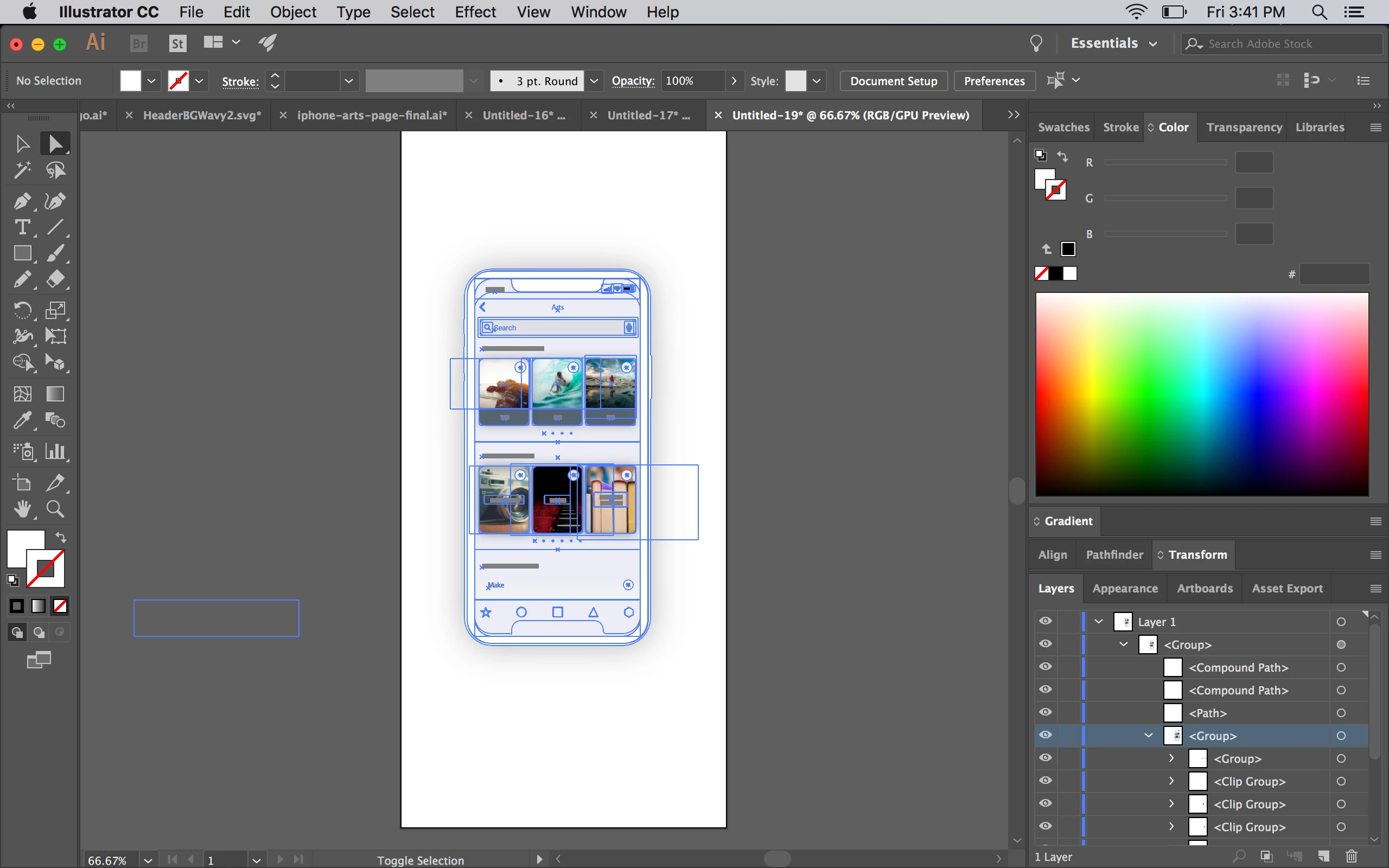
Below is a screenshot of what I am referring to - the bottom left blue box that's outside the artboard. I can't select it, I looked through all layers, and I can't seem to find out how to get rid of it. If I export SVG and use artboards, it goes away, but for this specific graphic, using an artboard is not ideal bc I am adding a drop shadow with CSS.
Here is the file I am referring to. You can recreate my screenshot by simply hovering your mouse just right of the phone, between the phone's right edge and right edge of artboard.
Please if anyone can help, beers on me if you're ever in Indianapolis!
Thanks,
Michael
 AdChoices