
Answered
Random folders with jumbled letters that appear on desktop
When saving files in Illustrator I'm getting random folders with jumbled letters that appear on my desktop with ".aishm" What is this and how can it be stopped?
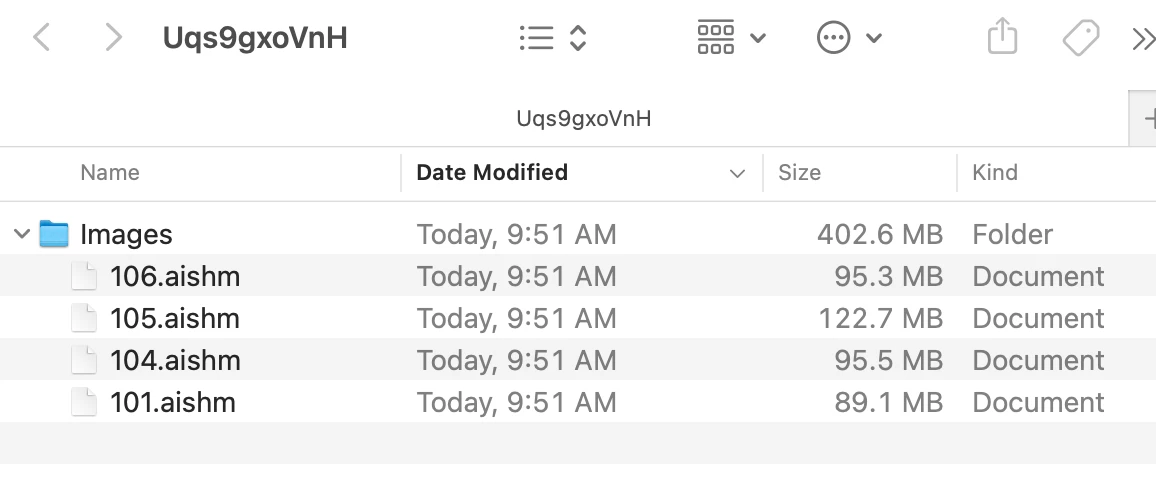

When saving files in Illustrator I'm getting random folders with jumbled letters that appear on my desktop with ".aishm" What is this and how can it be stopped?
Hello @jenniferp56247351,
Would you mind checking if you're saving to a removable/network drive or a cloud-synced folder using iCloud/Google Drive/etc? If yes, try saving your files to local directory and running Illustrator under Safe Mode (Windows / macOS) to see if it helps.
Also, try disabling the following settings in Illustrator and share your observations:
Looking forward to hearing from you.
Anubhav
Already have an account? Login
Enter your E-mail address. We'll send you an e-mail with instructions to reset your password.
 AdChoices