Rob.thedc
Participant
May 28, 2022
Answered

Rasterize to clipping boundary

  • May 28, 2022
  • 3 replies
  • 1512 views

Hi,

I have an issue that I can not find an explanation to, and if I did... Than I could understand a solution for my problem.


I have a file that has 9 seperate artboards, all identical, with 9 layers (1per artboard). Each AB has 1 clipping mask, with a pattern behind it.

(Yes it's a vector,

No, I am not going to trim it in pathfinder)


I can manually select each design, on any artboard, and manually (object-rasterise) my design, and the output will clip all of the design to the clipping mask boundary.

Perfect... What I want. 


Here in lies the issue, when I run a script (pasted below), it all works, much in the same way, and all 9 artboards a separlety rasterised, however in the output, each one is now rasterised to the internal artwork boundary within the clipping mask, leaving a large transparent box.


Now... Why can I do them one by one manually, but not through my script below?

I seem to have all the details needed as shown in the dialogue box for 2022.


var Rasterizer = function (resolution) {
    this.doc = app.activeDocument;
    this.selection = this.doc.selection;
    this.options = new RasterizeOptions();
    this.options.resolution = resolution || 72;
    this.options.transparency = true;
    this.options.antiAliasingMethod = AntiAliasingMethod.ARTOPTIMIZED;
};
Rasterizer.prototype.run = function () {
    var n = this.selection.length;
    for (var i = 0; i < n; i++) {
        var sourceArt = this.selection[i];
        var clipBounds = sourceArt.visibleBounds;
        this.doc.rasterize(sourceArt, clipBounds, this.options);
    }
};

var rasterizer = new Rasterizer();
rasterizer.run();
alert("Done");
 

This topic has been closed for replies.
Correct answer femkeblanco

@m1b  Thanks for the reply.  For reference, if nothing else, this is what happens in CS6. Also, nice script. 


3 replies

Rob.thedc
Rob.thedcAuthor
Participant
May 29, 2022

Hi @m1b !!

Thanks, Mark, this works perfectly. In all honesty, my research on this matter lead me to the 'getItemBounds' script, but your right it felt a little bit complicated as an addition - BUT am not going to let that get into the way of it working.

Great stuff and thank you again for such a fast and helpful response. 

Cheers / Rob

femkeblanco
Legend
May 28, 2022
quote

I can manually select each design, on any artboard, and manually (object-rasterise) my design, and the output will clip all of the design to the clipping mask boundary.


I thought Illustrator bounded a rasterised clipping set using the masked artwork.  This seems to be the case as recently as a year and a half ago.  Has this changed?

m1b
Community Expert
Community Expert
May 28, 2022

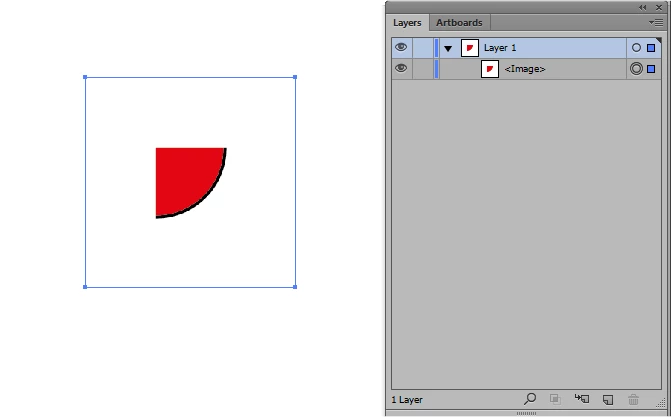
HI @femkeblanco, I don't trust myself to remember for how long the behaviour has been like this but, when I test now, rasterize by default chooses the bounding box of the clipping mask page item. Like this:


Using getItemBounds function makes a better attempt: 

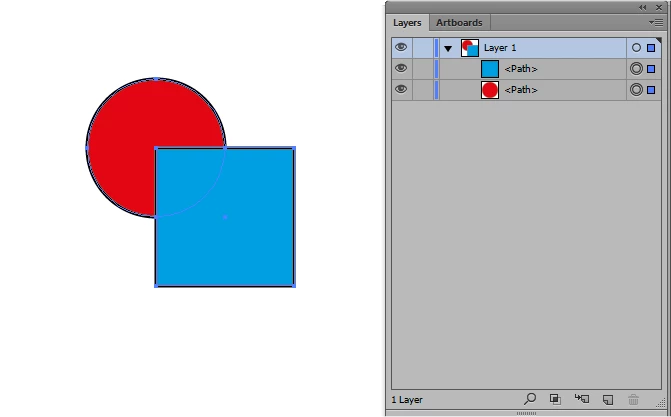
But still only uses rectangular bounding boxes and not actual shape intersections, for example it fails like this:


I had a look at the thread you linked to, and it might be as the correct answer states that the bounds used are the clipped contents, however I wonder if the OP's file was set up badly—they don't show the wireframe or layers.

- Mark

femkeblanco
femkeblancoCorrect answer
Legend
May 29, 2022

@m1b  Thanks for the reply.  For reference, if nothing else, this is what happens in CS6. Also, nice script. 


m1b
Community Expert
Community Expert
May 28, 2022

Hi @Rob.thedc, try this script. I've added a function I made called getItemBounds which attempts to get the items bounds even if it's clipped. It uses a bunch of other little functions to work out intersecting bounds etc. Probably can be made much better but see how it goes for you. I tested in your code and it seemed to do the trick.

- Mark


var Rasterizer = function (resolution) {
    this.doc = app.activeDocument;
    this.selection = this.doc.selection;
    this.options = new RasterizeOptions();
    this.options.resolution = resolution || 72;
    this.options.transparency = true;
    this.options.antiAliasingMethod = AntiAliasingMethod.ARTOPTIMIZED;
};
Rasterizer.prototype.run = function () {
    var n = this.selection.length;
    for (var i = 0; i < n; i++) {
        var sourceArt = this.selection[i];
        var clipBounds = getItemBounds(sourceArt,false);
        this.doc.rasterize(sourceArt, clipBounds, this.options);
    }
};

var rasterizer = new Rasterizer();
rasterizer.run();


/**
 * getItemBounds
 * attempts to calculate items bounds
 * including correct bounds of clipped group
 * by m1b
 * @param {PageItem} item - a page item
 * @param {Boolean} geometric - false = visibleBounds, true = geometricBounds
 * @param {Array[4]} bounds - [l,t,r,b]
 */
 function getItemBounds(item, geometric, bounds) {
    if (item == undefined) return;
    var newBounds = [];
    if (item.typename == 'GroupItem') {

        var children = item.pageItems,
            contentBounds = [];
        if (item.hasOwnProperty('clipped') && item.clipped == true) {
            // item is clipping group
            var clipBounds;
            for (var i = 0; i < children.length; i++) {
                var child = children[i];
                if (child.hasOwnProperty('clipping') && child.clipping == true) {
                    // the clipping item
                    clipBounds = child.geometricBounds;
                } else {
                    // a clipped content item
                    var b = expandBounds(getItemBounds(child, geometric, bounds), contentBounds);
                }
            }
            if (clipBounds != undefined)
                newBounds = intersectionOfBounds([clipBounds, contentBounds]);
            else
                newBounds = contentBounds;
        }

        else {
            // item is a normal group
            for (var i = 0; i < children.length; i++) {
                var b = expandBounds(getItemBounds(children[i], geometric, bounds), contentBounds);
            }
            newBounds = contentBounds;
        }
    } else {
        // item is not clipping group
        newBounds = geometric ? item.geometricBounds : item.visibleBounds;
    }
    if (bounds == undefined) {
        bounds = newBounds;
    } else {
        bounds = expandBounds(newBounds, bounds);
    }
    return bounds;
}


/**
 * expandBounds
 * returns bounds that encompass two bounds
 * @param {Array[4]} b1 - bounds [l,t,r,b]
 * @param {Array[4]} b2 - bounds [l,t,r,b]
 * @returns {Array[4]} [l,t,b,r]
 */
function expandBounds(b1, b2) {
    var expanded = b2;
    for (var i = 0; i < 4; i++) {
        if (b1[i] != undefined && b2[i] == undefined) expanded[i] = b1[i];
        if (b1[i] == undefined && b2[i] != undefined) expanded[i] = b2[i];
        if (b1[i] == undefined && b2[i] == undefined) return;
    }
    if (b1[0] < b2[0]) expanded[0] = b1[0];
    if (b1[1] > b2[1]) expanded[1] = b1[1];
    if (b1[2] > b2[2]) expanded[2] = b1[2];
    if (b1[3] < b2[3]) expanded[3] = b1[3];
    return expanded;
}


/**
 * intersectionOfBounds
 * calculates intersecting rectangle
 * @param {Array[Array[4]]} arrayOfBounds - array of [l,t,b,r] arrays
 * @returns {Array[4]} [l,t,b,r]
 */
function intersectionOfBounds(arrayOfBounds) {
    bounds = arrayOfBounds.slice(0).sort(function (a, b) { return b[0] - a[0] || a[1] - b[1] });
    var intersection = bounds.shift();
    while (b = bounds.shift()) {
        if (!boundsDoIntersect(intersection, b)) return;
        var l = Math.max(intersection[0], b[0]),
            t = Math.min(intersection[1], b[1]),
            r = Math.min(intersection[2], b[2]),
            b = Math.max(intersection[3], b[3]);
        intersection = [l, t, r, b];
    }
    return intersection;
}

/**
 * boundsDoIntersect
 * returns true when bounds intersect
 * @param {Array[4]} b1 - bounds [l,t,r,b]
 * @param {Array[4]} b2 - bounds [l,t,r,b]
 * @returns {boolean}
 */
function boundsDoIntersect(b1, b2) {
    return !(
        b2[0] > b1[2] ||
        b2[2] < b1[0] ||
        b2[1] < b1[3] ||
        b2[3] > b1[1]
    );
}


michelew83603738
Community Expert
Community Expert
May 28, 2022

Nicely done @m1b! I tried it out and it worked well. Hope that @Rob.thedc finds the same.

Rob.thedc
Rob.thedcAuthor
Participant
May 29, 2022

Thanks michelew83603738

I am happy it worked for you, and really stoked to have gotten this fixed with @m1b !