Participant
November 23, 2023
Answered

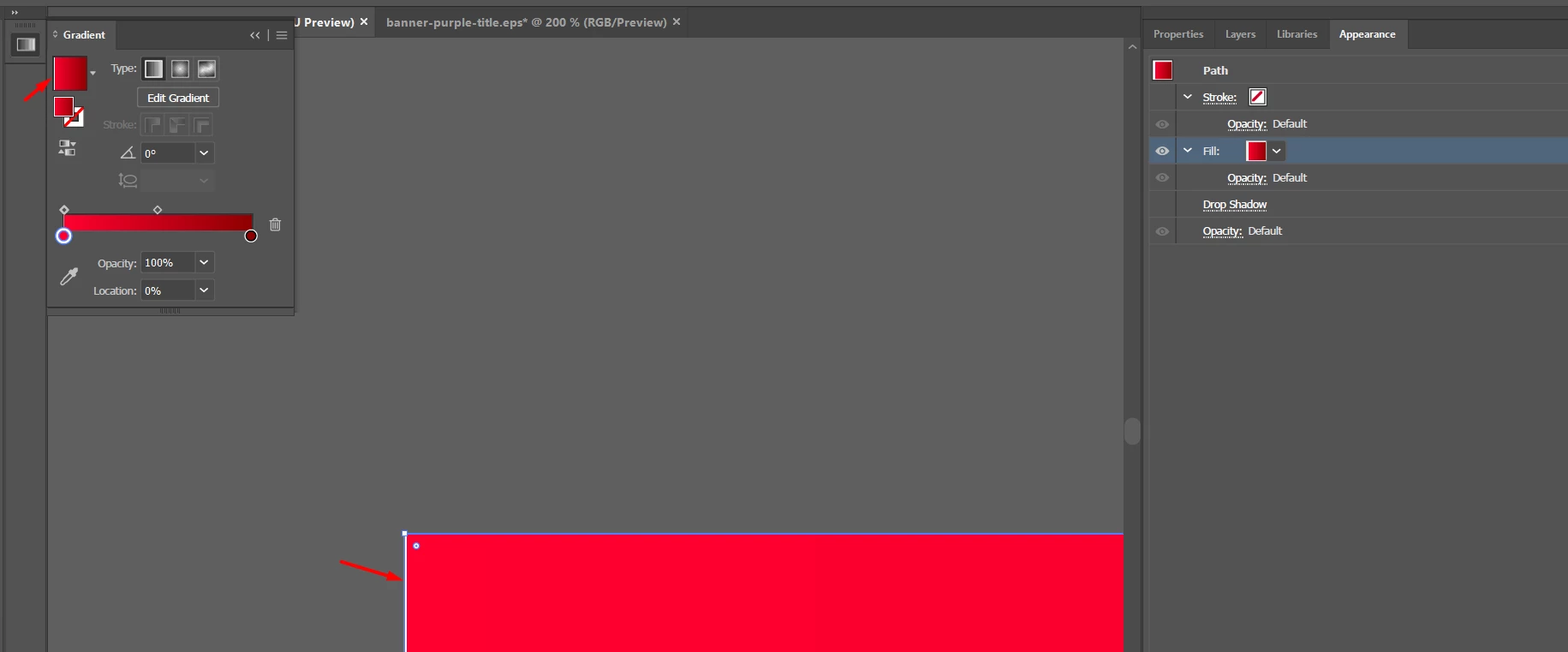
Rect gradient creates a white line (at export it gets semi-transparent according to the background)

  • November 23, 2023
  • 3 replies
  • 453 views

How can i fix it?


This topic has been closed for replies.
Correct answer Kirill31019970wbpj

Surprisingly while checking the gradient colors and looking at every gradient stop simultaneously moving these stops to reveal hiding ones, i found a white-colored stop on the left side of the image. Removing that fixed the issue. Thanks to all contributors!

3 replies

Kirill31019970wbpjAuthorCorrect answer
Participant
November 23, 2023

Surprisingly while checking the gradient colors and looking at every gradient stop simultaneously moving these stops to reveal hiding ones, i found a white-colored stop on the left side of the image. Removing that fixed the issue. Thanks to all contributors!

Ton Frederiks
Community Expert
Community Expert
November 23, 2023

Good to hear that you found the reason for the white line.


Ton Frederiks
Community Expert
Community Expert
November 23, 2023

Like Larry said, make sure there are no fractional pixel values (fractional pixels don't exist).

Set your units to pixels.

Check the upper left corner in the Transform panel and the X/Y and W/H values for fractions.

Participant
November 23, 2023

P.S. Both the artwork and the rect position are exactly the same, as well as their dimensions

Larry G. Schneider
Community Expert
Community Expert
November 23, 2023

Check and make sure that dimensions are in whole pixels only. No decimal pixels.
