Answered
Rectangle tool not working
I'm trying to draw a simple rectangle, it doesn't do anything. When I double click and set dimensions, this error appears:
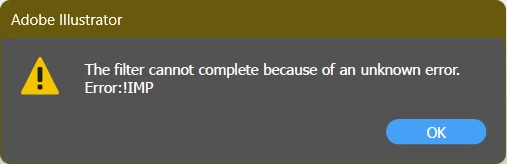
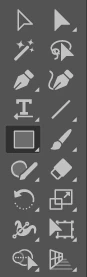
(I'm referring to this tool: )

I'm trying to draw a simple rectangle, it doesn't do anything. When I double click and set dimensions, this error appears:
(I'm referring to this tool: )
bithar,
If a simple restart fails to correct this, you can reset the preferences as described in the following link.
If you have customized settings that you wish to keep, first create a backup of these setting as described.
https://helpx.adobe.com/illustrator/kb/troubleshoot-preference-issues.html
Already have an account? Login
No account yet? Create an account
Enter your E-mail address. We'll send you an e-mail with instructions to reset your password.


 AdChoices