
Inspiring
August 28, 2021
Answered

Rectangular and Polar grid tool problem

  • August 28, 2021
  • 4 replies
  • 2402 views

Hi everyone, since today i noticed a problem with illustrator on my desktop pc (on my notbeook i don't have this problem and both are the same, latest version).

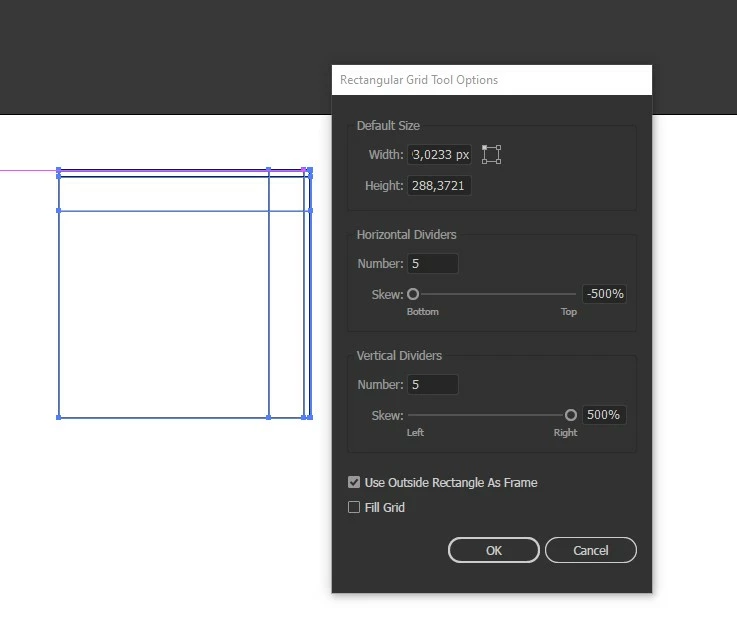
Basically both tools if i click with the mouse and drag to design the shape looks wrong. The SKEW settings is always positive and negative for the horizontal and vertical, and never set to zero as it should be to keep the right design.


I've tried to reset my illustrator preferences but the problem is still there.
Anyone knows how to fix this annoying thing?


Here's some screen to try to explain visually:

Click + drag with the mouse (as you can see the skew are -500 and + 500)
 

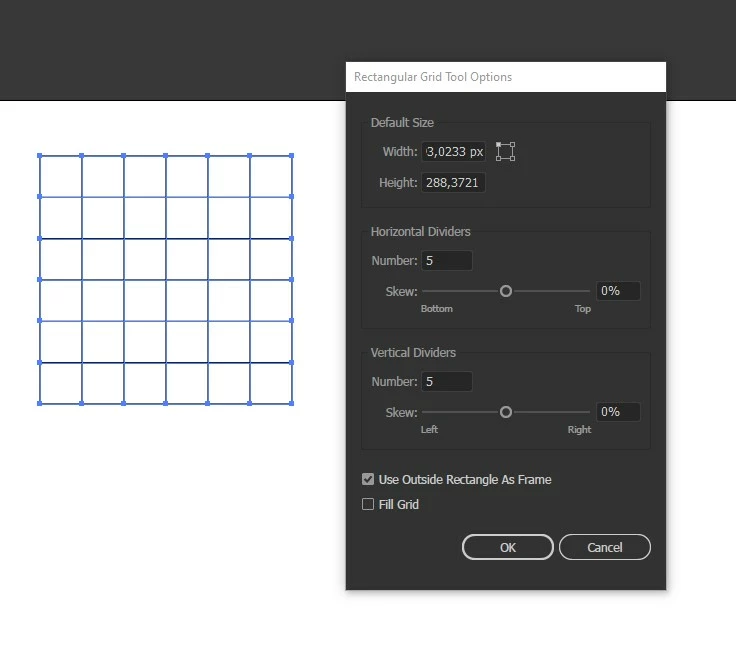
Only one click with the mouse (skew set manually to 0 and 0)
 

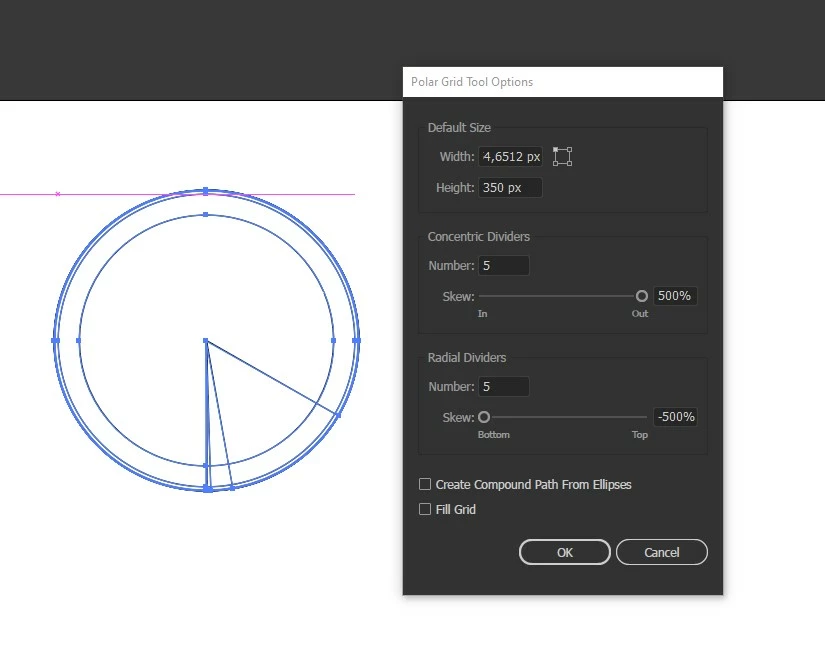
Click + drag with the mouse (as you can see the skew are -500 and + 500)
 

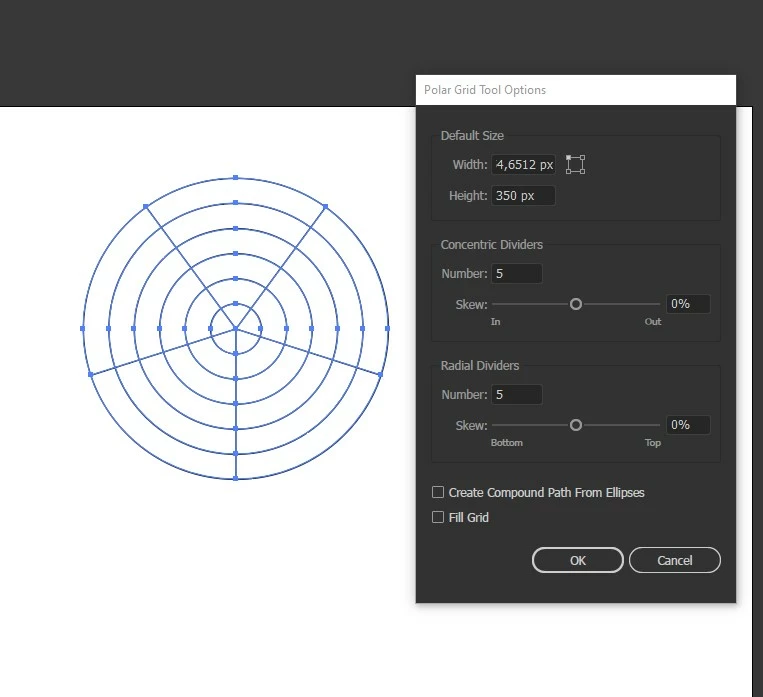
Only one click with the mouse (skew set manually to 0 and 0)
 

Thanks in advance to everyone.

Correct answer CrisTDesign

At the moment the problem seems solved. How? I literally don't know.


I've tried to restart the pc yesterday few times, tried to reset the preferences few times, reset and restart few times and nothing has changed.

I shutdown my pc for the entire night and now everything works fine... I... i don't know what to say, but let's hope is ok now.
Thanks to everyone for the help

4 replies

CrisTDesignAuthorCorrect answer
Inspiring
August 29, 2021

At the moment the problem seems solved. How? I literally don't know.


I've tried to restart the pc yesterday few times, tried to reset the preferences few times, reset and restart few times and nothing has changed.

I shutdown my pc for the entire night and now everything works fine... I... i don't know what to say, but let's hope is ok now.
Thanks to everyone for the help

Participant
February 25, 2025

I found the solution for this press F, V, C,X Keys to rearrange it properly

Inspiring
August 28, 2021

As you can see in this video (where i show the problem i have) i noticed also something strange (which NOT happen on my notebook). hile i keep pressed the shift key to keep the proportions and drag with the mouse (THE FIRST TIME you do it) the lines are moving like ther's something pressed which changes the values (but of course NOTHING is pressed).

Any idea? Never had any issue like this in my whole life (my pc is ok, at least on hardware and software not linked to Adobe stuff because i worked as computer technician before being a graphic designer, so i know how to keep clean and working well my pc)


Jeff Witchel, ACI
Community Expert
Community Expert
August 28, 2021

I can see why you're confused by this issue. The Skew percentages should match whether you just click OR click + drag. These percentages are determined by whatever you chose the last time you used the tool OR by double-clicking on the tool and typing in custom percentages.

What version of Illustrator are you using?

What operating system?

Have you tied restarting your computer?

How are you resetting Preferences?  


Inspiring
August 28, 2021

Probably confused but if i set them to 0 and 0, once i use them again, the value is not 0 and 0.

As said LATEST version of Illustrator (on both pc)
Windows 10 LATEST version and updated.
Of course i restarted.
I've tried to reset the preferences in the way Adobe explained on the website and also manually by deleting the entire Adobe Illustrator 25 Settings inside C:\Users\Cris\AppData\Roaming\Adobe

Monika Gause
Community Expert
Community Expert
August 28, 2021

This happens when the F or the C keys are pressed while dragging with the mouse.

Anything wrong with your keyboard?

Or do you perhaps have helper applications running that interfere?

Inspiring
August 28, 2021

my keyboard is completely ok, no problem at all with it. Tested with the notebook and the tool works fine.

F and C are, of course, not pressed.

Inspiring
August 29, 2021

Do you have anything installed that messes with keyboard input?


As far as i know no, nothing that can messes up with it. No peripherals, no devices, no softwares

That's why i said is strange