

Exit
  • Global community
    • Language:
      • Deutsch
      • English
      • Español
      • Français
      • Português
  • 日本語コミュニティ
  • 한국 커뮤니티
0

Red "slice" lines?

Enthusiast ,
Oct 10, 2023 Oct 10, 2023

Hi all! I'm getting these weird red lines on my projects... they almost look like slices. I can't figure out how they got there... or how to get rid of them! Any ideas? Thanks! 
Update: I just figured out I can select them and delete them. But I'd still like to know what they are and how I must have accidently hit something that made them appear...
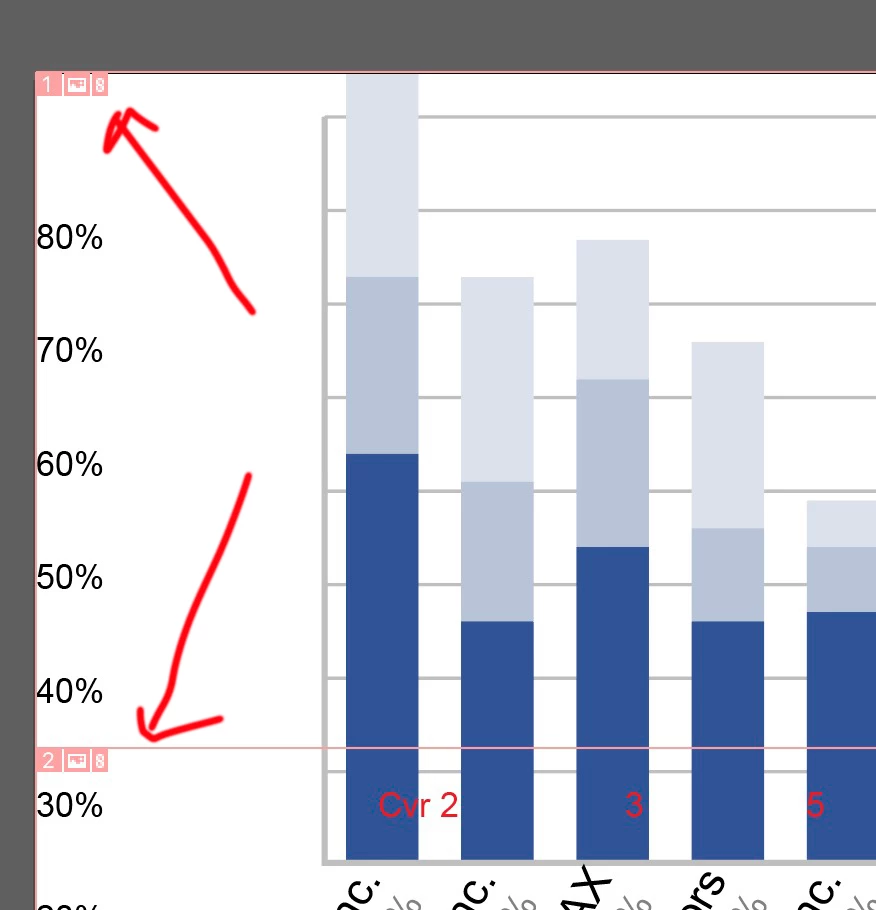
Screenshot 2023-10-10 at 1.36.03 PM.jpg

TOPICS
How-to
313
Translate
Report
Community guidelines
Be kind and respectful, give credit to the original source of content, and search for duplicates before posting. Learn more
community guidelines

correct answers 1 Correct answer

Community Expert , Oct 10, 2023 Oct 10, 2023

You can delete them via Object > Slice


You probably clicked something with the slice tool that you probably mistook for the knife tool. 

Translate
Adobe
Community Expert ,
Oct 10, 2023 Oct 10, 2023
LATEST

You can delete them via Object > Slice


You probably clicked something with the slice tool that you probably mistook for the knife tool. 

Translate
Report
Community guidelines
Be kind and respectful, give credit to the original source of content, and search for duplicates before posting. Learn more
community guidelines