Participant
June 9, 2020
Answered

Red Wavy Underlines in text in Illustrator cc

  • June 9, 2020
  • 2 replies
  • 11041 views

How to Remove Red Wavy Underlines in text in Illustrator cc

This topic has been closed for replies.
Correct answer Charu Rajput

Hi, 

I am not sure what exactly you mean by red way line. But if it is something related to auto spell check where Illustrator check spelling for your text. You can turn it off by unchecking it from Edit -> Spelling -> Auto Spell Check

Please refer screen shot for reference
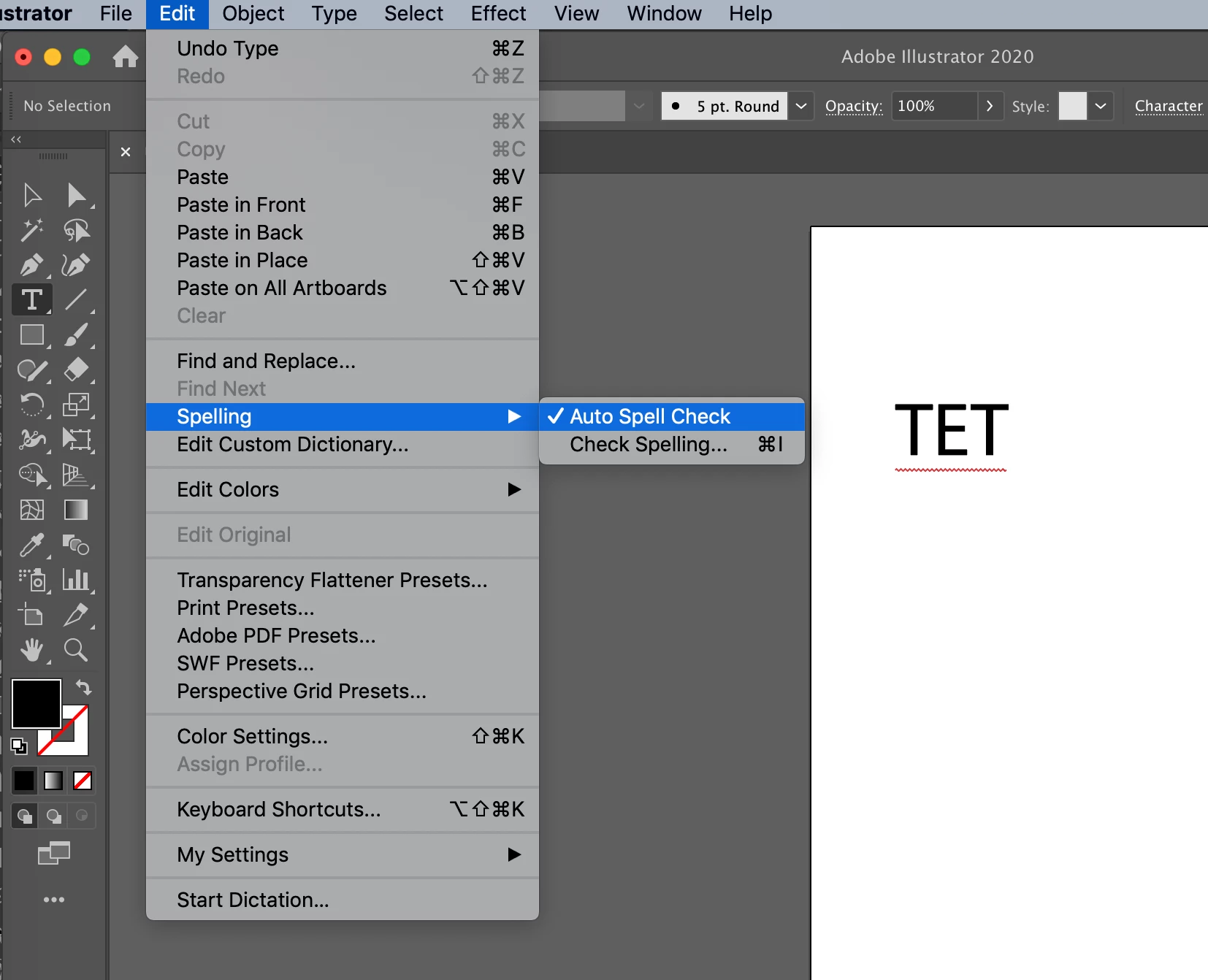


Let us know if this what you mean by red wavy Underlines


2 replies

Participant
October 28, 2020

WOW fantastic. It took 1 second to solve. Thank you.

Charu Rajput
Community Expert
Charu RajputCommunity ExpertCorrect answer
Community Expert
June 9, 2020

Hi, 

I am not sure what exactly you mean by red way line. But if it is something related to auto spell check where Illustrator check spelling for your text. You can turn it off by unchecking it from Edit -> Spelling -> Auto Spell Check

Please refer screen shot for reference


Let us know if this what you mean by red wavy Underlines


Best regards
PatorAuthor
Participant
July 3, 2020

Yes, hallelujah!

I had the auto spell check on and working with different languages, the red wavy line under every word was very distracting. You solved my problem. Thank you very much.