
Answered
Relevancy
Dash is 7 pt in the Properties panel also I can see 7 dashes (including sharp bend one) in the graphic. But gap is 0 pt in the Properties panel but there are 6 gaps in the graphic. How can I understand this differences?
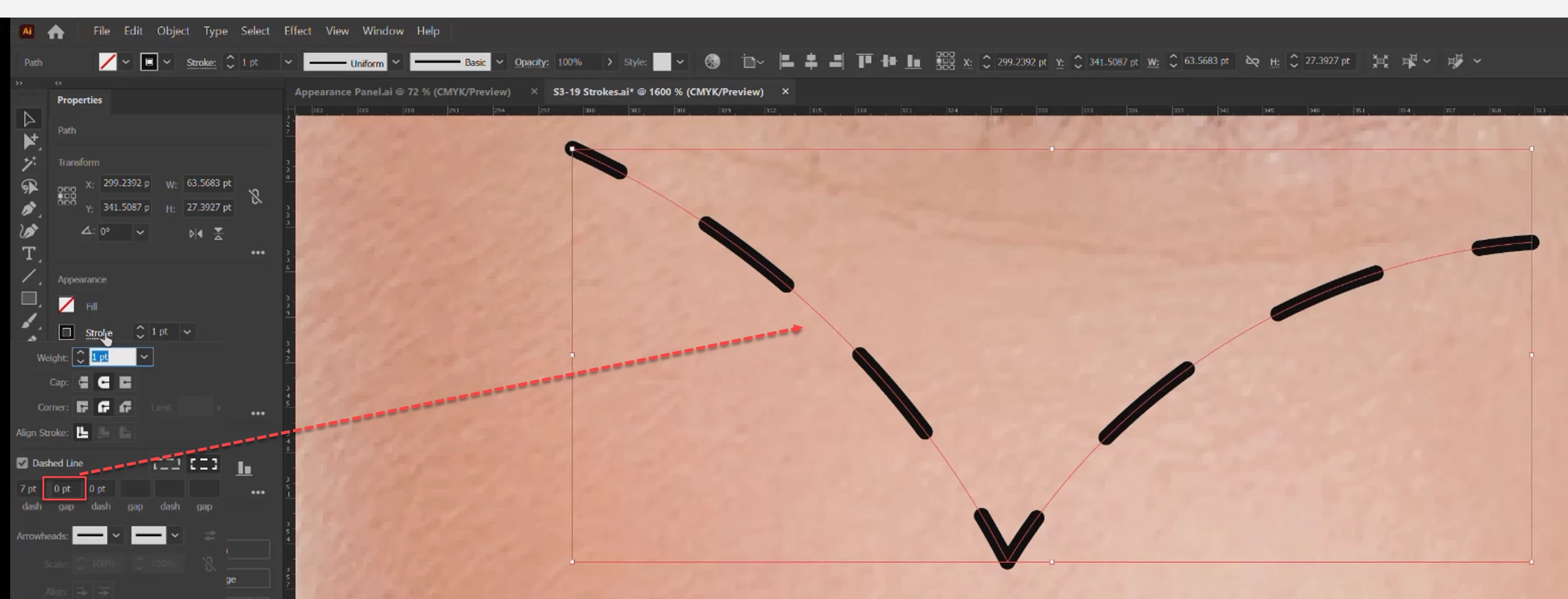

Dash is 7 pt in the Properties panel also I can see 7 dashes (including sharp bend one) in the graphic. But gap is 0 pt in the Properties panel but there are 6 gaps in the graphic. How can I understand this differences?
Thank you.
Illustrator has the highly irritating habit to enter 0 in all fields automatically. If you enter a zero, then it will be really zero. If you don't, Illustrator will show a zero, but actually use whatever is entered as a dash and use it as the gap length. This throws you opff-track? yes, me too.
Already have an account? Login
Enter your E-mail address. We'll send you an e-mail with instructions to reset your password.
 AdChoices