Exit
  • Global community
    • Language:
      • Deutsch
      • English
      • Español
      • Français
      • Português
  • 日本語コミュニティ
  • 한국 커뮤니티
0

repeating pattern in outline view

Contributor ,
Jan 08, 2025 Jan 08, 2025

my question is why in preview mode I see this (correct) pattern (a 45° line)
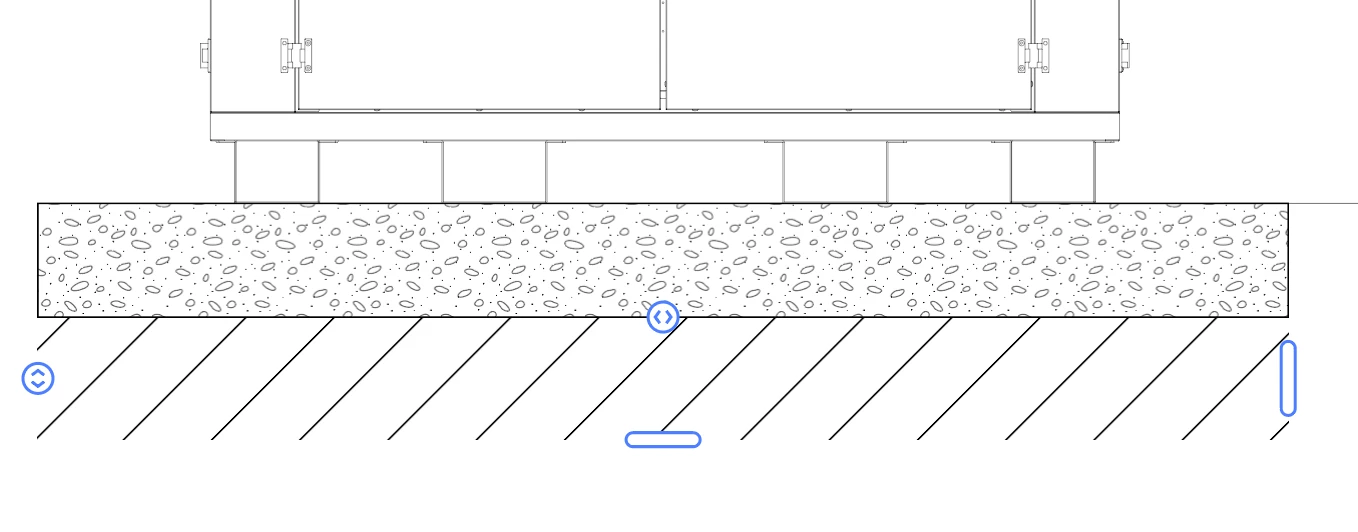
milko259349307s4y_3-1736350559692.png

....and in the outline view I see this (unwanted) effect ?
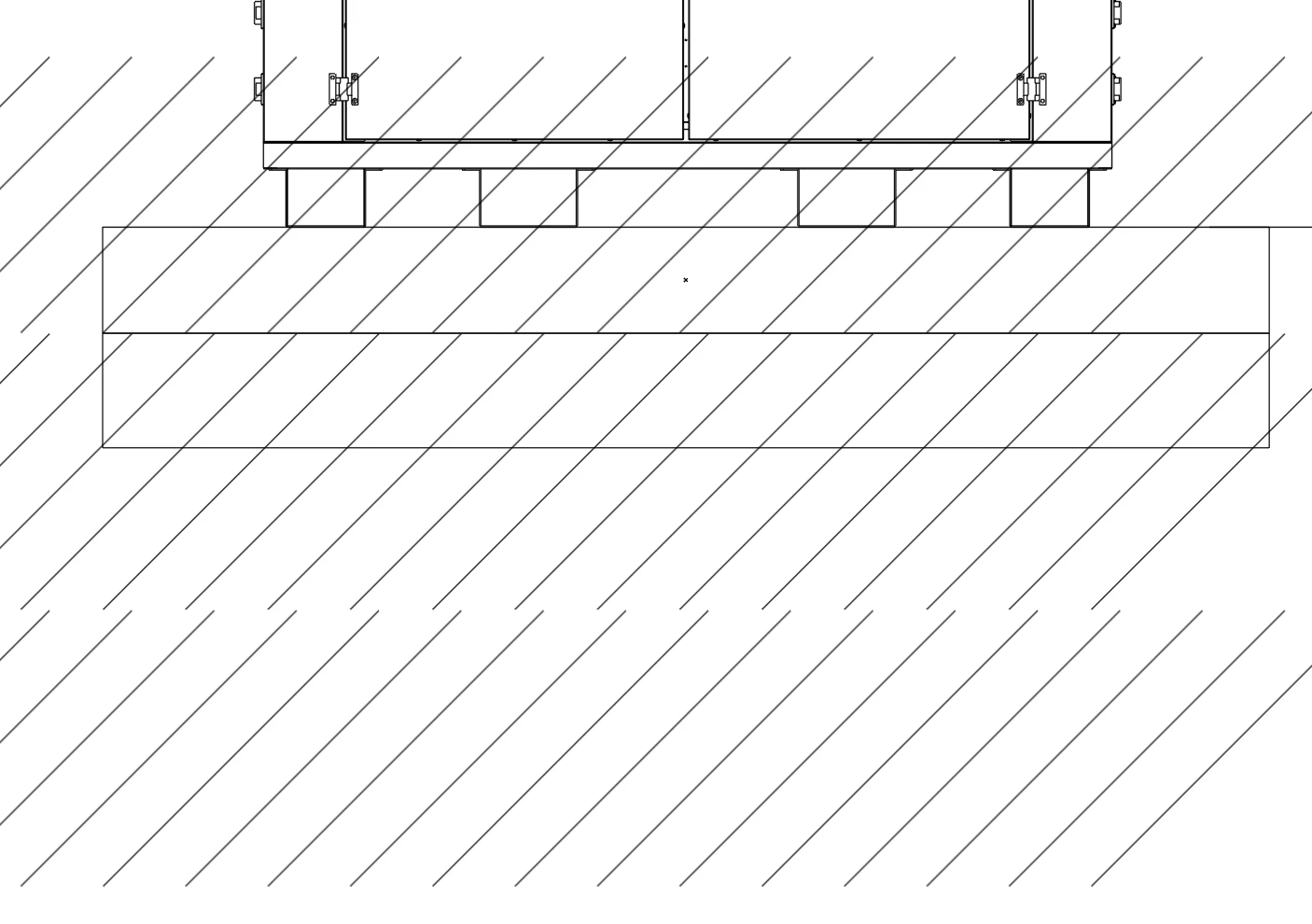
milko259349307s4y_2-1736350511018.png


TOPICS
Draw and design , How-to
316
Translate
Report
Community guidelines
Be kind and respectful, give credit to the original source of content, and search for duplicates before posting. Learn more
community guidelines

correct answers 1 Correct answer

Community Expert , Jan 08, 2025 Jan 08, 2025

THis does not look like a pattern, it's a repeat, right? ANd then you used a clipping mask?


In outline view you see everything that you have clipped with the mask. Better make a real pattern.

Translate
Adobe
Community Expert ,
Jan 08, 2025 Jan 08, 2025

THis does not look like a pattern, it's a repeat, right? ANd then you used a clipping mask?


In outline view you see everything that you have clipped with the mask. Better make a real pattern.

Translate
Report
Community guidelines
Be kind and respectful, give credit to the original source of content, and search for duplicates before posting. Learn more
community guidelines
Contributor ,
Jan 08, 2025 Jan 08, 2025
LATEST

aaaan... thx Monika,

I hadn't thought of it as a clipping mask

Translate
Report
Community guidelines
Be kind and respectful, give credit to the original source of content, and search for duplicates before posting. Learn more
community guidelines
