
Participant
July 6, 2022
Answered

Replacing line breaks by space

  • July 6, 2022
  • 2 replies
  • 1746 views

Hi guys,


Is there any method to remove line break and replace them by a space on illustrator? Attached example of what I have, and what i need. I need a quicker way to do it instead of going one by one and replace them.
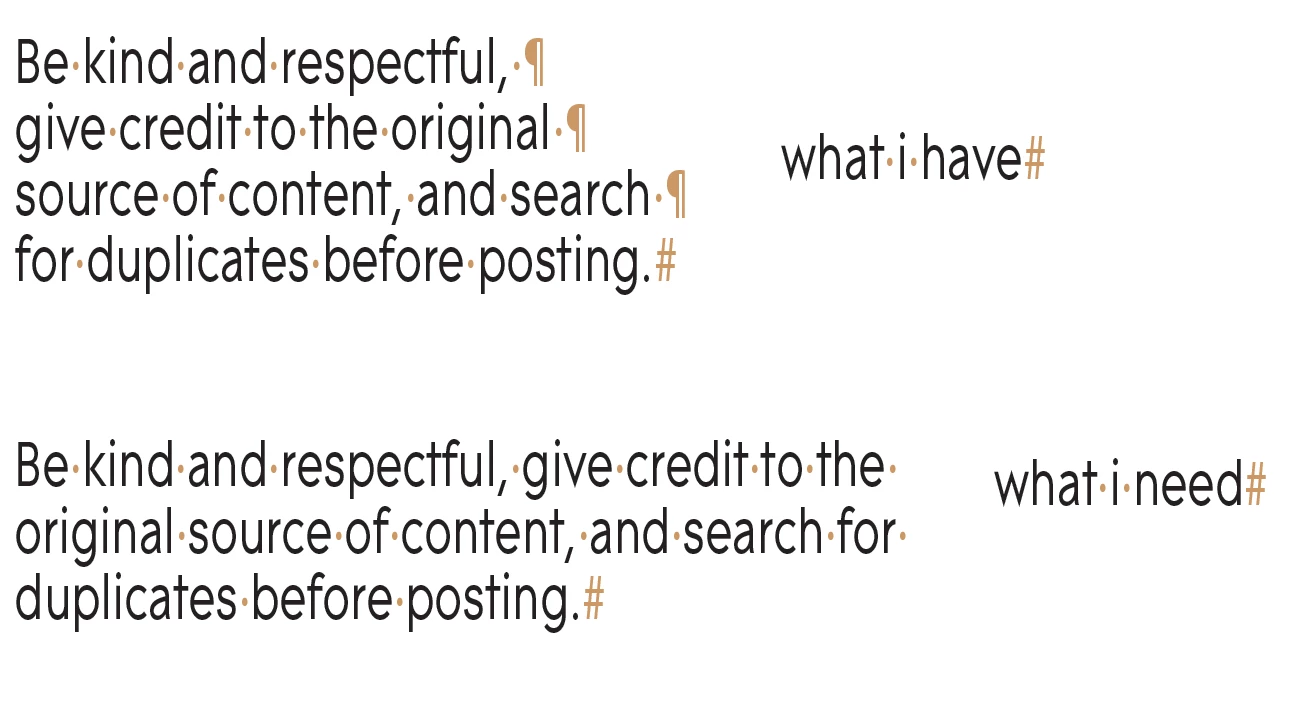
 

Thanks in advance

This topic has been closed for replies.
Correct answer Ton Frederiks

You can copy the linebreak character and use Edit > Find and Replace to replace it with a space.

Edit: I'll add some details. Use Type > Show Hidden Characters to show the Linebreak. Position the cursor in front of the Linebreak and use Shift and Right Arrow to select an copy it.

2 replies

Doug A Roberts
Community Expert
Community Expert
July 6, 2022

It doesn't seem to be possible to use notation to search for paragraph returns or paste one into the search box using Find & Replace. Not sure why it wouldn't be, though this thread indicates that it may still be possible on the Mac version:

https://community.adobe.com/t5/illustrator-discussions/find-amp-replace-normal-line-break/td-p/10909591

Ton Frederiks
Community Expert
Ton FrederiksCommunity ExpertCorrect answer
Community Expert
July 6, 2022

You can copy the linebreak character and use Edit > Find and Replace to replace it with a space.

Edit: I'll add some details. Use Type > Show Hidden Characters to show the Linebreak. Position the cursor in front of the Linebreak and use Shift and Right Arrow to select an copy it.

Participant
July 7, 2022

That's work, save time on re-adjusting. thanks.