
Participating Frequently
February 22, 2022
Answered

Reset bounding box! why has such a simple thing that worked before gone stupid!

  • February 22, 2022
  • 4 replies
  • 21015 views

I draw a octagon shape. I've rotated it.


I now want to reset bounding box. Previously this was simple. You just reset bounding box.


now - I can't reset. I also cant expand shape - to reset, as some forums suggest.


Why Adobe? Why? Like what idiot thought whatever the current way to reset bounding box is in ANYWAY logical? Typical Adobe - instead of improving basic workflows, they forever complicate sh**. And I'm a professional working in design for 20 years.
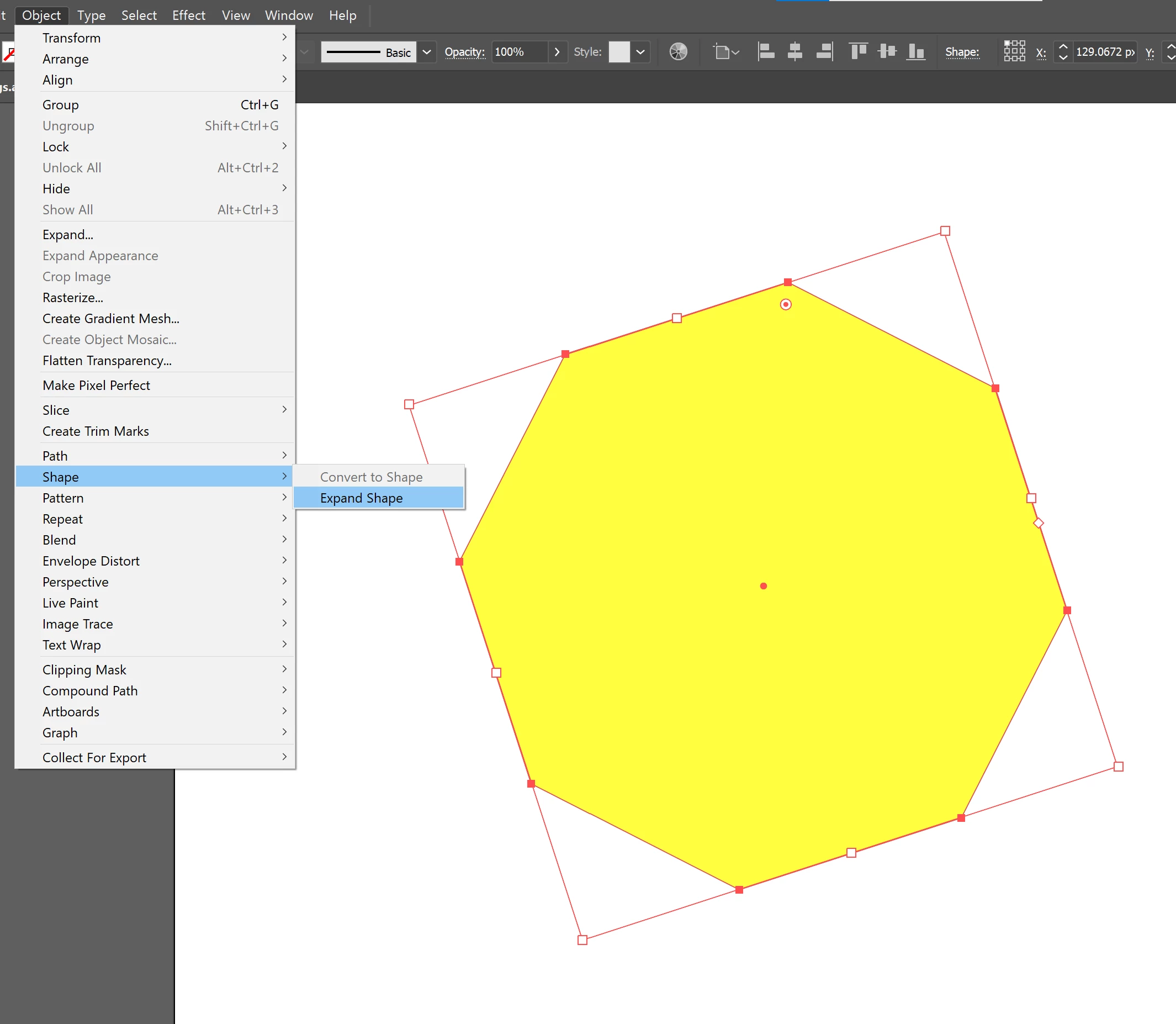
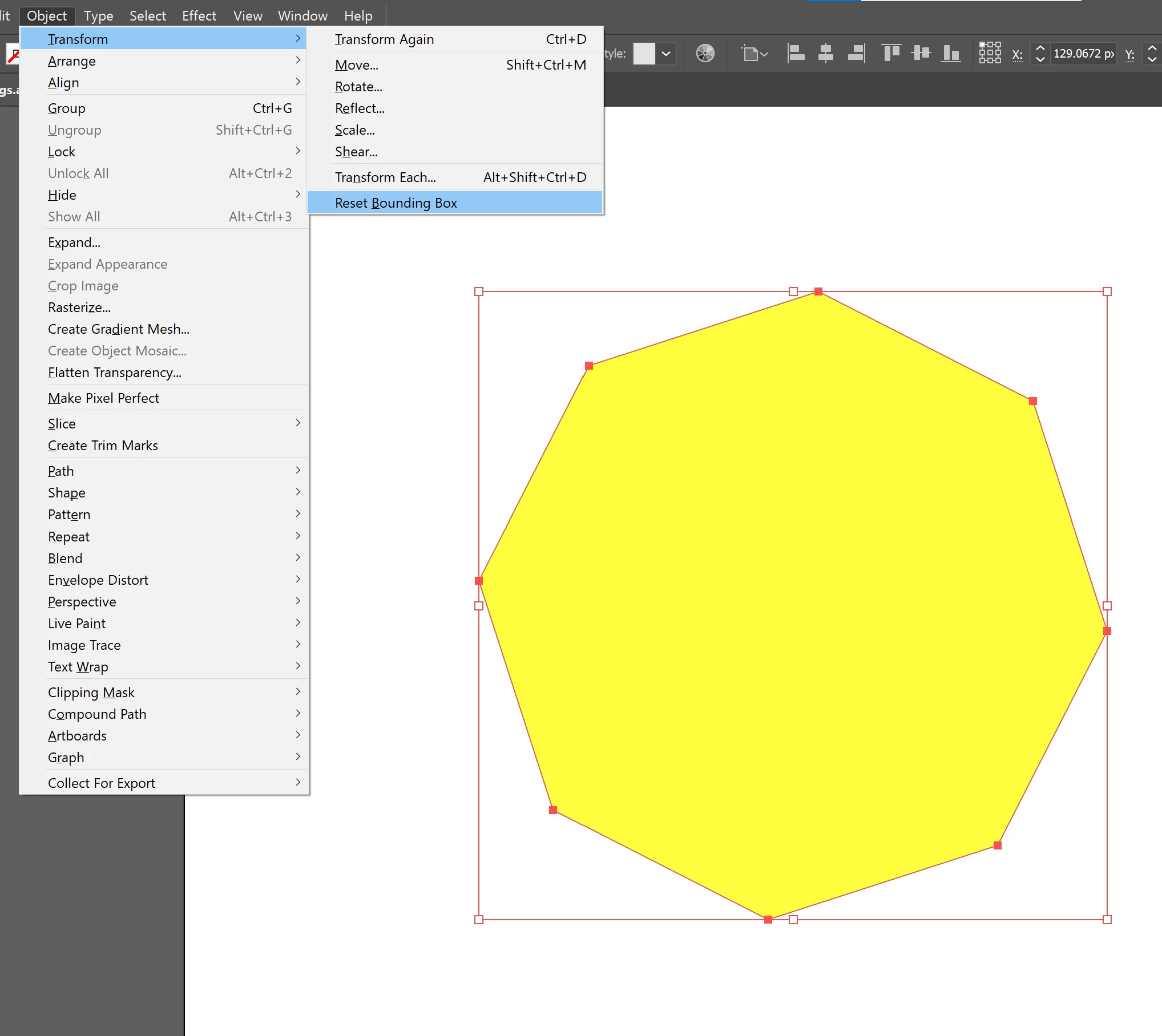
Correct answer Doug A Roberts

Just to be sure we're talking about the same thing:

Can you carry out these steps on a new shape? In a new document?

4 replies

shueb0D45Author
Participating Frequently
April 8, 2024

new file, drew hexagon, rotate, RESET Bounding box - greyed out. I can't do this without expanding object first now. was fine how it was for last 17 odd years. Latest everyhing - latest cs, M1 macbook

Ton Frederiks
Community Expert
Community Expert
April 8, 2024
Monika Gause
Community Expert
Community Expert
February 22, 2022
quote

 instead of improving basic workflows,


By @shueb0D45


Well, with live shapes they *did* improve basic workflows by introducing shapes that have logical attributes like the number of corners of a polygon.


Most users have been eagerly waiting for this feature for 25 years.

shueb0D45Author
Participating Frequently
February 22, 2022

yeh dont get me wrong - thats feature thats defo great.


But why cant adobe just make Reset bounding box automatically happen on request from the menu - why fade it out and add an extra step.


If I'm resetting bounding box - then clearly thats the only thing I want to do at that time... why add an additional step. And why have two "expand"options - have it under one menu - just no logic.


Thats my issue 

shueb0D45Author
Participating Frequently
April 8, 2024

There are actually three 'Expand' options, each subtly different.


yup but I'm not questioning the ability to do other features - my issue is why does reset bounding box, not just work like before, without having to expand.

shueb0D45Author
Participating Frequently
February 22, 2022

I'm on latest everything fyi

Doug A Roberts
Community Expert
Community Expert
February 22, 2022

Does Object > Shape > Expand Shape not work?

The difference is live shapes, which have behaved this way since 2015.

shueb0D45Author
Participating Frequently
February 22, 2022

unfortunately not - even expand shapes if faded out.


Just tried now - expand shape doesn't do anything. Reset bounding box still faded out.


Doug A Roberts
Community Expert
Doug A RobertsCommunity ExpertCorrect answer
Community Expert
February 22, 2022

Just to be sure we're talking about the same thing:

Can you carry out these steps on a new shape? In a new document?