
Answered
Reset Illustrator Canvas to Gray
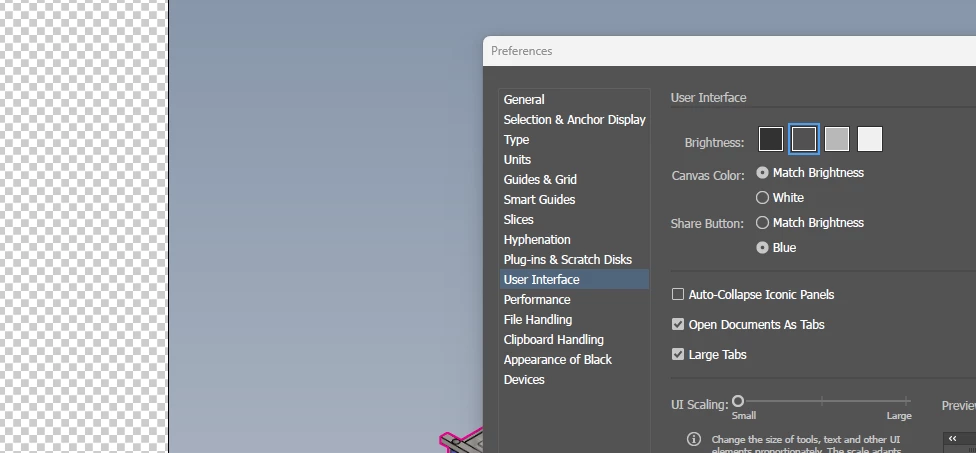
I'm unsure what I've done. I've been using this program for decades and never had this occur, but now, the canvas outside of my artboard has become checked (like when there is no background color in Photoshop). I would STRONGLY prefer having the gray it was set to and have checked the user interface in my preferences (which is still set to the second darkest gray... default...?)
Google doesn't seem to have the answer. Can anyone here help me figure out what keystroke I probably brushed while performing another action so I can have this not happen again?
Thanks!
--
Image below with canvas, partial image (and beginnings of a clipping mask), and partial preference window for reference to what I'm seeing.
 AdChoices