
Known Participant
October 30, 2023
Answered

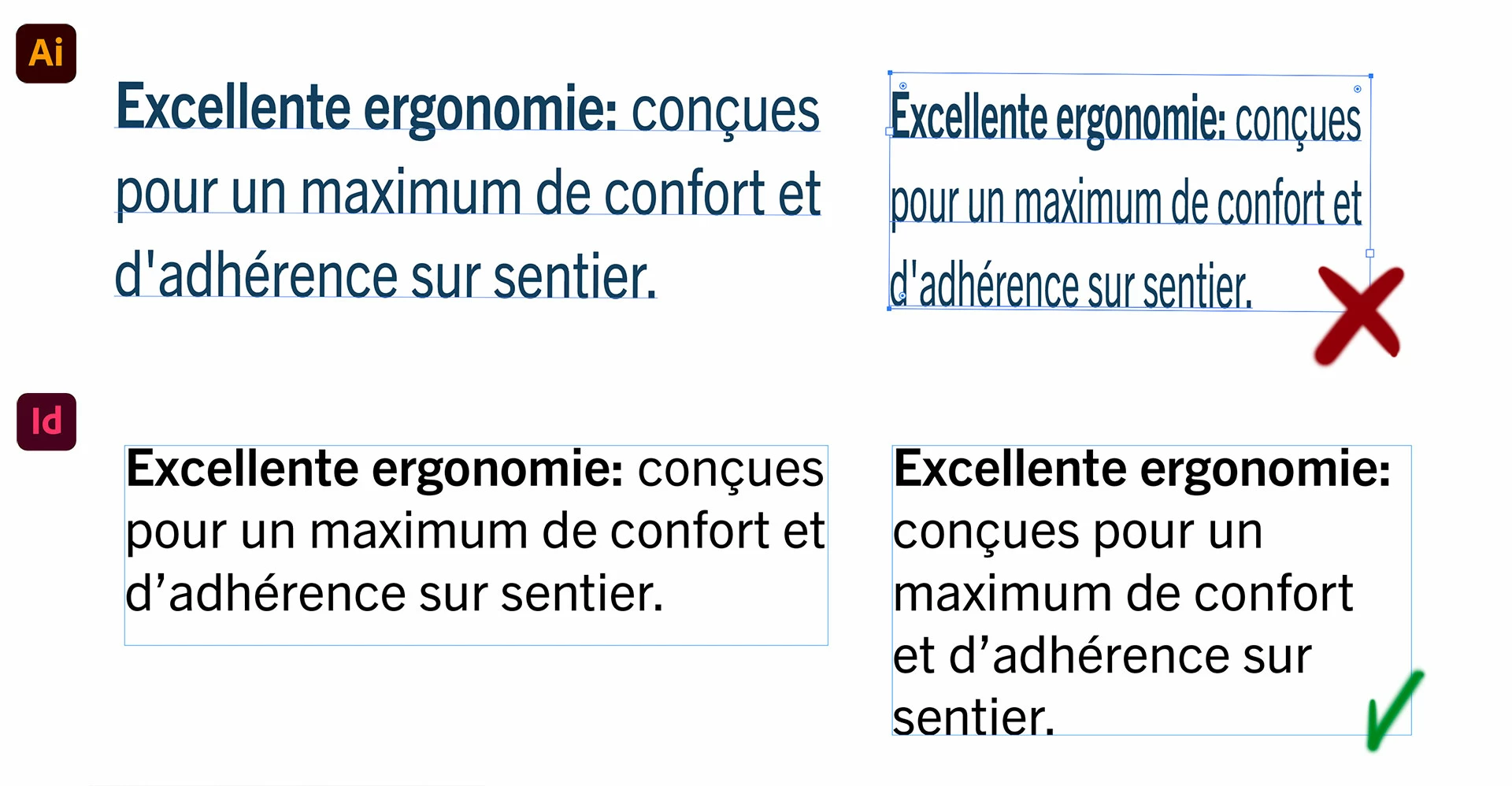
Resize the textbox numerically without affecting the shape of the text

  • October 30, 2023
  • 2 replies
  • 496 views

Hello!
I need to resize text boxes with identical dimensions (numerically) without scaling or warping the text inside. In Indesign it's easy, you just change the text box numerically and this doesn't affect the shape of the text. Unfortunately, in Illustrator, the only way I know or have read to do this is manually, which is not as precise as I need. Is there a solution to do this numerically?

Thank you in advance for your help 🙂
Carlos
This topic has been closed for replies.
Correct answer Kurt Gold

You can also use the Area Type Options in the Type menu.


2 replies

Kurt Gold
Kurt GoldCorrect answer
Community Expert
October 30, 2023

You can also use the Area Type Options in the Type menu.


Known Participant
October 30, 2023

Thank you Kurt!
Have a nice week!

Ton Frederiks
Community Expert
October 30, 2023

Deselect the textbox.

Use the Direct selection tool to select the esge of the textbox.

Use the Transform panel to give the new dimensions.

Known Participant
October 30, 2023

Thank you Ton,
a little embarrassing not having come to this solution after using Illustrator for so many years he he 😅
Have a nice week!

Ton Frederiks
Community Expert
October 30, 2023

Good to hear you've got it working.