
Participant
September 6, 2022
Answered

Resizing drawn image not resizing well

  • September 6, 2022
  • 1 reply
  • 225 views

Hi,


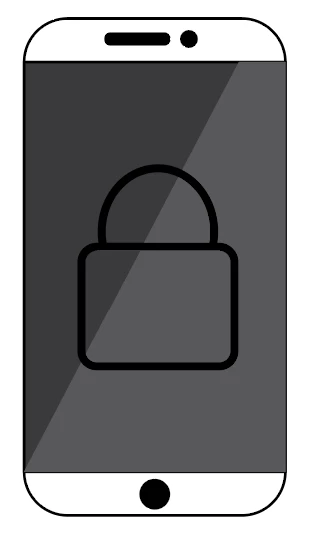
I have students who made a mobile phone image. She needs to resize it to a smaller one so that it can fit with the texts, however, when she resize it, the foreground parts do not resize with the white background. Thus, it looks funny. Here are the pictures of the images:


Original Image
 

After resizing to smaller size:
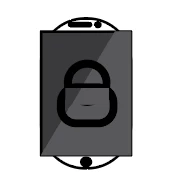
It looks like the parts of the image do not maintain aspect ratio. This image has different layers and they are all grouped together.


Please help. What do we need to do so that we can resize the image well?


Sincerely,


Anna

This topic has been closed for replies.
Correct answer Mylenium

Check the relevant "scale strokes" etc. options on the transform tool, respective menu functions, appearance panel and so on. Likewise the stacking order in the layers palette and appearance panel does matter and you may need to check e.g. the placement of the rounded corner effect there.


Mylenium 

1 reply

Mylenium
MyleniumCorrect answer
Legend
September 6, 2022

Check the relevant "scale strokes" etc. options on the transform tool, respective menu functions, appearance panel and so on. Likewise the stacking order in the layers palette and appearance panel does matter and you may need to check e.g. the placement of the rounded corner effect there.


Mylenium 

Participant
September 6, 2022

It works. Thank you very much. 🙂