Participant
September 14, 2021
Answered

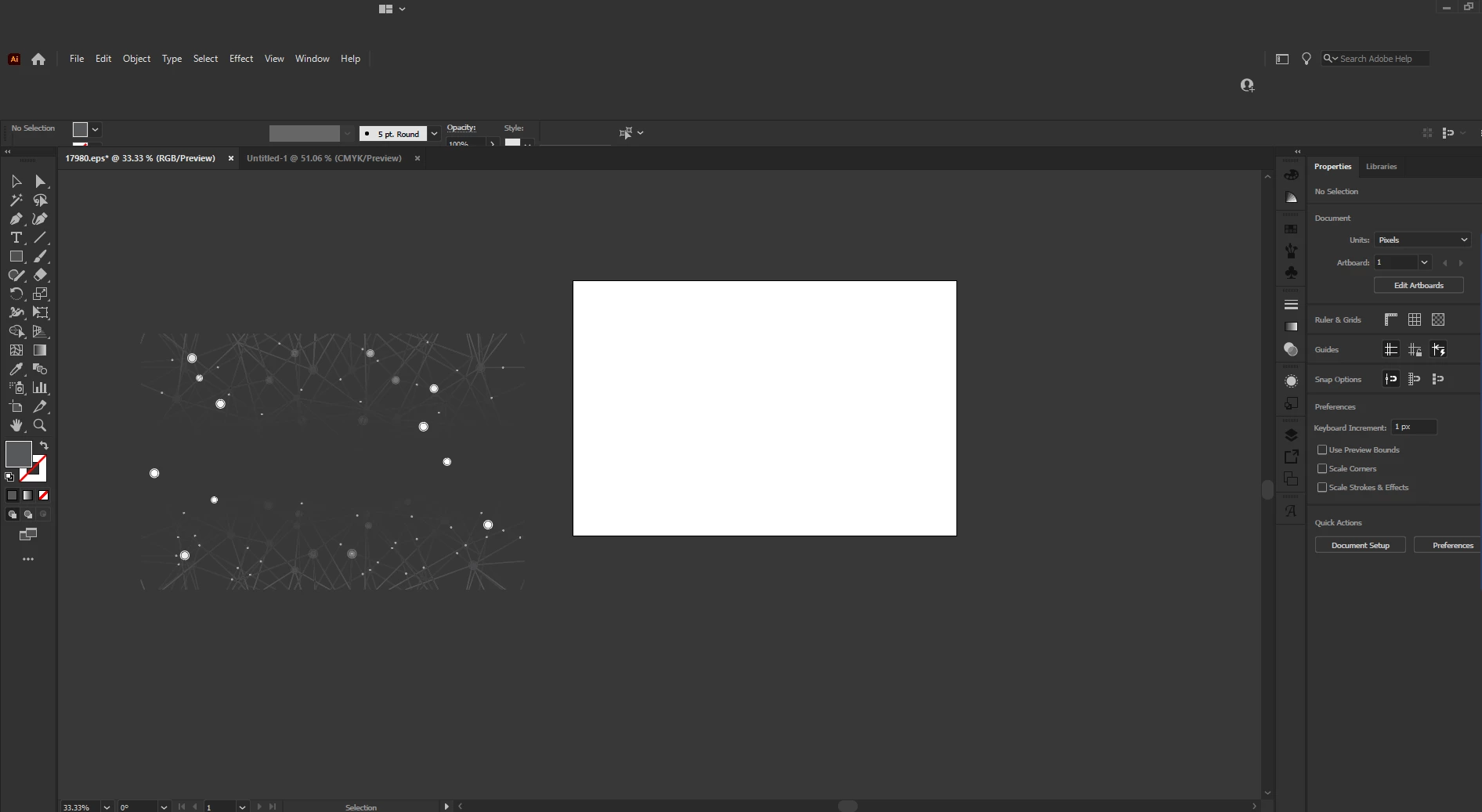
Revert back to main menu interface to normal in Illustrator Resetting preferences didn't help

  • September 14, 2021
  • 1 reply
  • 736 views


Not quite sure if I accidentally clicked on something in Illustrator of if its a bug. I just want my interface back to normal especially on the main menu portion. I tried reset preference but is not working. OS: Windows 10


{Renamed by MOD}

This topic has been closed for replies.
Correct answer Anshul_Saini

Hi there,


Sorry about the trouble you are facing. I would suggest you try the following steps:

  • Reset preferences manually if not done manually earlier.
    - Close all Adobe applications.
    - Go to Location C:\Users\user\AppData\Roaming\Adobe
    - Rename Adobe Illustrator and Adobe Illustrator 25 Settings folders to Adobe Illustrator.old and Adobe Illustrator - 24 Settings.old
    Disclaimer: Please note that renaming preferences folders will remove all the custom settings, and Illustrator will
    launch with default settings. You can also take a backup of the folders in case you want to. The location is mentioned above.
    - Launch Illustrator from the Creative Cloud Desktop app.
  • Rename the CEP folder to CEP.old from the following location:
    C:\Program Files (x86)\Common Files\Adobe
  • If that doesn't help, rename the extensions folder to extensions.old in the following location:
    C:\Program Files\Common Files\Adobe\UXP
  • If that doesn't help either, uninstall the application using the CC Cleaner tool and reinstall from the Creative Cloud Desktop app.


Let us know how it goes. We'll be looking forward to your response.


Thanks & Regards,

Anshul Saini

1 reply

Anshul_Saini
Community Manager
Anshul_SainiCommunity ManagerCorrect answer
Community Manager
September 14, 2021

Hi there,


Sorry about the trouble you are facing. I would suggest you try the following steps:

  • Reset preferences manually if not done manually earlier.
    - Close all Adobe applications.
    - Go to Location C:\Users\user\AppData\Roaming\Adobe
    - Rename Adobe Illustrator and Adobe Illustrator 25 Settings folders to Adobe Illustrator.old and Adobe Illustrator - 24 Settings.old
    Disclaimer: Please note that renaming preferences folders will remove all the custom settings, and Illustrator will
    launch with default settings. You can also take a backup of the folders in case you want to. The location is mentioned above.
    - Launch Illustrator from the Creative Cloud Desktop app.
  • Rename the CEP folder to CEP.old from the following location:
    C:\Program Files (x86)\Common Files\Adobe
  • If that doesn't help, rename the extensions folder to extensions.old in the following location:
    C:\Program Files\Common Files\Adobe\UXP
  • If that doesn't help either, uninstall the application using the CC Cleaner tool and reinstall from the Creative Cloud Desktop app.


Let us know how it goes. We'll be looking forward to your response.


Thanks & Regards,

Anshul Saini
Dirk BarrAuthor
Participant
September 15, 2021

I did the very last option just before I read your instructions. It's working fine now. Thank you for your help.

Anshul_Saini
Community Manager
Community Manager
September 17, 2021

Glad to hear you're back on track. Please feel free to reach out if you run into any other questions or issues in the future. We'd be happy to help.


Regards,

Anshul Saini