
super_leo
Participant
June 21, 2018
Answered

RGB to CMYK conversion flaw

  • June 21, 2018
  • 3 replies
  • 3343 views

There is a situation where I have to transfer colors in Hex Format (from an app) to Adobe Illustrator. But I need to extract the exact CMYK value (that was assigned in the previous app).
Long story short. Let's take an example:

There is a hex value: #ff7253

it's RGB = rgb(255,114,83)

and converted CMYK from RGB (using formulas) : cmyk(0,55,67,0) (conversion link: CMYK to RGB - RGB,CMYK,HEX color codes online converter free )

But If I insert the above RGB or Hex in adobe illustrator color picker:

input = rgb(255,114,83)

CMYK will be : cmyk(0,69,68,0)
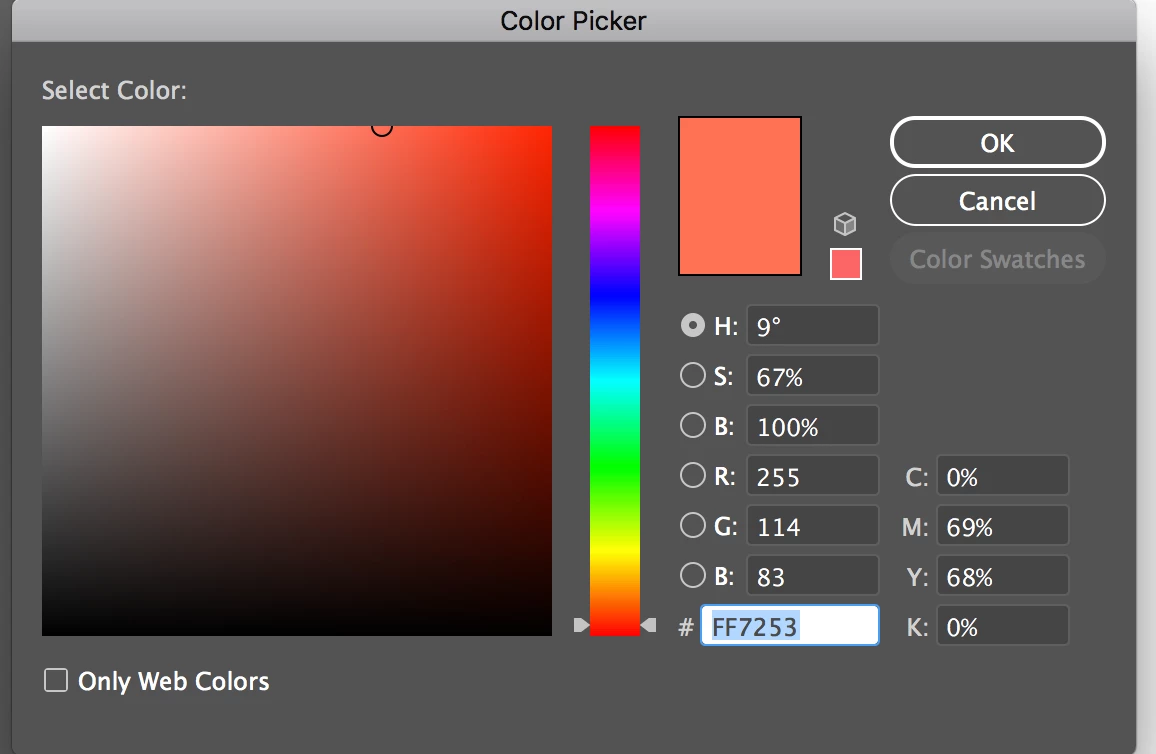
and if I insert the CMYK value

input : cmyk(0,55,67,0)

output : rgb(246,141,94)
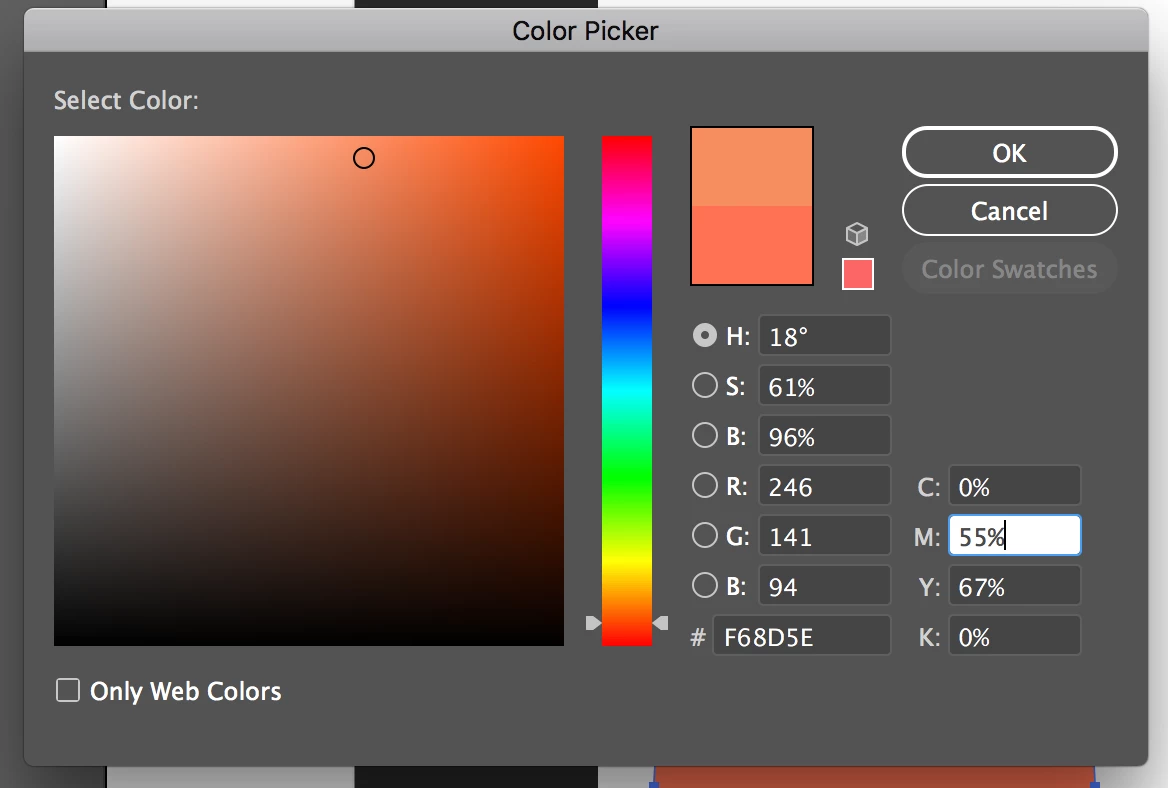
Kindly tell me how to resolve the issue. How can I get same value for CMYK conversion on Adobe Illustrator

( (RGB>CMYK with formulas) = (RGB>CMYK on illustrator) )?

Thanks in advance for your help.

This topic has been closed for replies.
Correct answer Test Screen Name

The thing is, I am working on an iOS app (being an iOS developer) , this app creates SVG of a drawing. Previously it shows RGB colour picker, where we could select R G and B values. After some requirement came and I had to make a CMYK picker, so I get C M Y K input and convert it to RGB (with formula) so that other processes won't be disturbed.
So, in this case everything is manual, I myself am doing the conversions. So I think, I have to add the profiles in calculation.


You're converting the CMYK to RGB yourself to write an RGB colour picker? You will have to give the user a choice of CMYK and RGB profile to do it correctly. On the other hand you could emulate the Mac OS colour picker which does this conversion, but nobody knows what method it uses.

I have to say that whoever requested CMYK colour picking is probably wanting CMYK output and won't be satisfied with an RGB SVG. Check this, you could put weeks of work into something that isn't wanted.

3 replies

Legend
June 21, 2018

The profiles to use are the CORRECT ones for you. There is no standard, because people have different needs, You need to understand colour management. As professional apps, Adobe's tools must use colour management, while consumer tools do any old thing. There is a big learning curve.

Legend
June 21, 2018

The internet is full of web sites with colour converters made by people who don't understand colour AT ALL. These sites do huge damage to people's expectation and workflow.  There is NO FIXED CONVERSION from RGB to CMYK, it doesn't even mean anything until you assign RGB and CMYK profiles.

Legend
June 21, 2018

Converting to CMYK depends on the color profile.

super_leo
super_leoAuthor
Participant
June 21, 2018

Can you give me reference, how profiles effect color conversions and which profile use which formula for conversion?

Legend
June 21, 2018

super_leo  wrote

Can you give me reference, how profiles effect color conversions and which profile use which formula for conversion?

You said

But I need to extract the exact CMYK value (that was assigned in the previous app).

So that is your answer. Use the profiles that your "previous app" uses. If it doesn't tell you what they are, then you're stuck.