
Participant
June 12, 2018
Answered

Roland CutStudio is not found

  • June 12, 2018
  • 2 replies
  • 8066 views

Hello,

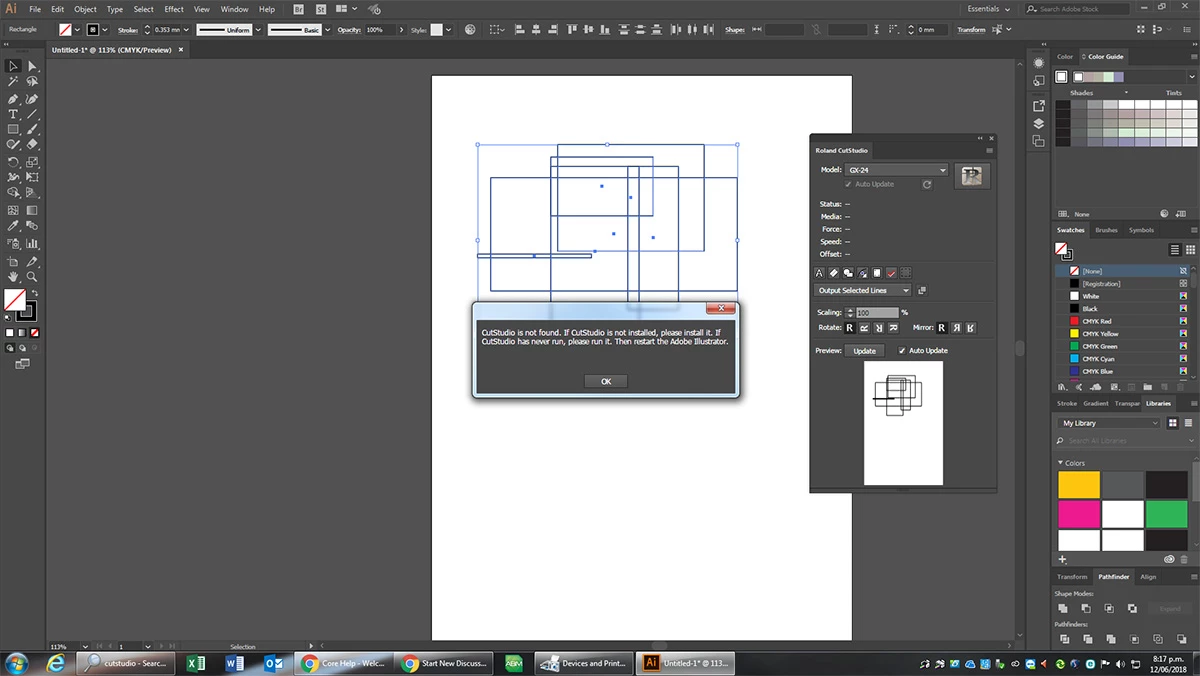
I have Installed the CutStudio plugin but when i click the "output paths to cutstudio" i get the following message: "CutStudio is not found. If CutStudio is not installed, please install it. If CutStudio has never run, please run it. Then restart Adobe Illustrator." what do i do to fix this?
This topic has been closed for replies.
Correct answer Monika Gause

When you're not sure if they are supposed to work, please ask Roland.

2 replies

Ray Yorkshire
Participating Frequently
June 12, 2018

Looks like you've done the hard part and got the  cutstudio plugin installed correctly on Illustrator .

Make sure the cutter itself is also setup properly, drivers etc on your  windows system.

go to http://startup.rolanddg.com/

or follow this video

https://www.youtube.com/watch?v=JVDobRJxDSg

Participant
December 16, 2018

I tend to be confused why has this not been fixed. This site should be checked weekly by Adobe to address to any problems...that would be good customer service, I would think.

Help us!!! 

Ray Yorkshire
Participating Frequently
December 16, 2018

What is your exact problem  and with which version of Illustrator,

Adobe don't make the plug-in, Roland do.

Adobe run a beta program, where developers can test their products in advance of new releases of Illustrator.

The latest news/ advice I can see from Roland is

Dear customers,
Thank you very much for using CutStudio PlugIns.
Adobe  Systems incorporated released the latest version of Create Cloud, Adobe  Creative Cloud 2019, and Illustrator CC was updated on Oct 15th.
We are currently performing the operation check of CutStudio PlugIns.
Therefore, please use Adobe Illustrator CC2018 till the supported version for Adobe Illustrator CC2019 is released.
How to install Adobe Illustrator CC2018.
https://helpx.adobe.com/download-install/using/install-previous-version.html

We appreciate your kind understanding.

Roland DG Corporation

https://www.adobeexchange.com/creativecloud.details.15901.html

Monika Gause
Community Expert
Community Expert
June 12, 2018

Which version of Illustrator? Which system?

Have you made sure that the Roland plugin is suitable for the system as well as for your Illustrator version?

Participant
June 12, 2018

I have tried Version CC 2018 & CC 2017. windows 7 operating system. Ive tried installing from the Adobe site & also from the .zxp file

Monika Gause
Community Expert
Monika GauseCommunity ExpertCorrect answer
Community Expert
June 12, 2018

When you're not sure if they are supposed to work, please ask Roland.