
Answered
rotate character
Hi,
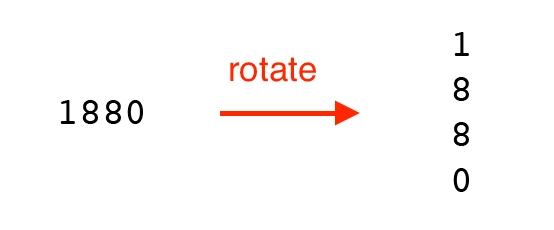
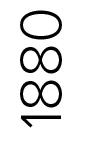
In Screenshot 1, I rotate 1880.
Is there any way to present it like Screenshot 2?
Hosun

Hi,
In Screenshot 1, I rotate 1880.
Is there any way to present it like Screenshot 2?
Hosun
Hosun,
In addition to what Dave said, when you say "In Screenshot 1, I rotate 1880.", it looks more like Vertical Type, as in this or this,
https://helpx.adobe.com/illustrator/using/scaling-rotating-type.html
Already have an account? Login
Enter your E-mail address. We'll send you an e-mail with instructions to reset your password.
 AdChoices