charlotten86139972
Inspiring
July 27, 2017
Answered

Rotating actual pattern swatch in Illustrator?

  • July 27, 2017
  • 1 reply
  • 22735 views

Hi!

Im using Illustrator CS6 and want to rotate a pattern swatch. I know how to rotate a pattern inside an object. but I want to rotate the actual swatch...

when i goto the pattern editing mode, and i use the selection tool to rotate the swatch, it just messes my pattern up...

Is there a way to do this?

Thanks
Correct answer Mike_Gondek10189183

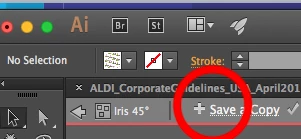
You will need to make a new pattern for each rotation. Not be that hard if you use object >> pattern >>make on one of your flower groups. Once you make one rotation you can then use save a copy.

Is very good for making tessellation's.

1 reply

Monika Gause
Community Expert
Community Expert
July 27, 2017

Drag the pattern swatch out of the swatches panel to the artboard.

Don't ungroup or anything, just handle it with the selection tool.

Rotate it while pressing the shift key.

Drag it into the swatches panel again.

You can only rotate by 90°

If you want something else, please post a screenshot.

charlotten86139972
Inspiring
July 27, 2017

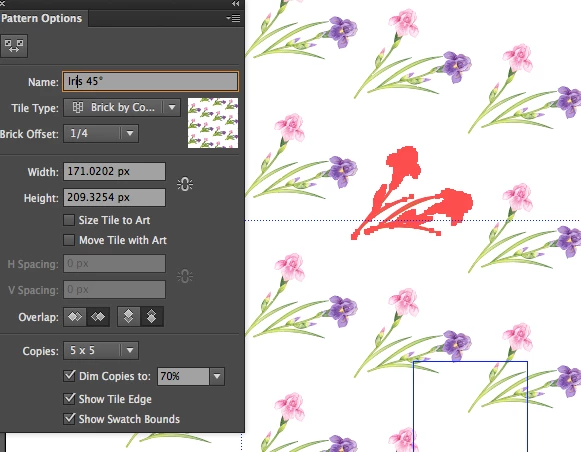
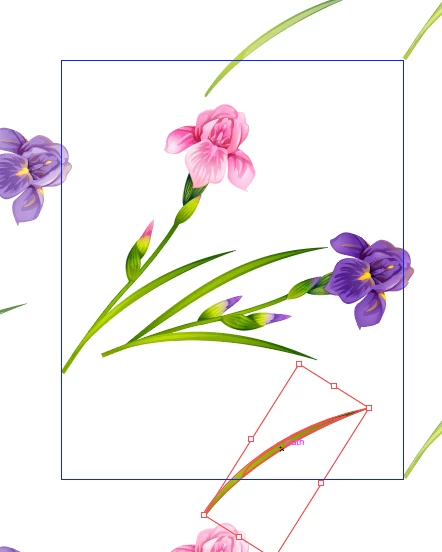
Thanks for your reply Monika, but the angle i want isn't a 90* angle this is a screen shot of whats going on. I don't understand why i cant rotate the pattern perfectly when its inside an object (using rotate tool) , but when i try rotate the swatch myself it doesn't work and the tiles separate

Monika Gause
Community Expert
Community Expert
July 27, 2017

Illustrator can only do rectangle pattern tiles (like in your bathroom).

When rotating inside the object, this can be compared to rotating the complete bathroom wall.

But when you want to rotate the pattern, but still glue tiles to the wall in upright position, you will have to re-create the pattern using the pattern tiling options in the pattern panel.

Why do you want to rotate them in the pattern? So you can apply this more easily? Have you already thought about saving the rotated pattern inside the object as a graphic style?