
Inspiring
February 8, 2020
Question

Rotation incremental error after save

  • February 8, 2020
  • 2 replies
  • 3209 views

I am seeing an incremental error that is only visible after saving and reopening the file, when doing Object>Transform>Rotate.

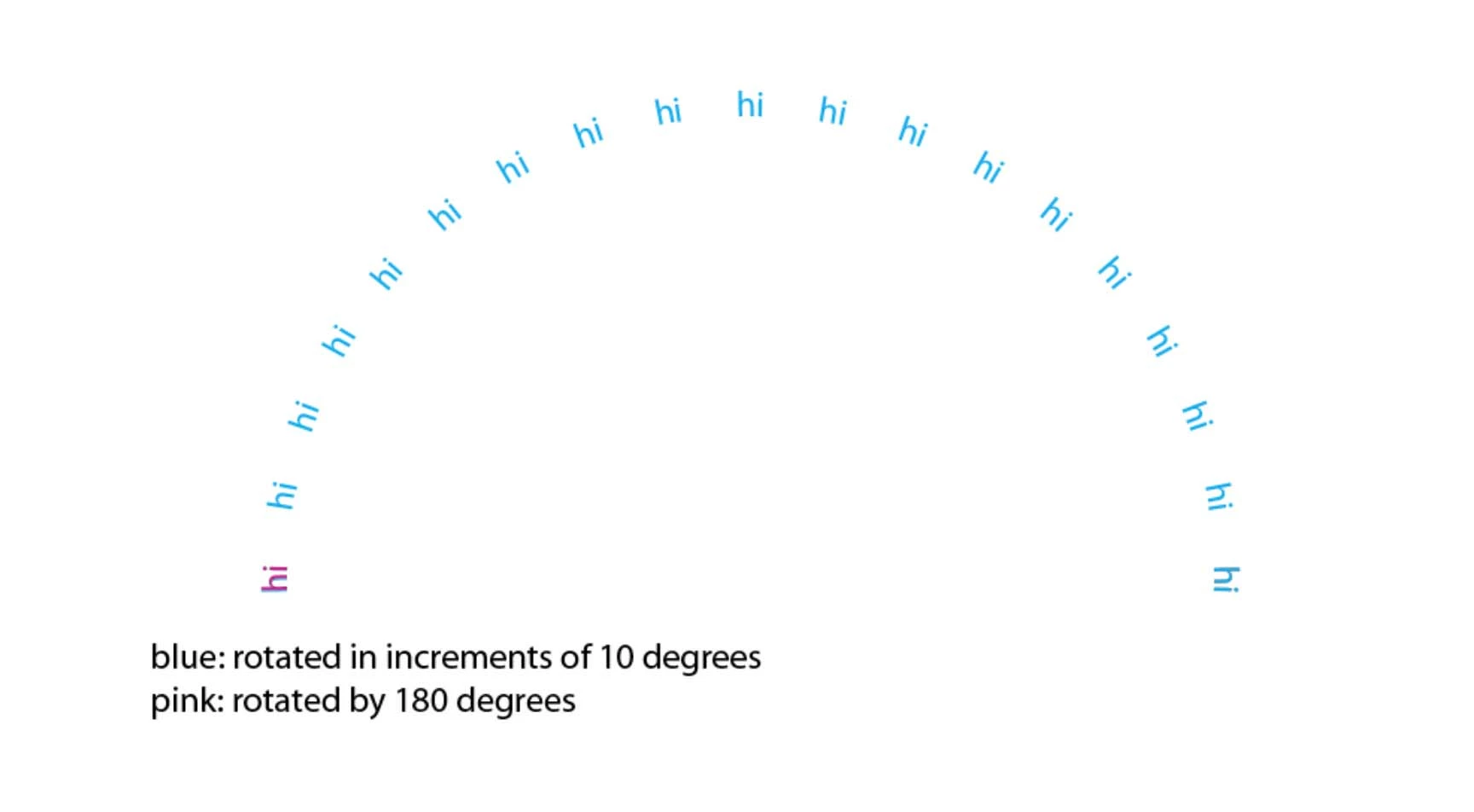
The attached images are for the following example. Some type "hi" is written on a path (circle), starting at zero degrees on the right hand side (black, not quite visible in the pictures). Then two cases are shown:

-The black object is copied, aligned with the original, and Object>Transform>Rotate with Copy in increments (10 degrees here) up to 180 degrees.

-The black object is copied, aligned with the original, and Object>Transform>Rotate once by 180 degrees.


After that, both match at 180 degrees on screen. I save, close the file, reopen it, and there is a mismatch as observed on the attached pictures. This is for CS4.

I have tried with 5-degree increments and see less of an error, but it is there too.

Because this is rotating and comparing the same point on the circle, I suspect it is not related to Illustrator approximating circles with 4-point Bezier curves.

This topic has been closed for replies.

2 replies

Kurt Gold
Community Expert
Community Expert
February 8, 2020

I cannot replicate it either (tested in AI CS5 and AI CC 2020).


It may be caused by some kind of (inadvertent) misuse of the Align to Pixelgrid option, but that is just a guess.

Ton Frederiks
Community Expert
Community Expert
February 8, 2020

CS4 did not have the Align to Pixel Grid option.

Kurt Gold
Community Expert
Community Expert
February 9, 2020

If anybody else tries this out and reproduces the steps described in the original post, in any version of Illustrator, please report your findings here as it is still an open issue on my end (with no clue as to what is causing it). Thanks.


You may share one of your .ai files that has the issue.


Maybe it won't help to unravel it in this case, but sometimes it can help to reproduce something that cannot be reproduced due to some unknown facets.

Jeff Witchel, ACI
Community Expert
Community Expert
February 8, 2020

I'm surprized Illustrator CS 4 works on any computer at all today. It's over 12 years old. Can you tell us about what system you're using?

sPretzelAuthor
Inspiring
February 8, 2020

What would be helpful is to see if anyone can reproduce this error on any version of Illustrator. And if so, whether they have ways of mitigating it.

Ton Frederiks
Community Expert
Community Expert
February 8, 2020

I cannot reproduce that, works fine for me in CS4 (Yes Jeff, don't ask how, but I can still run CS4 on Mac OS Mojave)

See attached PDF (which can be opened in Illustrator).