
Inspiring
November 14, 2018
Answered

Round multiple corners at the same time

  • November 14, 2018
  • 4 replies
  • 16119 views

Hi

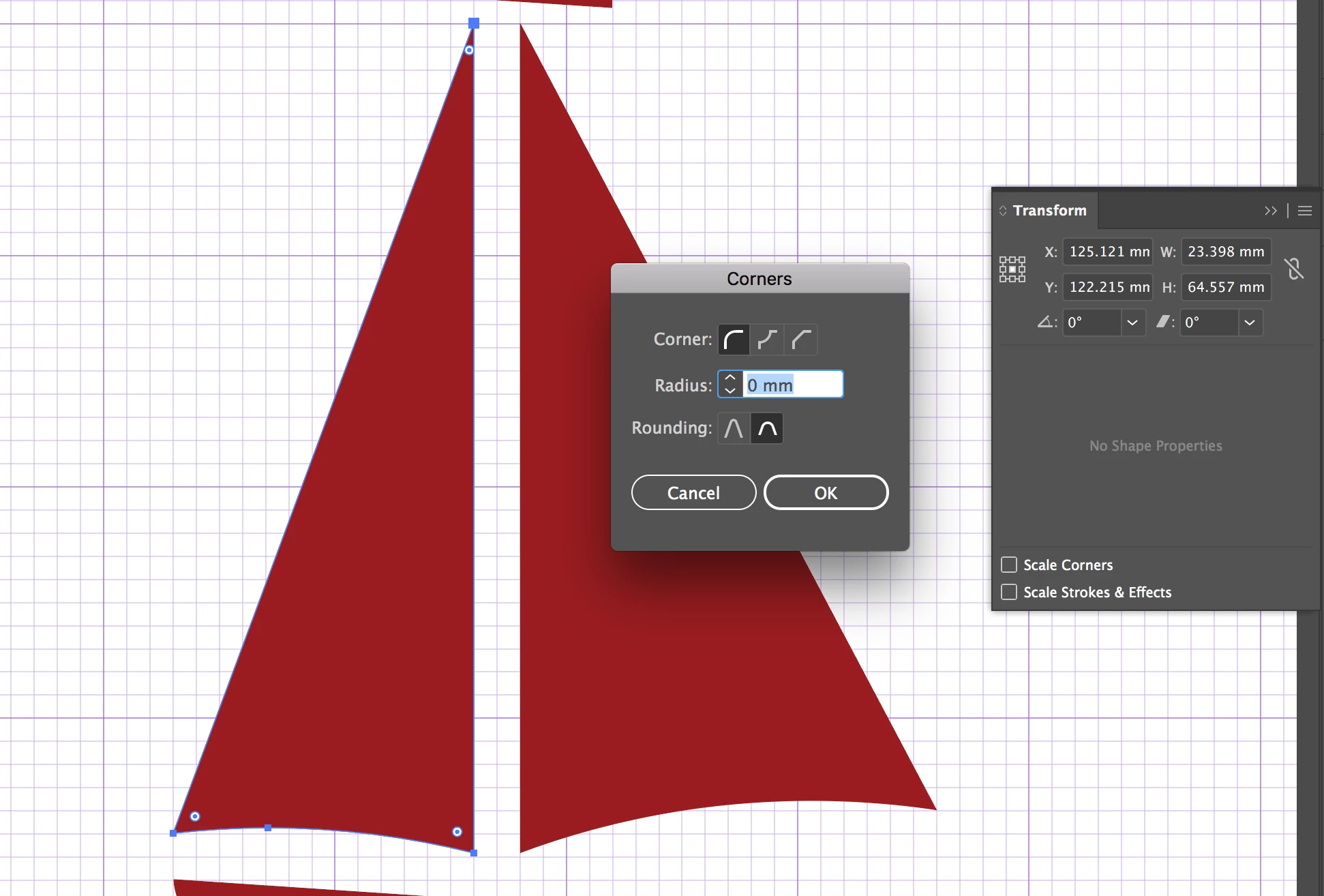
I have a shape (path) where I want to round all of the corners in one go with live corners. In a previous version (pre-cc2019), you would double click the corner point and it would bring up the transform tool and you could select all of the corners, this doesn't seem to be working now?

I only seem to be able to change the corners one at a time which is mind-numbingly tedious. I have a lot of corners to round off.

Is there no longer a way to change them all in one go by the same amount?  Image below to illustrate the problem.
Correct answer Monika Gause

Window > Control

Then click on "Corners"

4 replies

Simmer1
Community Expert
Community Expert
November 14, 2018

I think the Window > Control method is not working as it only identifies the bottom two as corners:

Simmer1
Community Expert
Community Expert
November 14, 2018

Hi,

Try Effects> Stylie> Round Corners

\

I hope this helps,

Sim

Participant
June 8, 2022

This worked. thanks. 

Mohammad.Harb
Community Expert
Community Expert
November 14, 2018

you can set the corners all at once from the control bar

Monika Gause
Community Expert
Monika GauseCommunity ExpertCorrect answer
Community Expert
November 14, 2018

Window > Control

Then click on "Corners"