
Participant
August 20, 2024
Answered
RTL Text option missing in Arabic Illustrator Version 28.6 on macOS
- August 20, 2024
- 3 replies
- 8641 views
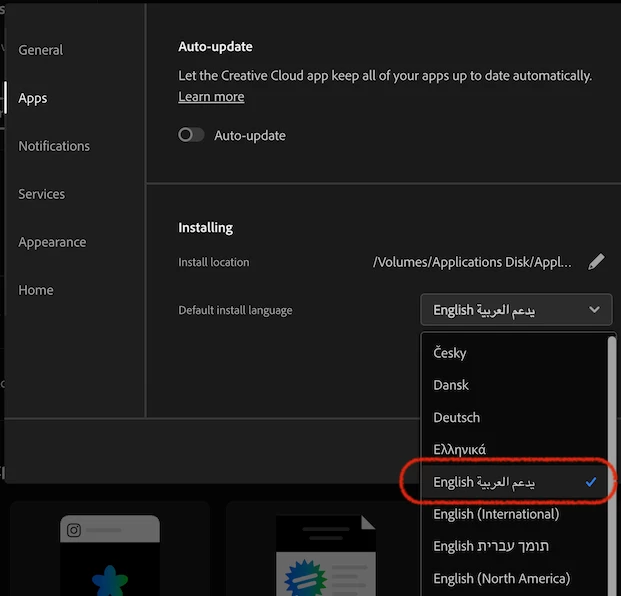
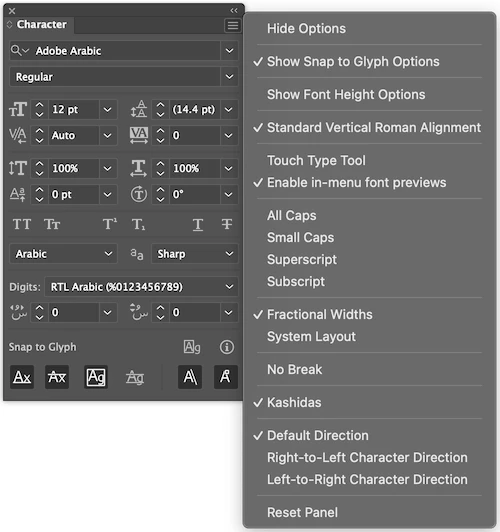
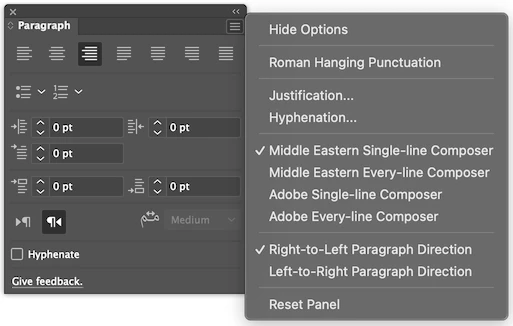
Despite installing the English یدعم العربیه version of Illustrator and enabling both the Indic Options and the Middle Eastern and South Asian Single-Line Text Composer, I still don't have the RTL (right to left) text options for Arabic. As a result, the dots and symbols at the end of the text are appearing on the right side instead of the left.
Can anyone please help?
In the screenshots you can see my seetings as well as the text.
I am using the most up-to-date version of the illustrator (28.6) as of 2024 Aug 20th.
MacBook Pro 13-inch, M1, 2020, MacOS Sonoma 14.5
 AdChoices