Participating Frequently
April 18, 2020
Answered

Ruby Texture

  • April 18, 2020
  • 3 replies
  • 1611 views

Hello.  I am using Illustrator CS6 on my Mac.  I have chosen RGB 155, 17, 30 for the ruby red color.  I do not want to make a ruby gem, but I would like the ruby red to have a texture that looks like the surface of a ruby.  Are there any effects or anything else in Illustrator that I can use to do that?  If there are any effects, please let me know what settings I should use.


Thank you.  

This topic has been closed for replies.
Correct answer JonathanArias

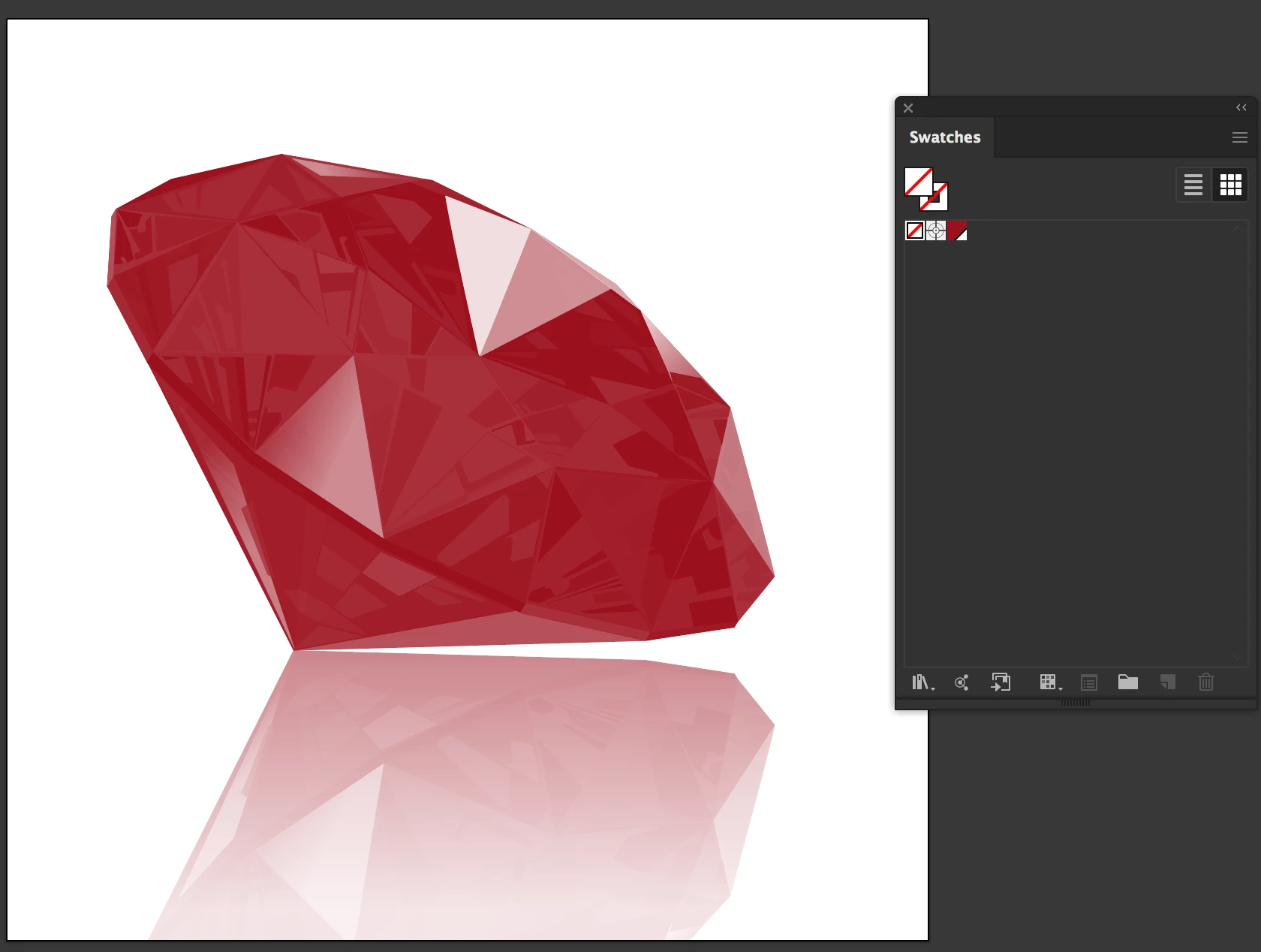
i understand you don't want to make a ruby gem. however, you need to look at one in order to understand what you want to make. A ruby is a smooth stone.


This image is made of the color you want to use:


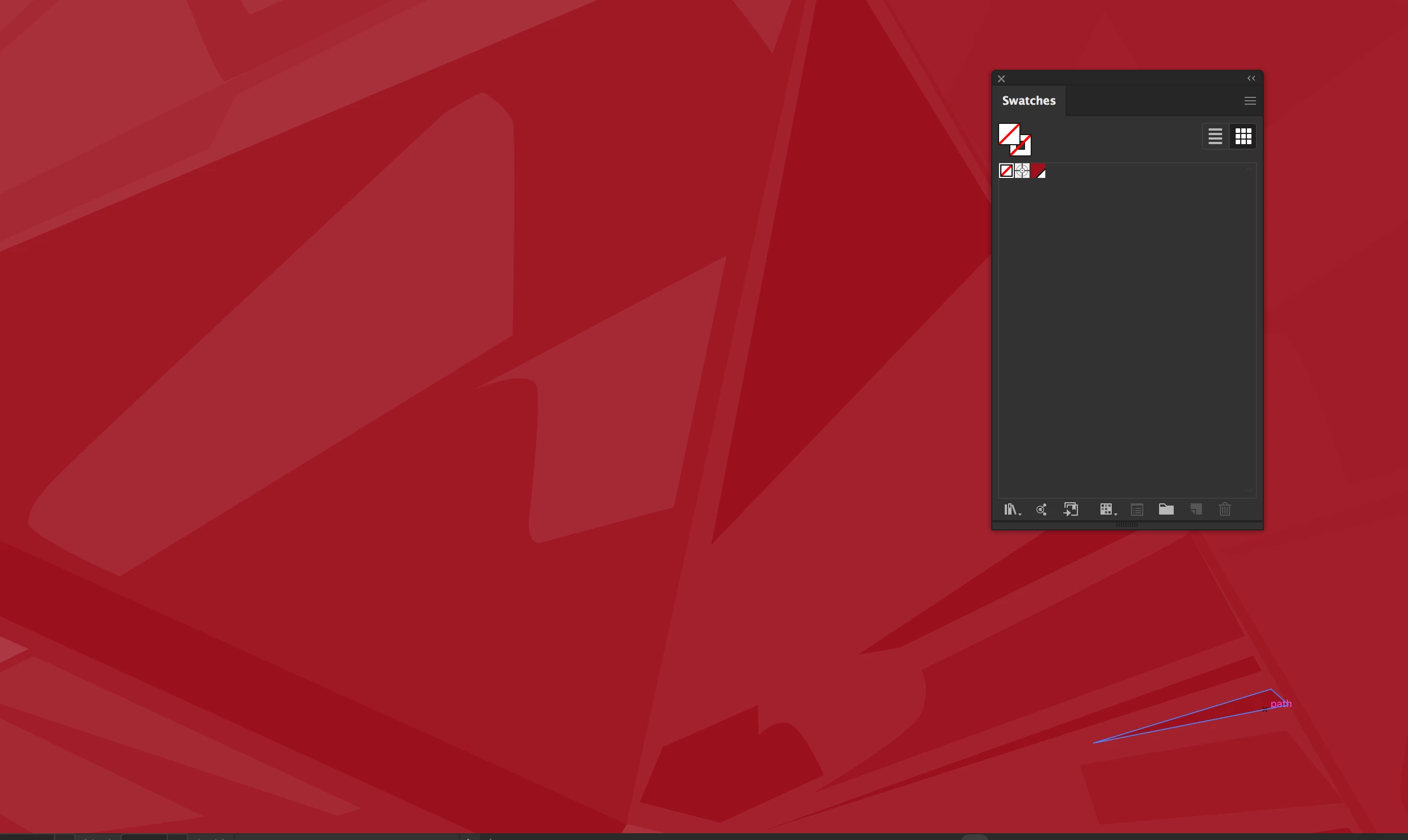
Lets look at the "glare" below, do you see how there are smaller shapes of lighter color? thats one component
 

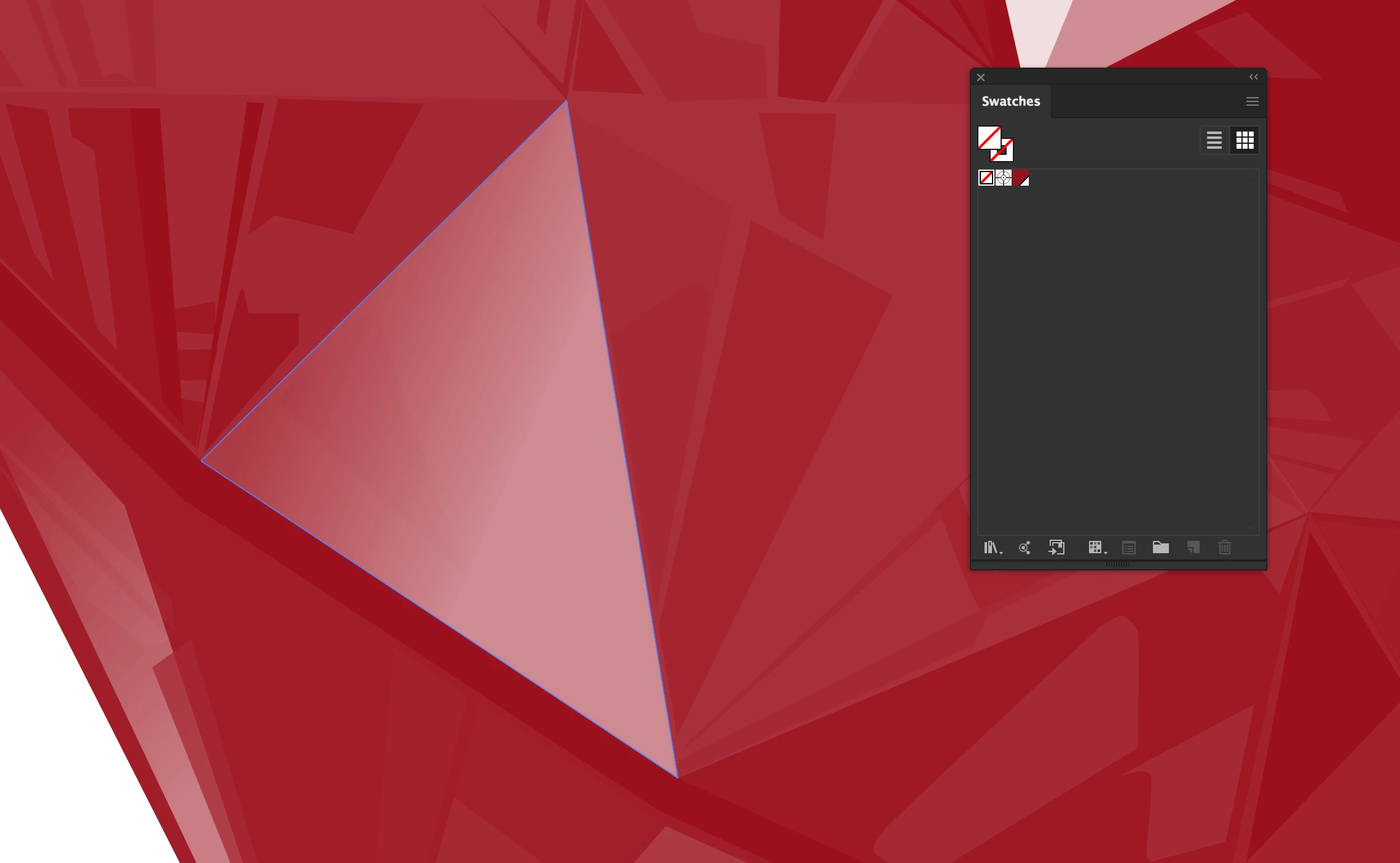
and the second component is the gradiants, see below:
 

those two compoments when put together, give you the look you are talking about.


You have two choices. draw what you want and using the pen tool draw light shades of the same color, like in the first component; and last, draw shapes and apply gradients like in the second component.


Or


Find a texture of glass, make it to a black and white .tiff, use the opacity panel and do a mask. Find a texture that has lots of little shapes and repeat.


I would go with the first option, smaller file size. Easier way.


hope this answer your question? 


thanks

jonathan

3 replies

JonathanArias
JonathanAriasCorrect answer
Legend
April 18, 2020

i understand you don't want to make a ruby gem. however, you need to look at one in order to understand what you want to make. A ruby is a smooth stone.


This image is made of the color you want to use:


Lets look at the "glare" below, do you see how there are smaller shapes of lighter color? thats one component


and the second component is the gradiants, see below:


those two compoments when put together, give you the look you are talking about.


You have two choices. draw what you want and using the pen tool draw light shades of the same color, like in the first component; and last, draw shapes and apply gradients like in the second component.


Or


Find a texture of glass, make it to a black and white .tiff, use the opacity panel and do a mask. Find a texture that has lots of little shapes and repeat.


I would go with the first option, smaller file size. Easier way.


hope this answer your question? 


thanks

jonathan

KinkoStarAuthor
Participating Frequently
April 19, 2020

Thank you Jonathan.

Kat Gilbert
Legend
April 18, 2020

Try this search in google: creating a ruby gem in Adobe Illustrator

There are tutorials there that can get you started.

KinkoStarAuthor
Participating Frequently
April 19, 2020

Thank you Kat.

Monika Gause
Community Expert
Community Expert
April 18, 2020

There are no out of the box effects. You could try and search for some old tutorials that teach you how to make an "Aqua button". Maybe that fits. You just need to use different colors of course.


KinkoStarAuthor
Participating Frequently
April 19, 2020

Thank you Monika.