
Participant
March 24, 2020
質問

Safe Mode with No Plugins

  • March 24, 2020
  • 返信数 1.
  • 771 ビュー

Recently Illustrator started opening in safe mode because of an old plug-in I had on my laptop.  I have since uninstalled the plug-in and it no longer shows up in the safe mode dialog box, but now there's no problems in the safe mode dialog box and I can't get it to turn off.
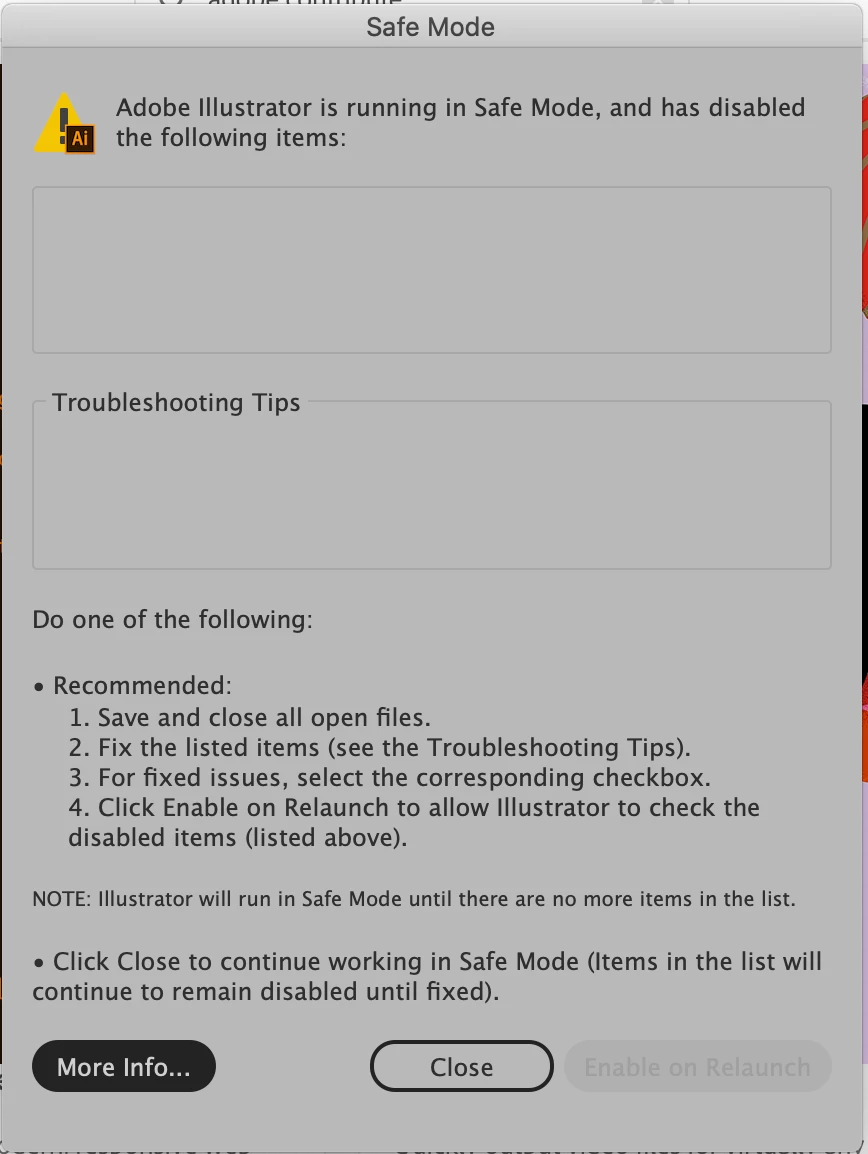
Any advice?

このトピックへの返信は締め切られました。

返信数 1

Ashutosh_Mishra
Inspiring
March 27, 2020

Hi there,


Sorry to hear about your experience. Would you mind sharing some more details like:

1. Version of OS and Illustrator?
2. Have you tried restarting the computer once?
3. Have you tried resetting preferences? If not, please try doing that. Follow instructions on help article https://helpx.adobe.com/illustrator/using/setting-preferences.html#setting_illustrator_preferences 


**Please note that resetting preferences will remove all the custom settings and Illustrator will launch with default settings.

All this information will help us understand your issue and work accordingly. Looking forward to your response.


Regards,

Ashutosh

lscior20作成者
Participant
March 27, 2020

Hi,


I'm using OS 10.15.3 and the 2020 version of Illustrator through Creative Cloud.  


I've tried restarting my computer, I reset my Illustrator preferences, and I've even tried deleting and reinstalling the Illustrator application on my laptop and I still get the same Safe Mode message with no listed items.

Ashutosh_Mishra
Inspiring
March 27, 2020

This is really an unusual behavior. Please contact Adobe live support on https://helpx.adobe.com/support.html , click on chat icon at bottom right to begin the conversation. Support team there will be able to perform remote troubleshooting on the machine and help you out accordingly. Thanks!