

SageThumbs Removed Illustrator Icons from Details/List View (Windows)
Hello Illustrator Community,
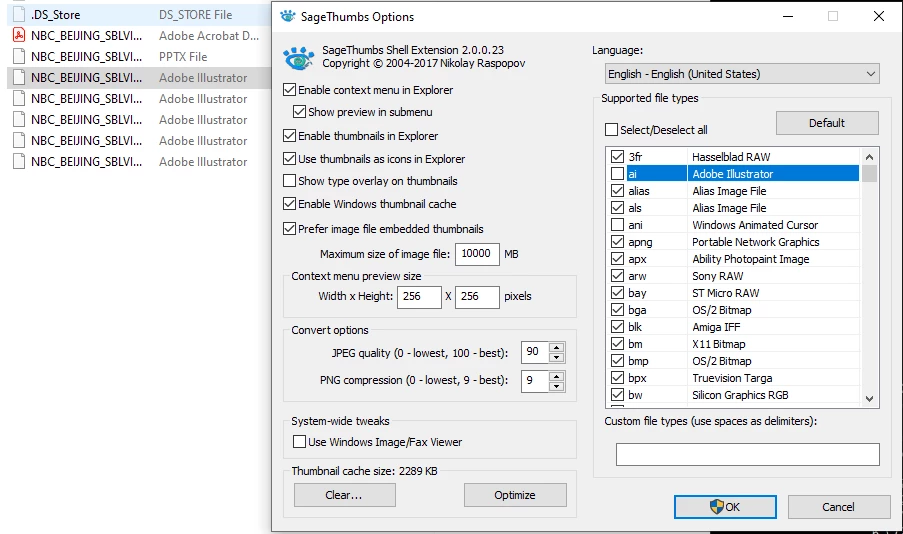
I recently installed SageThumbs on Windows 10 to view Photoshop files somewhat like you would on a Mac. As far as the Photoshop files go, everything works great. But now my Illustrator files no longer are indicated with the orange Ai icon, as shown in on the left of the screenshot below when I'm in the Details or List view. Explorer just shows the white page icon. It's not huge deal (because they still work), but I miss having the icons for organization purposes.
I installed GhostScript, as suggested from this link: https://www.cherubicsoft.com/en/projects/sagethumbs/ , but that did not make a difference. My screenshot also shows my SageThumbs settings. I assume that something with SageThumbs is screwing up the missing Ai icons. Is there something that I can do, whether through SageThumbs settings or Windows settings, to keep the orange Ai icon?
Thanks in advance for any help!
 AdChoices