
J.E.vanSetten
Participant
October 14, 2022
Question

Same RGB Colour looks different in identical files (2022)

  • October 14, 2022
  • 3 replies
  • 684 views

If I copy a graphic from 1 file to the other the colour looks very different. Things I've already tried and checked are:
-Both same document colourmode (RGB)
-Both same colour profile (and to be sure assigned Adobe RGB (1998))
-in Colour settings everything is the same for both files (also in "extra options")
-Proof settings are the same for both files
-Proof colour is ticked on in both files
And to be sure, both are in the same illustrator version and the from the same monitor

What other options could cause this issue? 🤷
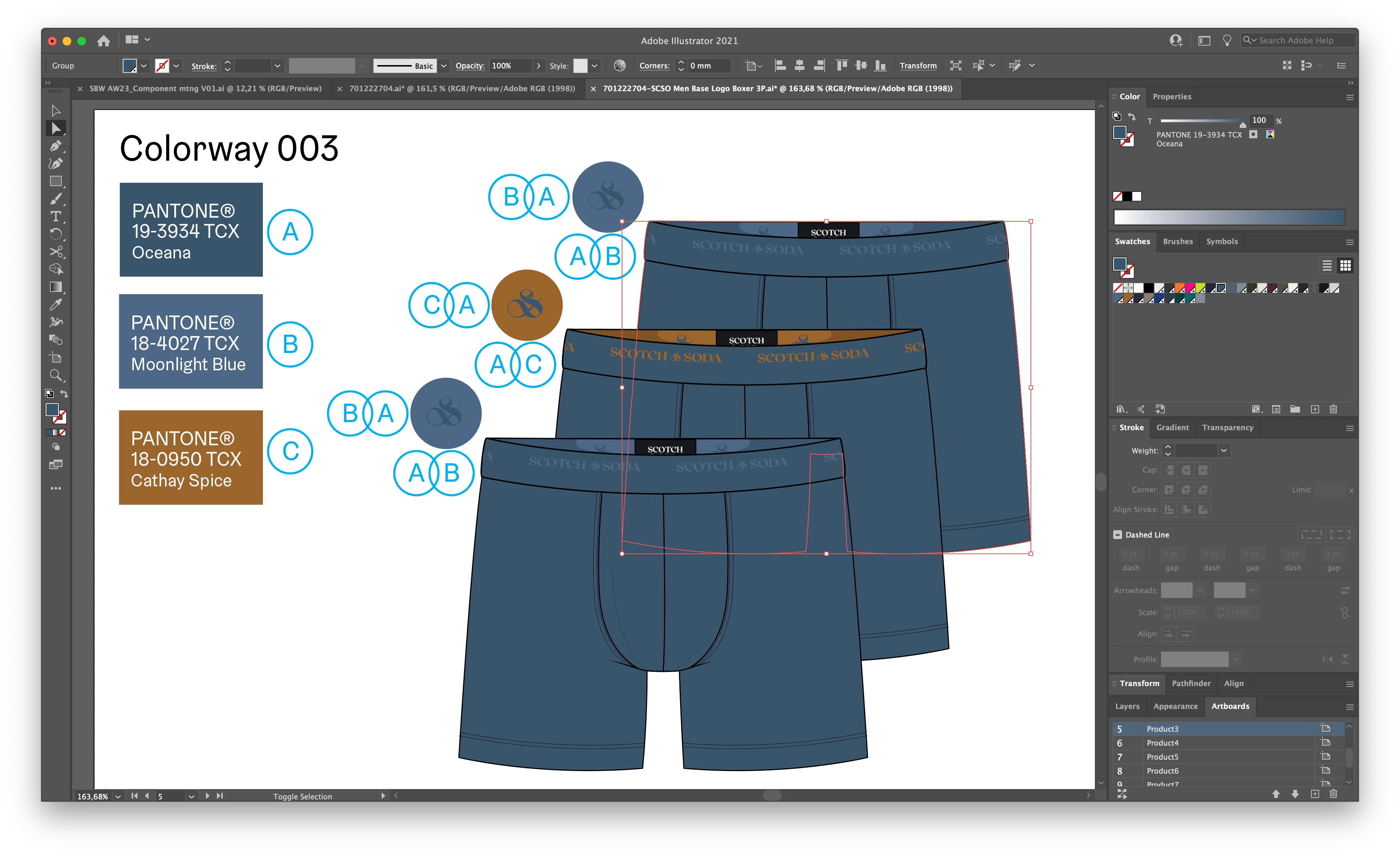
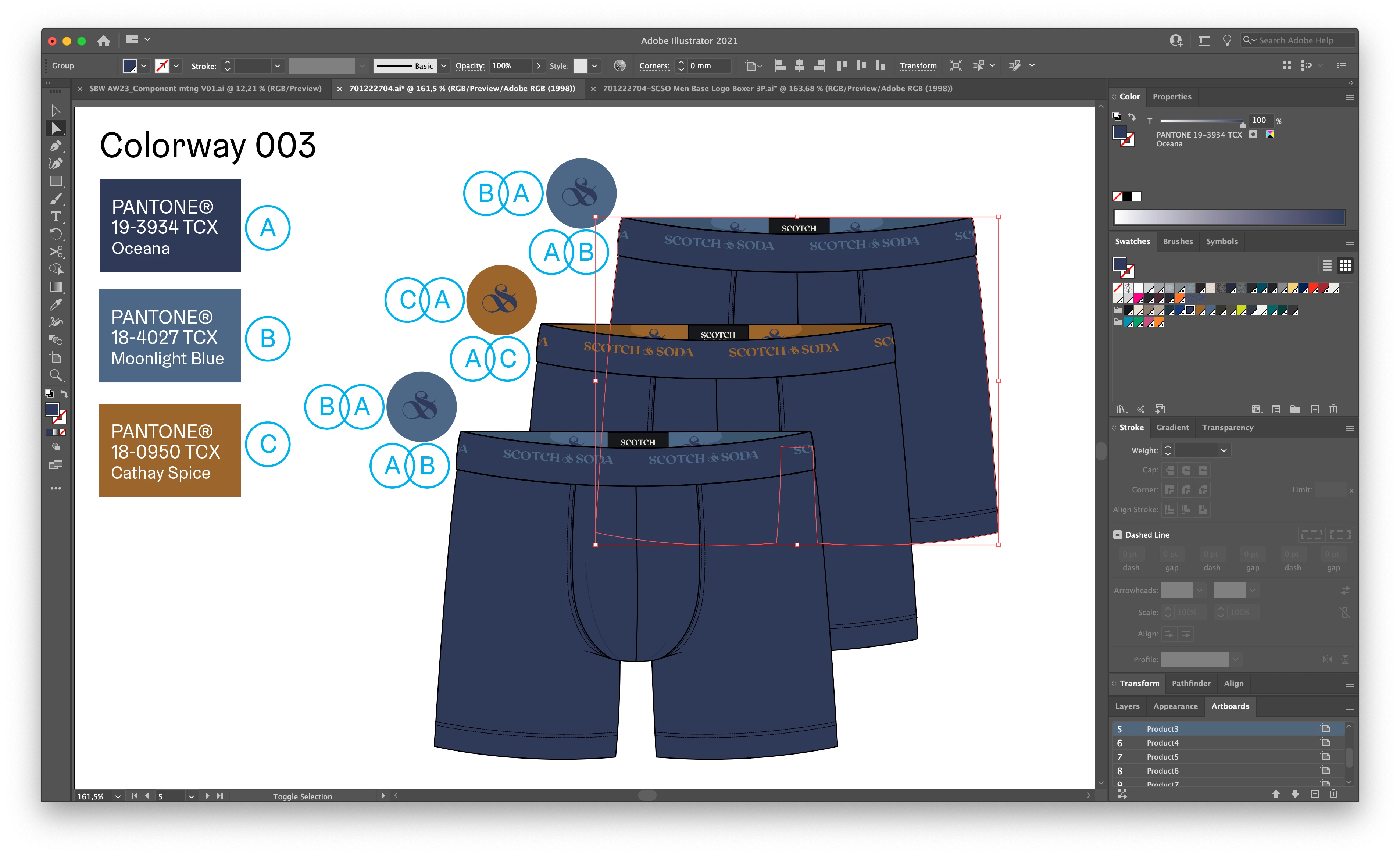
This topic has been closed for replies.

3 replies

Monika Gause
Community Expert
Community Expert
October 14, 2022

Which proof options are turned on?


J.E.vanSetten
Participant
October 14, 2022

For both files I'd change it to Adobe RGB (1998) and "relative colorimetric)

Monika Gause
Community Expert
Community Expert
October 14, 2022

Do you have anything installed in the system that "enhances" the clipboard?

Ton Frederiks
Community Expert
Community Expert
October 14, 2022

Did you get warnings when pasting in the document?

Are the warning options for Profile Mismatches and Missing Profiles checked in your Color Settings?

J.E.vanSetten
Participant
October 14, 2022

I've checked the mismatches & missing profiles and after paste-ing the graphic again still the same problem 

Ton Frederiks
Community Expert
Community Expert
October 14, 2022

Is that repeatable, paste into a new document and not get a warning??

lambiloon
Community Expert
Community Expert
October 14, 2022

Hi, check the transparency tab may be blending mode is changed in another document..regards

Ali Sajjad / Graphic Design Trainer / Freelancer / Adobe Certified Professional
J.E.vanSetten
Participant
October 14, 2022

Do you mean the bleding mode you see in my screenshot? I thought that bleding mode only can be used for graphics/photo's within the file, not the whole file right?

If it's not the blending mode from my screenshot can you tell me where I can find the transparancy tab you're referring to. Thanks a lot!