Exit
  • Global community
    • Language:
      • Deutsch
      • English
      • EspaƱol
      • FranƧais
      • PortuguĆŖs
  • ę—„ęœ¬čŖžć‚³ćƒŸćƒ„ćƒ‹ćƒ†ć‚£
  • ķ•œźµ­ ģ»¤ė®¤ė‹ˆķ‹°
0

Save a copy Hi res PDF

Community Beginner ,
Nov 23, 2022 Nov 23, 2022

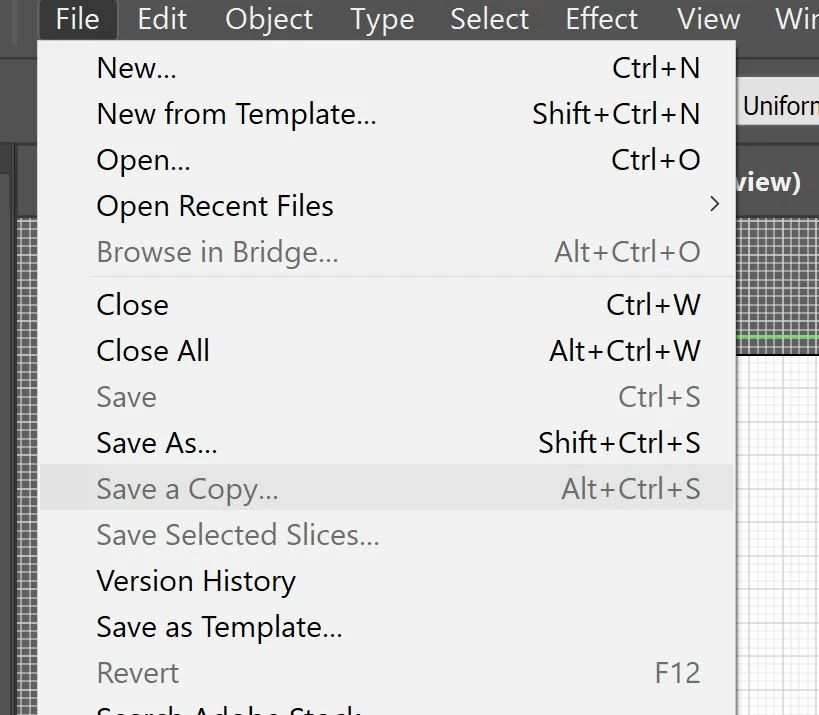
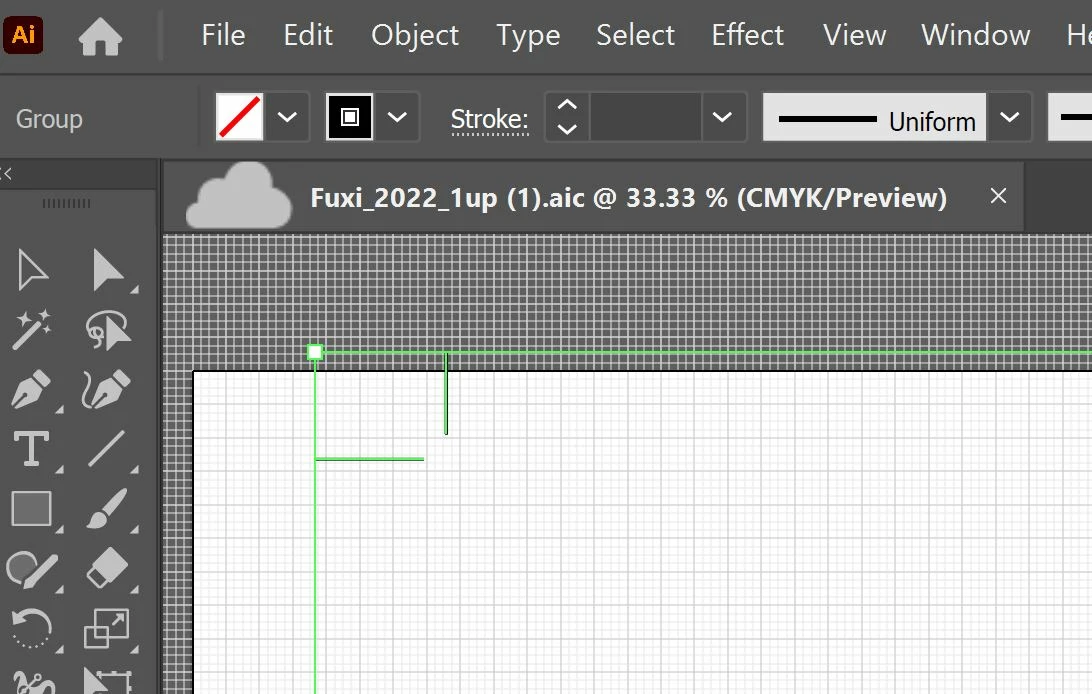
Hi All, Not sure if this is a bug or what? I used to be able to save a copy as a hi res PDF. Im not sure whats up . What does the cloud mean? also is this the new extension .aic? how do I get that funtionality back. Thanks Capture1.JPGCapture2.JPG
TOPICS
Bug , Import and export , Print and publish
259
Translate
Report
Community guidelines
Be kind and respectful, give credit to the original source of content, and search for duplicates before posting. Learn more
community guidelines

correct answers 1 Correct answer

Community Expert , Nov 23, 2022 Nov 23, 2022

This is a Cloud file.

Save it locally and then you will also be able to Save a Copy

Translate
Adobe
Community Expert ,
Nov 23, 2022 Nov 23, 2022

This is a Cloud file.

Save it locally and then you will also be able to Save a Copy

Translate
Report
Community guidelines
Be kind and respectful, give credit to the original source of content, and search for duplicates before posting. Learn more
community guidelines
Mentor ,
Nov 23, 2022 Nov 23, 2022
LATEST

Running 27.0.1? Check your prefs and in File Handling change the Default file location:


onYourComputer.jpg

Translate
Report
Community guidelines
Be kind and respectful, give credit to the original source of content, and search for duplicates before posting. Learn more
community guidelines