Participant
May 4, 2017
Answered

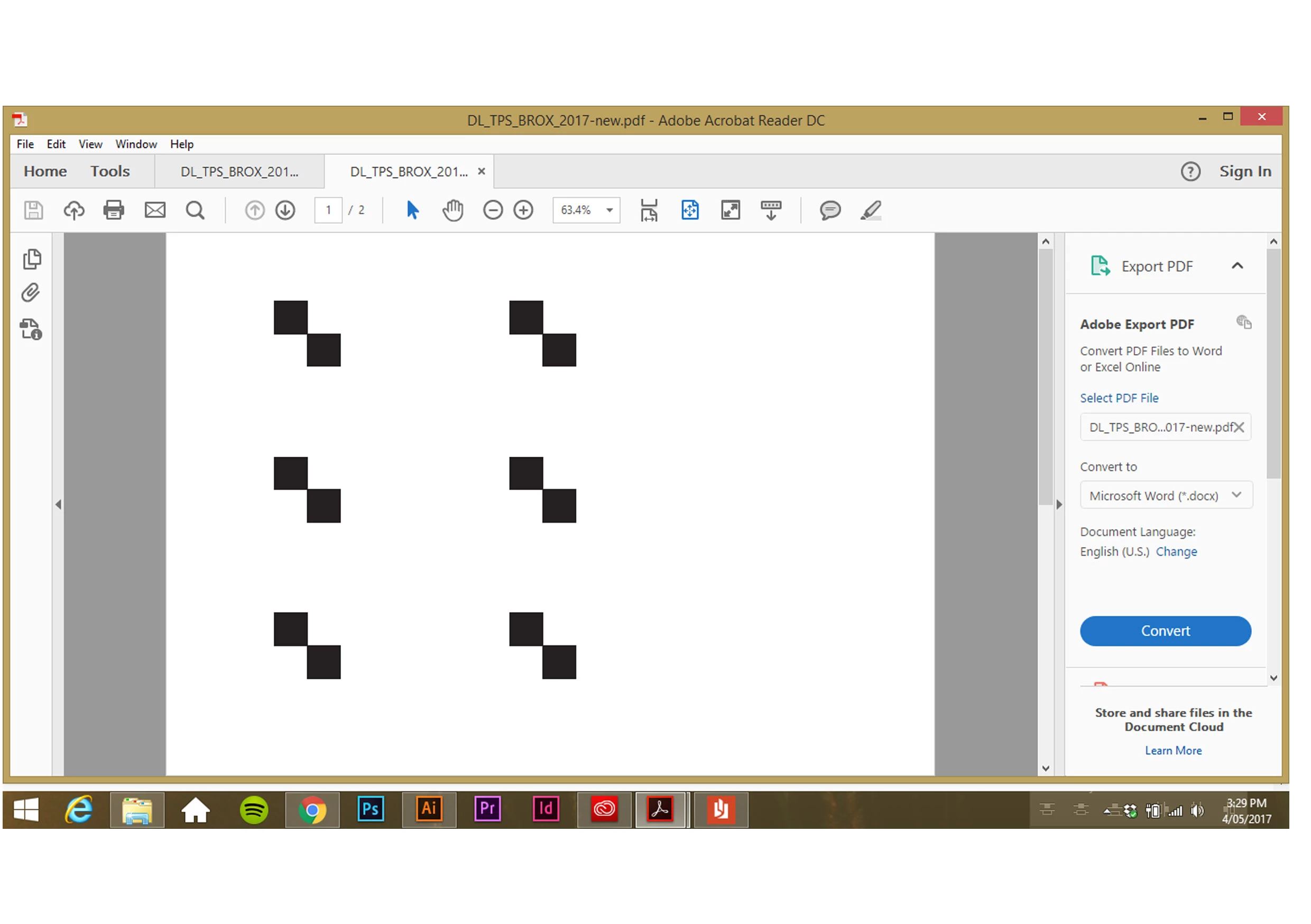
Saving as PDF producing black squares
  • May 4, 2017
  • 1 reply
  • 3622 views

Saving as a PDF (in any format) on Illustrator is either failing (unknown error message) or producing a PDF with the above black squares.

Any ideas what is casing this?

This topic has been closed for replies.
Correct answer cinziamarotta

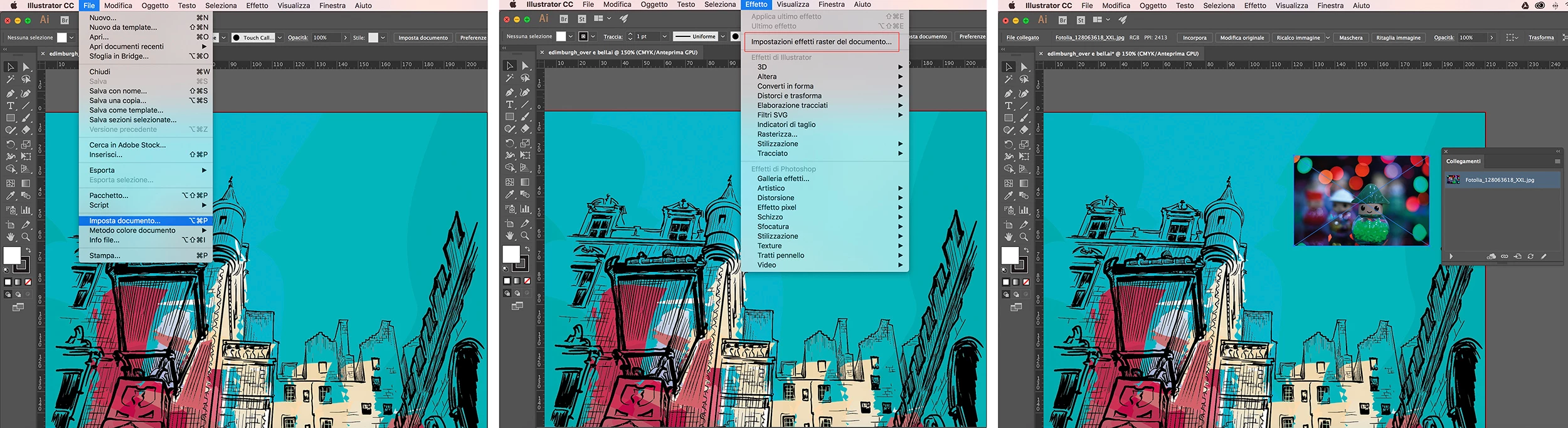
I can not locate the problem without seeing the original content. Anyway, I suggest you check out the document settings, the color method, and especially the raster effects settings.

Furthermore, use the link panel to check that all inserted images are available.
1 reply

cinziamarotta
Participating Frequently
May 4, 2017

What is the original content of that document?

It may be a flattening transparency issue...

Participant
May 4, 2017

Original file contains images and gradients but no transparency.

Not sure what the culprit is?

Participant
May 5, 2017

I can not locate the problem without seeing the original content. Anyway, I suggest you check out the document settings, the color method, and especially the raster effects settings.

Furthermore, use the link panel to check that all inserted images are available.


Thanks with your help I have now managed to locate a pesky link that was causing some trouble.

I can now save the document as an ai file (which it wouldn't allow before removing this unused link image), but my initial problem of the squares showing up in PDFs remains.

Now that I have managed to save the file Im going for a program shutdown and see if that gets me anywhere.
Also just followed your advice on raster settings etc Thanks again