
Inspiring
September 17, 2019
Question

Scissors tool not working?

  • September 17, 2019
  • 7 replies
  • 14919 views

I can't seem to figure out how the scissors tool works. 

I'm trying to cut apart a logo from our companies advertising department to use part of it on a slide. 

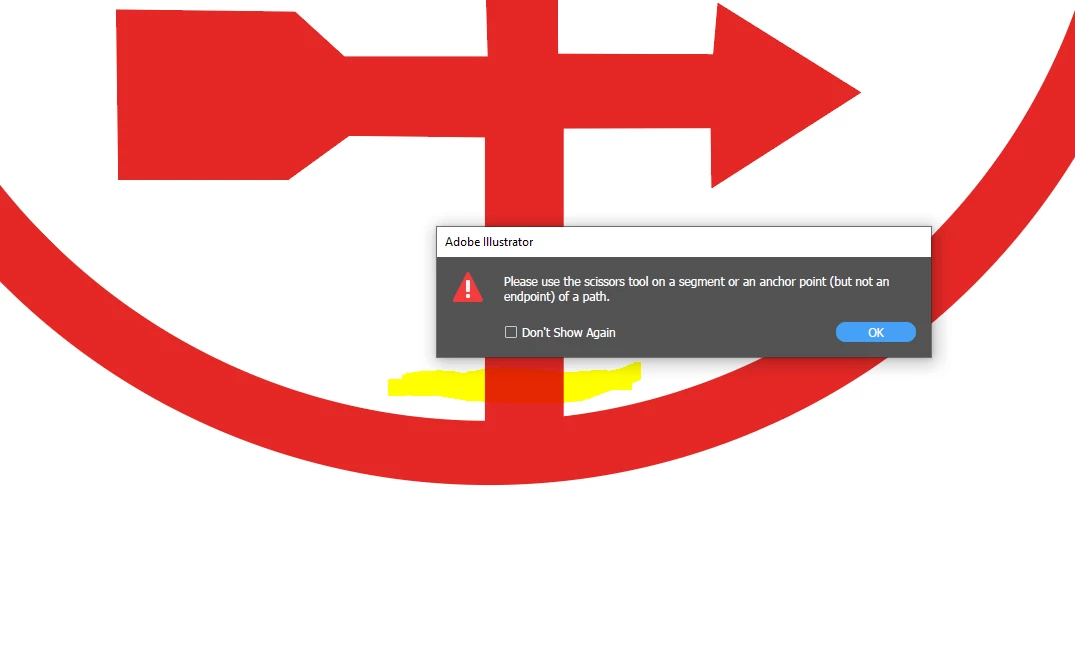
I'm trying to cut where the highlighted part is. I get this error message no matter where I try to cut. 
 

    This topic has been closed for replies.

    7 replies

    Inspiring
    June 24, 2021

    Yet another (the list is in the hundreds) buggy basic tool. When I try to use the scissors on a path I get an error message about 40% of the time. Selecting and deselecting the object to be cut a few times before cutting usually resolves the problem. Adobe please focus on making a solid, usable, reliable, PROFESSIONAL software rather than constantly adding unnecessary, bloated, all style-no-substance features.

    Doug A Roberts
    Community Expert
    Community Expert
    June 24, 2021

    What is the error message?

    Inspiring
    June 24, 2021

    that I should use scissors on a path, which is exactly what I'm doing when the error pops up. As I said deselecting and selecting again makes the scissors work as expected. This flaw has been around for maaaaaaaaaany years.

    Jacob Bugge
    Community Expert
    Community Expert
    March 30, 2020

    jeljohns,


    What happens if you ClickDrag across with the Line Segment Tool (find it under C in the link below) where you wish to cut, then Object>Path>Divide Objects Below, then select the unwanted part (if the Selection Tool fails you, you can Alt/OptionClick with the Direct Selection Tool), then press Delete?


    https://helpx.adobe.com/illustrator/using/tools.html


    Participant
    March 30, 2020

    Turn off "snap to grid"? I find that with it turned on, the scissor tool will often miss the outline and not do anything. For a long time I thought it was just a random tool failure.

    Participant
    August 27, 2021

    it works!!!! you're right~ thank you!!

    meganchi
    Legend
    September 17, 2019

    Did you select the logo first before trying to use the scissors tool?

    Monika Gause
    Community Expert
    Community Expert
    September 17, 2019

    Maybe take a look at goold old documentation to see the options? https://helpx.adobe.com/illustrator/using/cutting-dividing-objects.html

    Legend
    September 17, 2019

    I think a clipping mask or transparency mask might work better for your purpose.

    Doug A Roberts
    Community Expert
    Community Expert
    September 17, 2019

    Are you clicking on a path? If you have smart guides on (Ctrl + U), does it say 'path'?