

Synthoras
Participating Frequently
May 15, 2020
Answered

Screen glitch when working

  • May 15, 2020
  • 1 reply
  • 1183 views

Recently I have been having some minor screen glitches as seen below
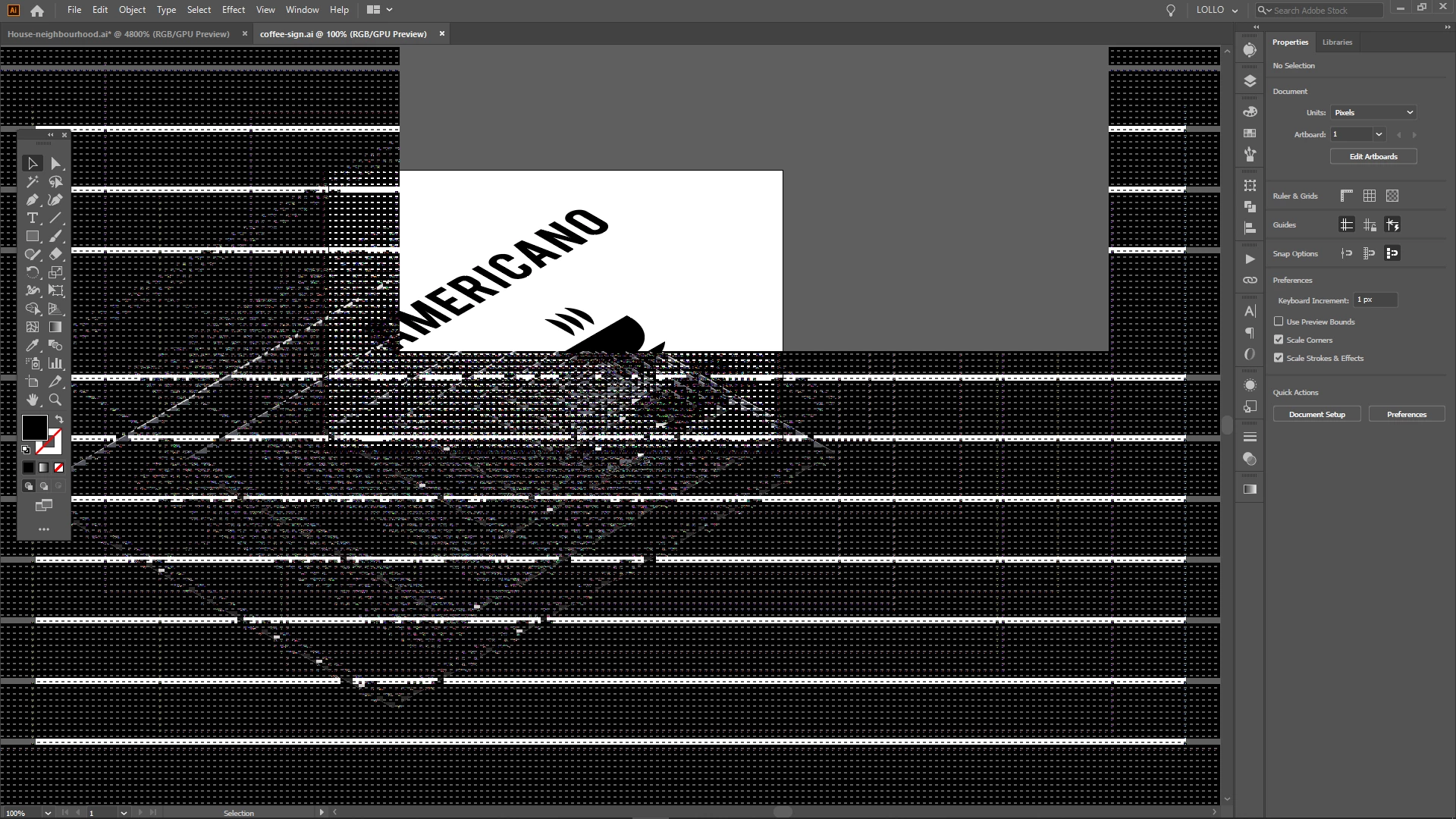


These happen with all the Adobe CC apps, and sometimes also when playing League of Legends. It is minor because once I zoom out and then back it htey disappear.

Do you think my laptop's video card is about to die?

This topic has been closed for replies.
Correct answer Ashutosh_Mishra

Hi there,


Sorry to hear about your experience. You mentioned that this happens with all Adobe apps. I'd request updating Illustrator(& other Adobe apps), OS and GPU drivers to the latest version. I also request to share version of OS and Illustrator as it'll help us respond accordingly.

You may also try disabling the GPU Performance on Adobe Illustrator by going to Preferences > Performance.

Let us know how it goes.


Regards,

Ashutosh

1 reply

Ashutosh_Mishra
Ashutosh_MishraCorrect answer
Inspiring
May 15, 2020

Hi there,


Sorry to hear about your experience. You mentioned that this happens with all Adobe apps. I'd request updating Illustrator(& other Adobe apps), OS and GPU drivers to the latest version. I also request to share version of OS and Illustrator as it'll help us respond accordingly.

You may also try disabling the GPU Performance on Adobe Illustrator by going to Preferences > Performance.

Let us know how it goes.


Regards,

Ashutosh

Synthoras
SynthorasAuthor
Participating Frequently
May 21, 2020

My laptop is running a Windows 10 Home version 10.0 Build 18363. My Illustrator is up to date, currently 24.1.2.


I have disabled the GPU performance and for now it seems to have gone away. I will check again soon if it does it again.


thanks for the help!