Known Participant
December 14, 2022
Answered

script drawing crosses

  • December 14, 2022
  • 1 reply
  • 3017 views

Hello.
I believe in the power of this forum, once a friend helped me write a script, for which I thank you again!
Is anyone able to write me a skeleton script that will insert/draw crosses like in the screen for each selected grouped element? Such a cross should be 7mm in size and be at least 7mm away from the object.
Both crosses should be in one line. Importantly, next to the right cross on the right side there should be the inserted text from the variable that I should enter, while at the bottom the variable counting +1 to each object (more or less like on the screen)
The crosshairs should be the same color as the selected objects (usually black or a secondary swatch).

Please help 

This topic has been closed for replies.
Correct answer femkeblanco

I have already dealt with the overprint and wrote exactly as you 🙂

As for the outline, adding what you wrote seems to have solved the problem. Thank you for help.

I added a bit more to the code, added the input from which number the elements should be counted, and if I want them in the color of the additional sample, I give the name (if not, they should be black) - I'm just wondering if it can be better solved

Would you be able to give me a skeleton code for drawing crosses to add them also centrally in the middle (vertical and horizontal), and at the top and bottom at 7mm distance from the object?

More specifically, it's about adding a cross
- a cross in the center of X and Y in line with those on the sides (as an if option, but I can handle it)
- two crosses in the X axis in the center of the object, and Y at the top at a distance of 7mm from the object, and at the bottom
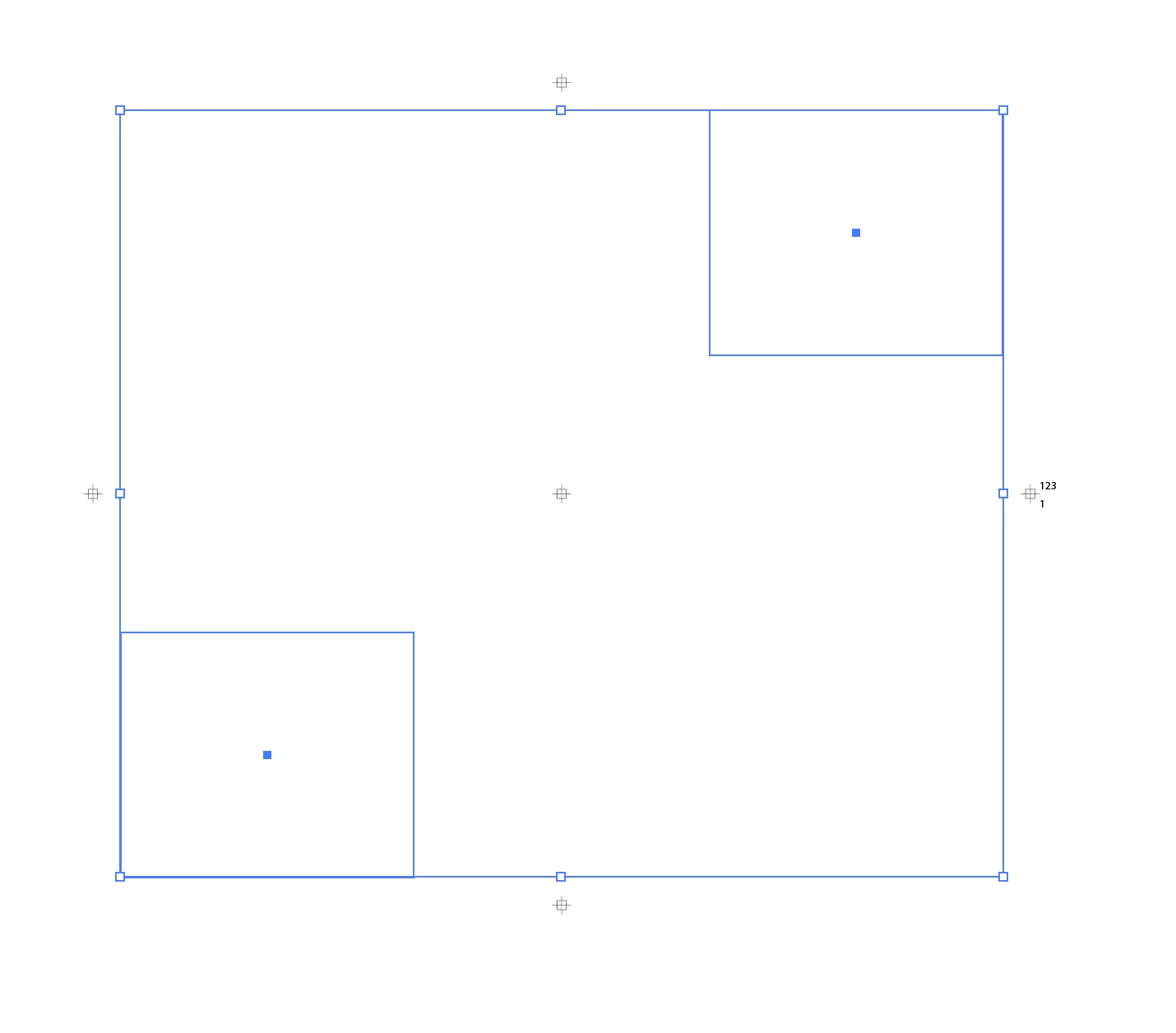

For all five crosses:


var w = 7 * 2.835;
var gap = w;
var doc = app.activeDocument;
var color = new CMYKColor();
color.black = 100;
for (var i = 0; i < app.selection.length; i++) {
    if (app.selection[i].typename == "GroupItem") {
        var b = app.selection[i].geometricBounds;
        var y = b[1] + ((b[3] - b[1]) / 2);
        var x1 = b[0] - gap - w / 2, x2 = b[2] + gap + w / 2;
        var x = b[0] + ((b[2] - b[0]) / 2);
        var y1 = b[1] + gap + w / 2, y2 = b[3] - gap - w / 2;
        function draw(top, left, w, p1, p2) {
            var square = doc.pathItems.rectangle(top, left, w, w);
            var line1 = doc.pathItems.add();
            line1.setEntirePath([[p1 - w, p2], [p1 + w, p2]]);
            var line2 = doc.pathItems.add();
            line2.setEntirePath([[p1, p2 - w], [p1, p2 + w]]);
            square.strokeWidth = line1.strokeWidth = 
                line2.strokeWidth = 1;
            square.strokeColor = line1.strokeColor = 
                line2.strokeColor = color;
            square.filled = false;
        }
        draw(y + w / 4, x1 - w / 4, w / 2, x1, y);  // R
        draw(y + w / 4, x2 - w / 4, w / 2, x2, y);  // L
        draw(y1 + w / 4, x - w / 4, w / 2, x, y1);  // top
        draw(y2 + w / 4, x - w / 4, w / 2, x, y2);  // bottom
        draw(y + w / 4, x - w / 4, w / 2, x, y);  // centre
    }
}


 

1 reply

femkeblanco
Legend
December 14, 2022

Regarding the text, (1) is the input variable (the top line) to be hardwired into the script, (2) is the number (the bottom line) just a count of the items, and (3) what size and font? 


This should do the crosses (without the text).  Also, group items don't have colors, so color is black.  


// select targets
var w = 7 * 2.835;
var gap = w;
var doc = app.activeDocument;
for (var i = 0; i < app.selection.length; i++) {
    if (app.selection[i].typename == "GroupItem") {
        var bounds = app.selection[i].geometricBounds;
        var y = bounds[1] + ((bounds[3] - bounds[1]) / 2);
        var x1 = bounds[0] - gap - w / 2;
        var x2 = bounds[2] + gap + w / 2;
        function draw(top, left, w, p) {
            var square = doc.pathItems.rectangle(
                top, left, w, w);
            var line1 = doc.pathItems.add();
            line1.setEntirePath([[p - w, y], [p + w, y]]);
            var line2 = doc.pathItems.add();
            line2.setEntirePath([[p, y - w], [p, y + w]]);
            square.strokeWidth = line1.strokeWidth = line2.strokeWidth = 1;
            var color = new RGBColor();
            color.red = color.green = color.blue = 0;
            square.strokeColor = line1.strokeColor = line2.strokeColor = color;
            square.filled = false;
        }
        draw(y + w / 4, x1 - w / 4, w / 2, x1);
        draw(y + w / 4, x2 - w / 4, w / 2, x2);
    }
}


Known Participant
December 14, 2022

Thank you again for your help!
you are great


1. yes, there should be one and the same number in the entire document, but each time the script is run, it wants to enter this number (because each project has a different number).

2. yes, it's supposed to be the number of objects. Each object should be numbered from 1
3. Myriad Pro. Regular, 12pt


What you wrote works, but only on one object (despite selecting several)
I forgot to add that the thickness of the crosses should be 0.25mm and that it would create a new layer called "+"

Known Participant
December 14, 2022

As for the color, if they can't be the same color as the group, it's like they can be 100% black in the CMYK palette