
Known Participant
March 26, 2021
Answered

Script that auto-renumbers text?

  • March 26, 2021
  • 3 replies
  • 1762 views

Hi there,


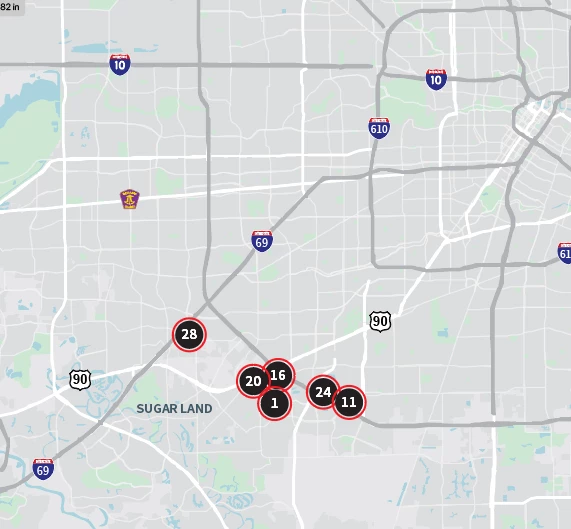
I have a vector map with about 30 numbers/points on it. I want to add a new point labeled #1, but would have to manually change every proceeding number by 1. I was wondering if there's a script that would auto-renumber this text for me? Would be amazing.


Thank you so much in advance!
 

This topic has been closed for replies.
Correct answer CarlosCanto

copy the script and paste into a plain text file. Save it as "anyName.jsx". Save it anywhere, to run the script, open your map, then go to File->Scripts->Other Scripts...then navigate to where you saved the script. done.

3 replies

CarlosCanto
Community Expert
Community Expert
March 26, 2021

alright, this script works by numbering all text frames in order, starting from number 1. The order will follow the stacking order in the layer panel, top most object is 1, next object below is 2, etc.


var idoc = app.activeDocument;
var workingLayer = idoc.layers['Recent Completions Comps'];

var numberedPoints = workingLayer.textFrames;

for (var a=0; a<numberedPoints.length; a++) {
    numberedPoints[a].contents = a+1;
}


let me know if that works for you

m1b
Community Expert
Community Expert
March 26, 2021

Here's a slight variation of Carlos' script that increments the current contents of the textframes:

var idoc = app.activeDocument;
var workingLayer = idoc.layers['Recent Completions Comps'];

var numberedPoints = workingLayer.textFrames;

for (var a=0; a<numberedPoints.length; a++) {
    numberedPoints[a].contents = parseInt(numberedPoints[a].contents)+1;
}
Known Participant
March 26, 2021

Great thank you both of you! 


Separate question - say I have two different layers of two sets of numbers - lets call them Comps 1 and Comps 2...


would I just change the layer name in this line, when I want to renumber the specific layer I want and re-save the script?:

var workingLayer = idoc.layers['Recent Completions Comps'];

CarlosCanto
Community Expert
Community Expert
March 26, 2021

great, can you expand that layer please?

Known Participant
March 26, 2021

The circle backgroud and outline is an appearance/graphic style.


CarlosCanto
Community Expert
Community Expert
March 26, 2021

let's see your layers panel, are the numbered text items in their own layer?

Known Participant
March 26, 2021

Yup! It's Recent Completions Comps, each number is on its own Text Path.