
Inspiring
September 10, 2018
Answered

Select Points Along a Y Axis

  • September 10, 2018
  • 1 reply
  • 1234 views

Hello,

Is there a simple solution via a JavaScript that would allow me to (once I have selected a point) automatically select all of the points that land on that same

Y-Axis?

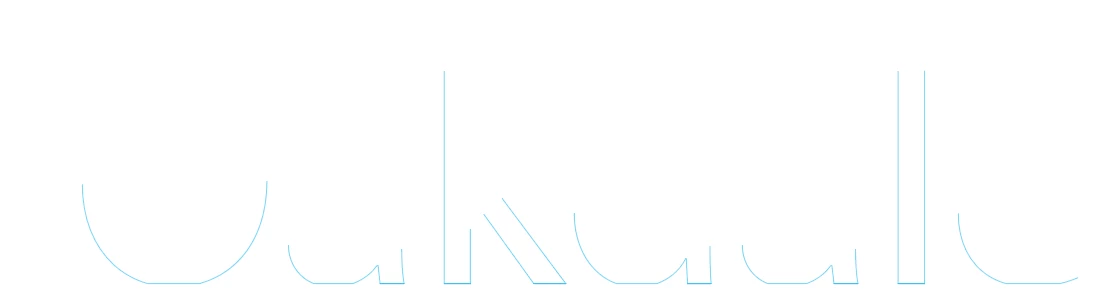
Possibly even adding points to paths on that same Y-Axis (like in the case of the S in the attached image)?

I am hoping to copy them, move them by .125 below and convert them to rectangles.

I am able to do all of this with an action but the first step.

Any help would be great thank you!
This topic has been closed for replies.
Correct answer Silly-V

The Script is doing nothing wrong  I'm just ending up with extra line segments.  It's almost like I need it to select all of the points -except- the ones on the Y-axis so I can delete them away.

and end up with this.


So you want something like this ?

#target illustrator

function test(){

    var doc = app.activeDocument;

    var selectedItem = doc.selection[0];

    var selectedPoints = selectedItem.selectedPathPoints;

    var selectedPoint;

    var tolerance = 2;

    for(var i = 0; i < selectedPoints.length; i++){

        if(selectedPoints.selected == PathPointSelection.ANCHORPOINT){

          selectedPoint =  selectedPoints;

        }

    };

    var sampleY = selectedPoint.anchor[1];

    selectedPoint.selected = PathPointSelection.NOSELECTION;

    var thisPath, thisPathPoint;

    for(var i = 0; i < doc.pathItems.length; i++){

        thisPath = doc.pathItems;

        for(var j = 0; j < thisPath.pathPoints.length; j++){

            thisPathPoint = thisPath.pathPoints;

            if(

                !(thisPathPoint.anchor[1] - tolerance <= sampleY && thisPathPoint.anchor[1] + tolerance >= sampleY)

            ){

                thisPathPoint.selected = PathPointSelection.ANCHORPOINT;

            }

        };

    };

};

test();

1 reply

Silly-V
Legend
September 10, 2018

Yea you can try this!

Change the tolerance to include more points along a wider buffer area.

#target illustrator

function test(){

    var doc = app.activeDocument;

    var selectedItem = doc.selection[0];

    var selectedPoints = selectedItem.selectedPathPoints;

    var selectedPoint;

    var tolerance = 2;

    for(var i = 0; i < selectedPoints.length; i++){

        if(selectedPoints.selected == PathPointSelection.ANCHORPOINT){

          selectedPoint =  selectedPoints;

        }

    };

    var thisPath, thisPathPoint;

    for(var i = 0; i < doc.pathItems.length; i++){

        thisPath = doc.pathItems;

        for(var j = 0; j < thisPath.pathPoints.length; j++){

            thisPathPoint = thisPath.pathPoints;

            if(

                (thisPathPoint.anchor[1] - tolerance <= selectedPoint.anchor[1] && thisPathPoint.anchor[1] + tolerance >= selectedPoint.anchor[1])

            ){

                thisPathPoint.selected = PathPointSelection.ANCHORPOINT;

            }

        };

    };

};

test();

Inspiring
September 11, 2018

This is great!  Thank you!

Silly-V
Silly-VCorrect answer
Legend
September 11, 2018

The Script is doing nothing wrong  I'm just ending up with extra line segments.  It's almost like I need it to select all of the points -except- the ones on the Y-axis so I can delete them away.

and end up with this.


So you want something like this ?

#target illustrator

function test(){

    var doc = app.activeDocument;

    var selectedItem = doc.selection[0];

    var selectedPoints = selectedItem.selectedPathPoints;

    var selectedPoint;

    var tolerance = 2;

    for(var i = 0; i < selectedPoints.length; i++){

        if(selectedPoints.selected == PathPointSelection.ANCHORPOINT){

          selectedPoint =  selectedPoints;

        }

    };

    var sampleY = selectedPoint.anchor[1];

    selectedPoint.selected = PathPointSelection.NOSELECTION;

    var thisPath, thisPathPoint;

    for(var i = 0; i < doc.pathItems.length; i++){

        thisPath = doc.pathItems;

        for(var j = 0; j < thisPath.pathPoints.length; j++){

            thisPathPoint = thisPath.pathPoints;

            if(

                !(thisPathPoint.anchor[1] - tolerance <= sampleY && thisPathPoint.anchor[1] + tolerance >= sampleY)

            ){

                thisPathPoint.selected = PathPointSelection.ANCHORPOINT;

            }

        };

    };

};

test();
