

Selection tool issue in Adobe Illustrator CC 2017
Hello!
I have an issue with Adboe Illustrator CC 2017. Before the update, I was able to mark an object with the selection tool and direct selection tool (black and white selection arrow) by either clicking on its line/path or on its fill. Now for some reason the option to mark the object on its fill is unavailable. I cannot mark the object by clikcing in it´s body. I would like to move an object by clikcing/selecting the filled area of the object and move it around, it did work in the CC 2015 version, and has always worked. The example below contains several areas of different colors and shapes but with the issue of the selection tool, it becomes very difficult to select and move certain objects.
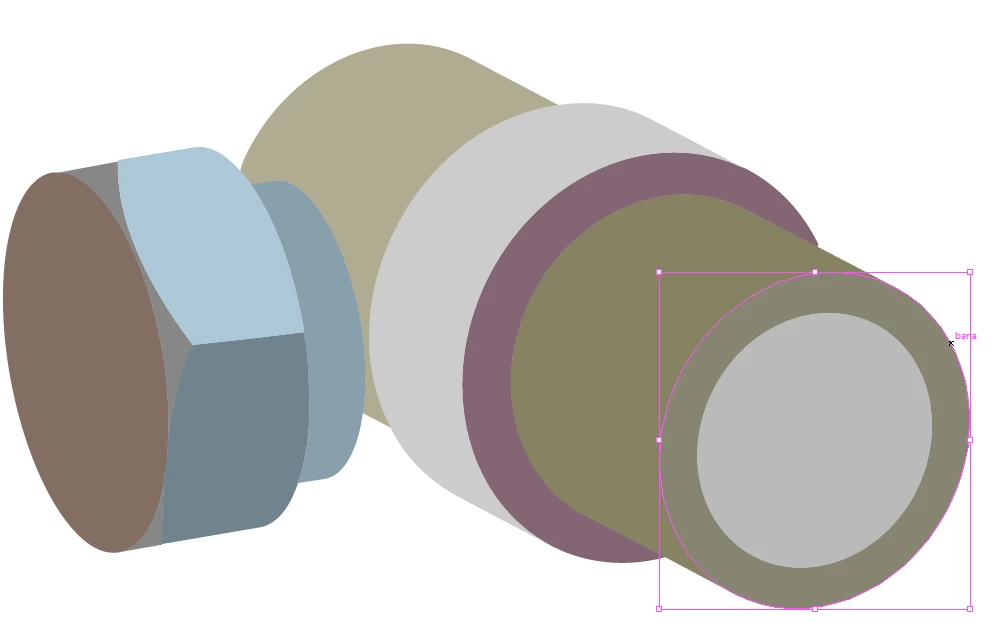
Please advise. Is this a bug or just a feature that I accidentally turned on/off?
 AdChoices