
Participating Frequently
March 20, 2021
Answered

separation preview

  • March 20, 2021
  • 2 replies
  • 824 views

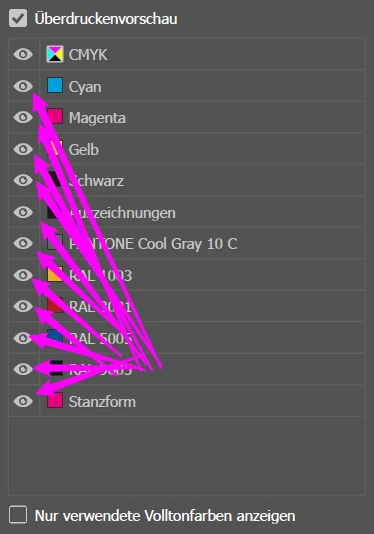
You have to turn off each color individually in separation preview .
With Photoshop you only need to click on a color. Hold down the mouse button and then pull it up or down to switch more colors on or off. So if you want to switch 10 colors off and on again, for example, you have to click the mouse a total of 20 times.
With Photoshop you only need two clicks for this process.
Why isn't this done at Illustrator?
This topic has been closed for replies.
Correct answer Kurt Gold

You may do a feature request at the Uservoice section of this forum.


2 replies

Kurt Gold
Community Expert
Kurt GoldCommunity ExpertCorrect answer
Community Expert
March 21, 2021

You may do a feature request at the Uservoice section of this forum.


Kurt Gold
Community Expert
Community Expert
March 20, 2021

You can hold down the Alt key and click on the eye icon of the tint you want to see. All others will be hidden. You can then Alt click again on it to show all.


Zb-EHAuthor
Participating Frequently
March 21, 2021

Many Thanks. This is a really good trick and a good start. But for a dynamic workflow, I would like to have the same functionality as in Photoshop. There you also save the alt key. I also do not understand why differences are made in the two programs in the separation preview. I hope this will be improved soon.