Known Participant
September 12, 2023
Question

Shadows in Illustrator dark, muddy, not smooth gradients

  • September 12, 2023
  • 2 replies
  • 825 views

Hello all, 

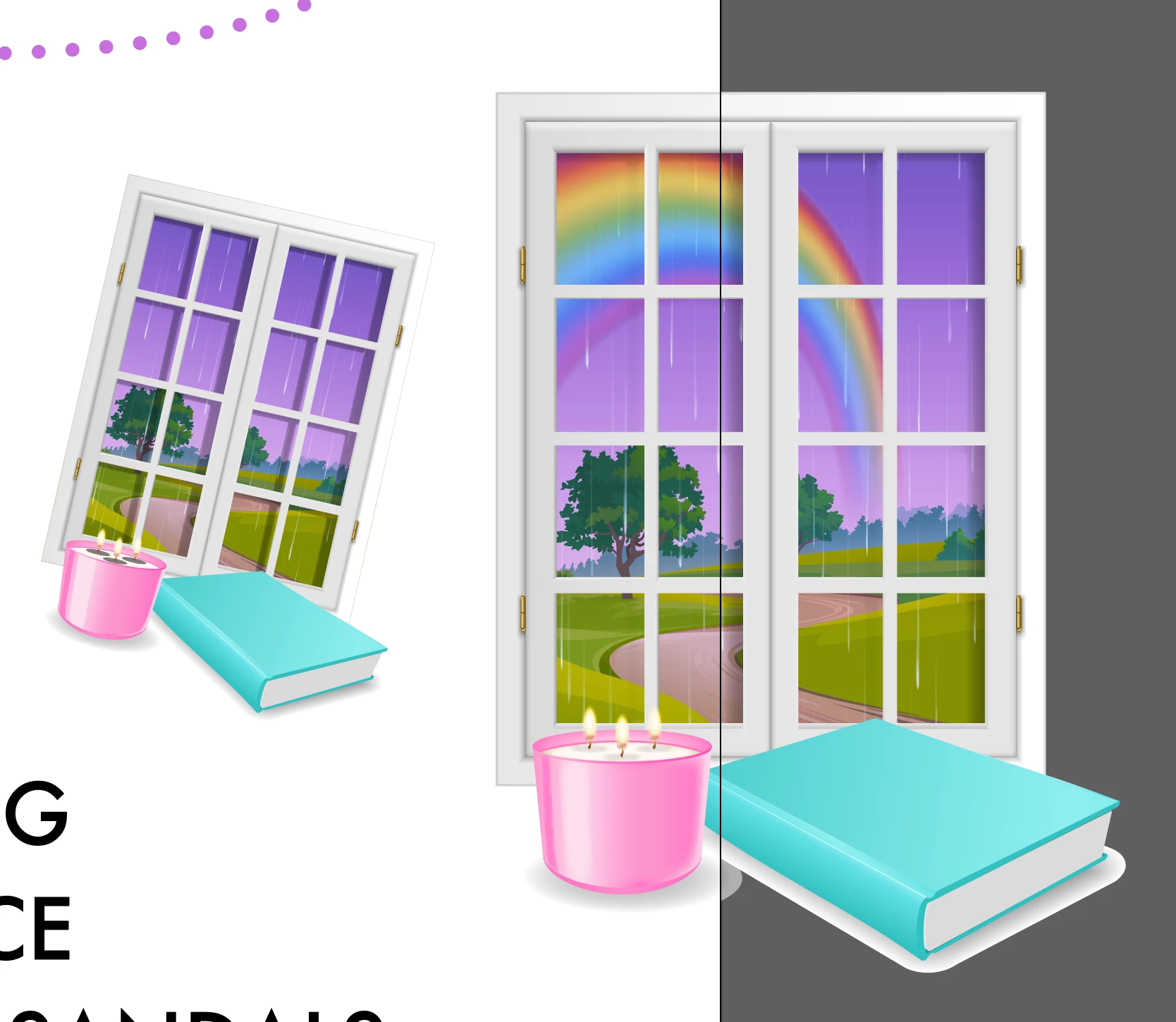
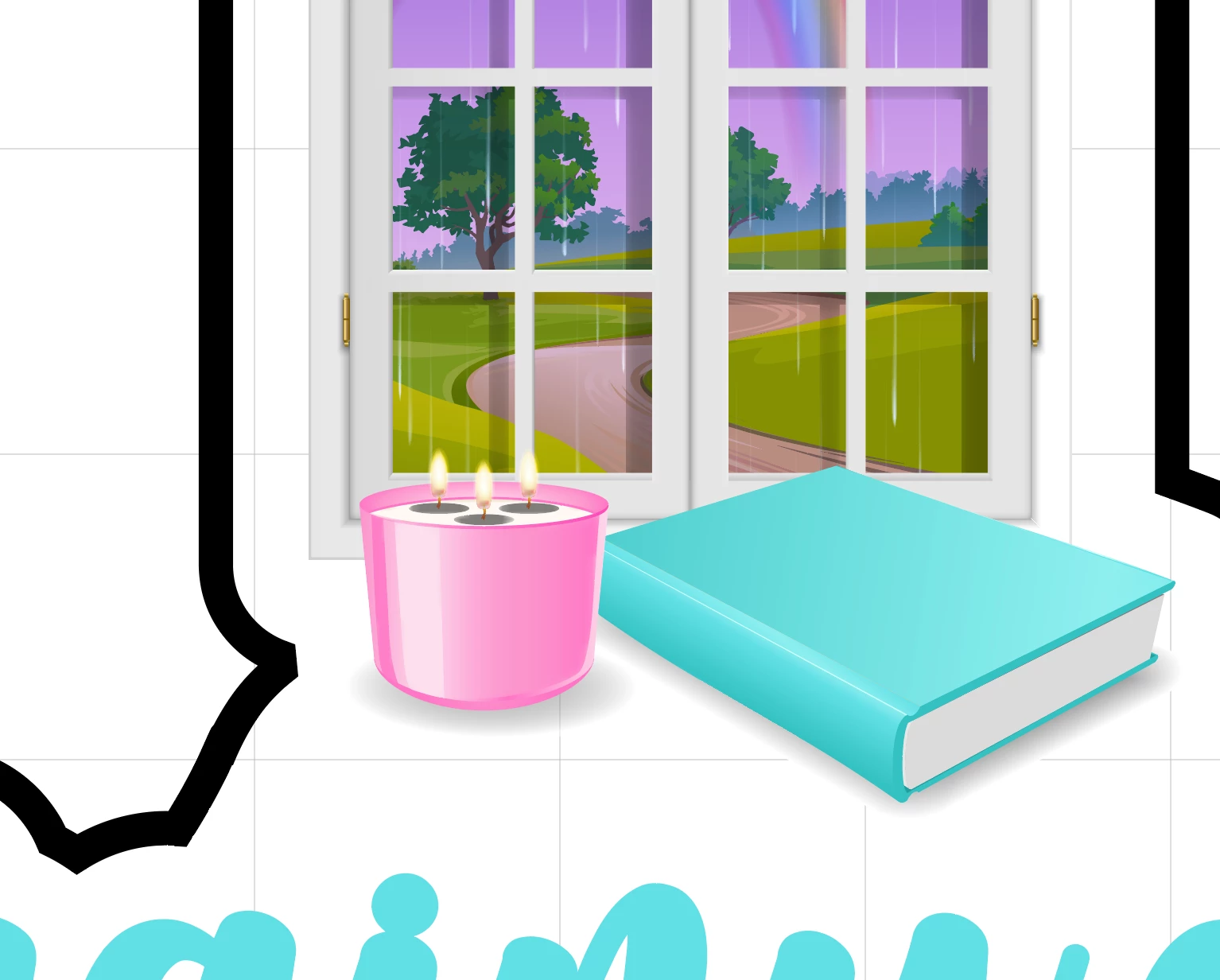
I have an issue that no amount of messing with color settings seems to be able to fix. Attached are two screenshots. On the candle graphic, the shading underneath the flames is smooth and evenly colored. This is on my clients end. On my end, when I open the file, and when I return it to her, the candle looks like the screenshot where the shading beneath the flames is a muddy black.


Please help...I've tried everything, reinstalling the program, rebuilding the entire document, everything....I don't know if this is just an issue of my MacBook not being able to handle these sorts of graphics or not. 
This topic has been closed for replies.

2 replies

Brad @ Roaring Mouse
Community Expert
Community Expert
September 13, 2023

When you got the file from your client, did you scale it down? I suspect you've scaled the artwork down at some point, and even with Scale Strokes and Effects turned on, it seems there's a practical limit to how well a feather can be rendered at an extremely small size. Whether this is a bug (I'm leaning in that direction) or a technical limitation I don't know. I know there was similar issue in the past with Gaussian Blurs not scaling properly, but that was fixed at some point, so this might be a related bug taht's still unsolved.

To demonstrate: if you scale your artwork up by 400% (with Scale Strokes and Effects turned on as you should), you will see how the feathered object changes appearance.

Recommendations: 1. Change the shadow to a gradation fill instead.

OR, 2. leave the artwork at it was at the original large size with the corrcet shadow, and instead of scaling it down as you have for your small sticker, PLACE the original file as a link instead and scale that. That seems to work better in a test I did now

Monika Gause
Community Expert
Community Expert
September 12, 2023

Please select those shadows and show the Appearance panel. How did you create them?

Which application do you use to view the exported files? What does your client useß

Faith5C32Author
Known Participant
September 12, 2023

Hi, I didn't create these files...they are client provided. 

Both myself and the client are viewing them as is in Adobe Illustrator. 

Upon closer inspection it seems these are not gradients but shapes with a feather effect applied. Though it still doesn't explain why it looks different to the client...

Doug A Roberts
Community Expert
Community Expert
September 12, 2023

You're zoomed in 4000% in that screenshot. Did the client's file start out as a large canvas document or did you add it to one?