


Shapes not filling

Copy link to clipboard
Copied
I've got a design I got in .svg.
When, trying to fill the shapes in Illustrator with some solid color, thing happens.
I tried several times, changing View, Outiline, preview, etc., closing, reopening. Nothing.
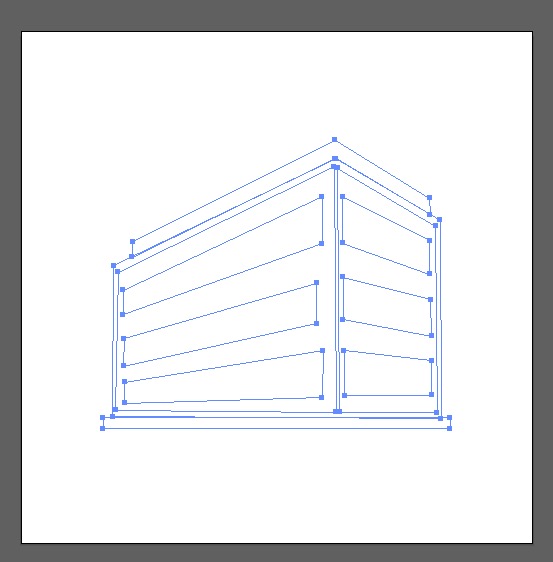
Any ideas ?



Explore related tutorials & articles
 11
Replies
11
11
Replies
11


Copy link to clipboard
Copied
I'd suggest that you try converting to a live paint object.
First select the artwork.
Select the Live Paint tool.
Choose the fill color you want and click the Live Paint tool in the area you want to fill.

Copy link to clipboard
Copied
Look in the "Layers Panel". See if it is a "Compound Path". Try "Object>Compound Path>Release" and see if you can assign colors.
Copy link to clipboard
Copied
Hey, I checked, there is no compound path. Also the "release" is grayed out from the Object menu.
I just found another artwork to work with... for a Keynote presentation...
Thank you

Copy link to clipboard
Copied
Can you share the file?
Copy link to clipboard
Copied
You can download file here https://pixabay.com/en/office-building-blue-white-stripes-48859/
Copy link to clipboard
Copied
You shared a png. We need the working file in Illustrator.
Copy link to clipboard
Copied
If it happens to be a compound path, using Live Paint Bucket will automatically release the compound path.
Copy link to clipboard
Copied
It is very possible your "Shapes" are built with disconnected strokes. You can select all and "Join" to connect end points into corner points.
Seeing the expanded Layers panel would tell a lot.

Copy link to clipboard
Copied
hello Alexandre,
i was wondering if you have found a solution to your problem? i am having the same problem with an SVG i exported from Rhino, i have never seen this behavor in illustrator, i verified everything i can think about but still can not understand what is happening.
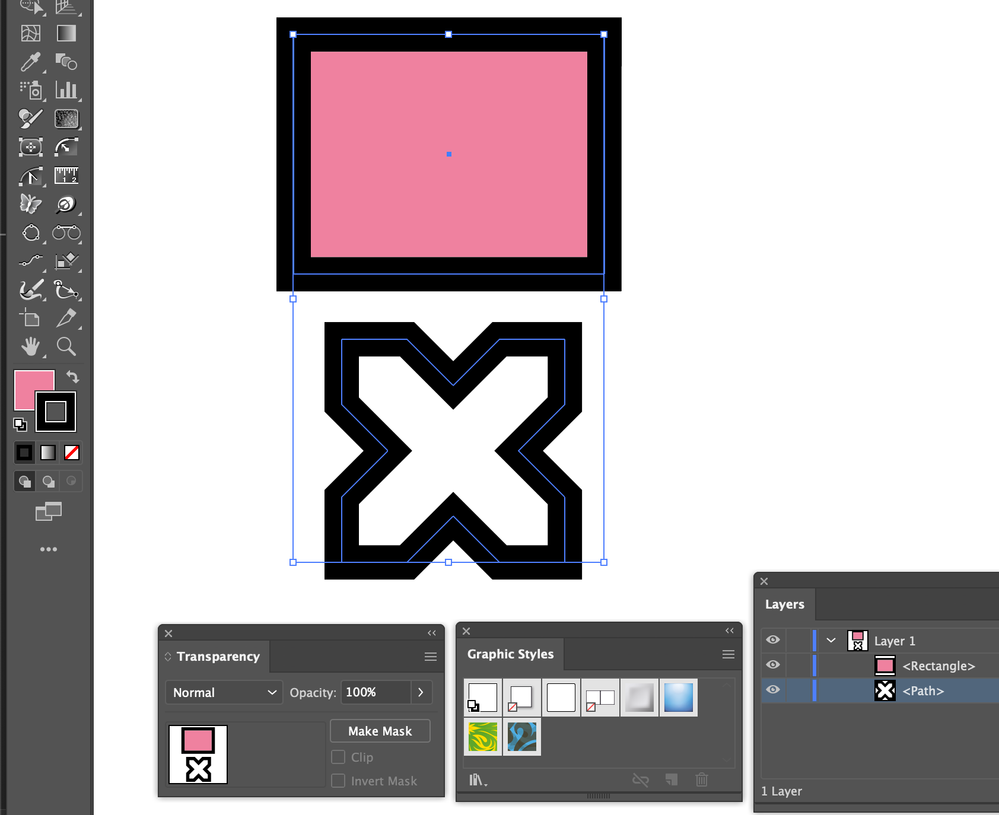
as you can see in the image below, both selected objects have the same fill and stroke, no mask, closed paths, no graphic style or blending mode, no mask, ... everything is boring normal but impossible to show the filling color of the X shape!

Copy link to clipboard
Copied
Select just the 'X' and show the appearance panel.
Copy link to clipboard
Copied
that's it !!!
thanx for the tip, the fill was at 0%!


Get ready! An upgraded Adobe Community experience is coming in January.
Learn more
 AdChoices